
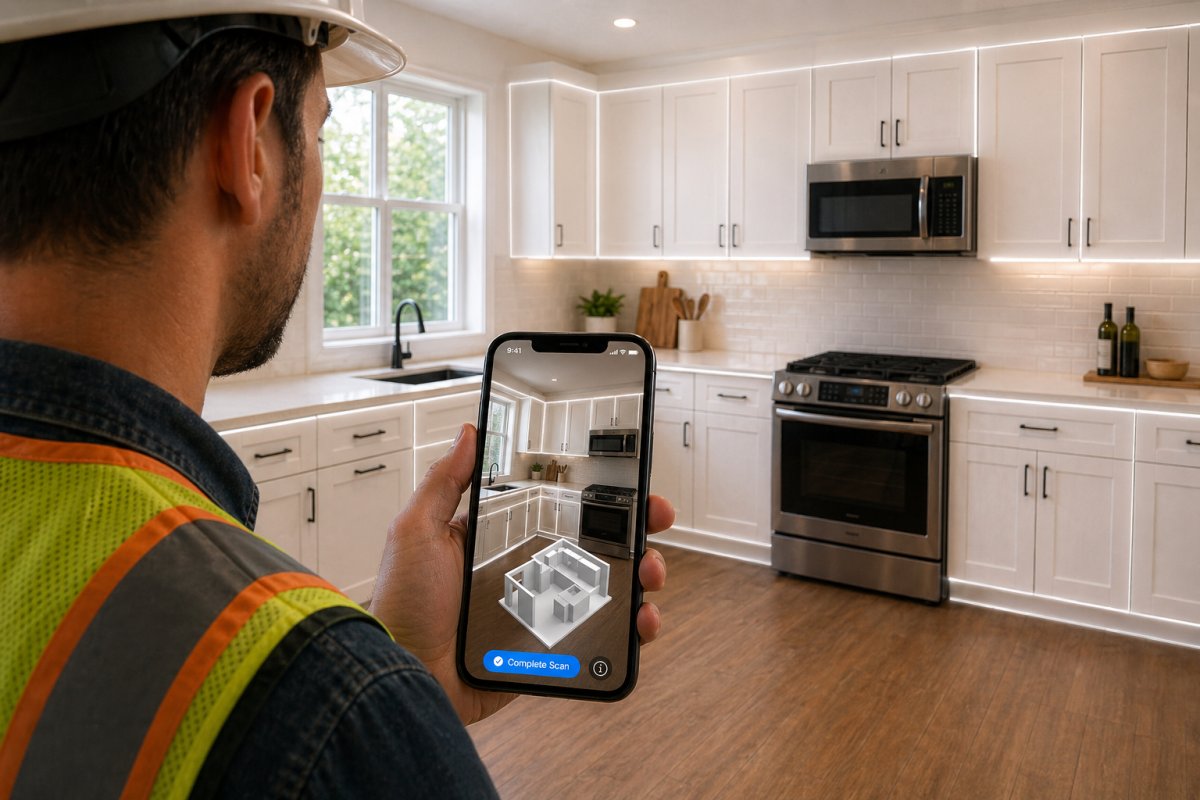
The "laptop burden" is officially dead. If you're still spending your evenings hunched over a desk to finalize floor plans, you're working harder than your competition. Every contractor knows the frustration of a manual measurement error that leads to a costly ordering mistake. It's time to stop the late-night drafting and the slow approval cycles that stall your cash flow. With a modern kitchen design app for contractors, the office-bound workflow is a relic of the past.
Scan. Design. Show. You can now use LiDAR on an iPhone 15 Pro or iPad Pro to capture a room's dimensions with surgical accuracy in seconds. This guide will show you how to eliminate manual errors and impress clients with instant AR visualizations that drive faster signatures. We'll look at how tools like ArchKit Design leverage 2024 International Residential Code standards to help you generate 3D layouts and cabinet lists directly on-site. Discover how to capitalize on the 113% ROI that Zonda 2025 reports for kitchen remodels by providing the instant results today's homeowners demand.
Key Takeaways
- Eliminate manual measurement errors by using LiDAR scanning to capture every wall and opening with professional precision.
- Discover why a mobile kitchen design app for contractors beats legacy desktop software for speed and on-site client communication.
- Shorten your sales cycle by providing instant 3D visualizations that help clients make confident decisions during the initial walkthrough.
- Transition to a "Scan. Design. Show." workflow to remove the burden of late-night office work; keep your focus on the job site.
- Leverage U.S. standard cabinet catalogs to ensure your on-site designs are ready for accurate estimating and ordering.
What is a Kitchen Design App for Contractors?
A kitchen design app for contractors is a high-performance mobile engine built specifically for the demands of the job site. It isn't a consumer tool for picking out backsplash tiles; it's a professional solution for measurement, layout planning, and visualization. While traditional methods rely on hand-drawn sketches and manual data entry, these apps leverage mobile hardware to create a digital twin of a room in real time. The goal is to move from a site survey to a buildable plan without ever touching a desktop computer. This shift allows you to provide an accurate quote and secure a project commitment before you even pack up your tools.
The distinction between a pro tool and a DIY app is found in the data. Consumer apps often ignore wall thickness, structural tolerances, or the specific requirements of the 2024 International Residential Code. A professional kitchen design app for contractors handles these technical details automatically. By automating the measurement phase, you replace the potential for human error with laser-accurate data. This transition is the foundation of a modern workflow: Scan the room, generate the list, and win the contract.
The Core Components of a Pro-Grade App
Professional tools like ArchKit Design prioritize three specific features: LiDAR mapping, U.S. standard cabinet catalogs, and instant floor plan generation. These components allow you to map plumbing stacks and window offsets with surgical precision. Most apps utilize the core principles of Computer-aided design (CAD), but they strip away the complexity of traditional software. You get the power of a workstation in a touch-based interface that works in a dusty kitchen just as well as it does in a trailer. This ensures that the 2D and 3D layouts you produce on-site are technically sound and ready for procurement.
Who Benefits Most: Contractors vs. Designers
Remodelers and general contractors benefit most from this speed. Unlike architects who might need weeks for a permit set, a contractor needs to visualize a layout to close a sale today. Using ArchKit Design reduces the office burden that plagues small business owners. Instead of spending your evenings drafting, you finish the design while standing in the client's kitchen. This immediacy builds trust and positions you as a tech-savvy professional who values the homeowner's time. It moves the design process from a back-office chore to a front-end sales tool that differentiates your business from the competition.
How LiDAR and AR Technology Accelerate On-Site Estimating
Speed is the currency of the modern job site. If you're still pulling a tape measure across a crowded kitchen, you're losing time and risking accuracy. LiDAR (Light Detection and Ranging) has transformed from a high-end surveying tool into a standard feature on professional mobile devices. It's the new gold standard for field measurements. By using a kitchen design app for contractors, you turn raw laser data into a precise digital twin of the room. This isn't just about drawing lines; it's about generating a buildable cabinet list before you finish your first cup of coffee on-site.
The transition from a scan to an estimate is where the profit happens. Traditional methods involve manual notes that are easily misread later. Digital tools eliminate that gap. Once the scan is complete, the software identifies wall lengths, ceiling heights, and plumbing locations. This data feeds directly into your material list. You get an instant snapshot of the required units, reducing material waste by ensuring every filler and cabinet box is accounted for from day one.
LiDAR: Accuracy Without the Tape Measure
The sensors on an iPhone 15 Pro or iPad Pro map a kitchen in seconds. These devices pulse lasers to calculate distances with millimeter precision. You don't need to clear the counters or move the fridge to get a reading. Modern apps are smart enough to "see" through the clutter of an existing kitchen to find the true wall plane. This eliminates the ordering errors that plague manual workflows. When you rely on a digital scan from ArchKit Design, you remove the risk of a "fat-finger" typo on a notepad ruining your cabinet order. If you're ready to modernize your workflow, get early access to professional tools built for this level of precision.
AR Visualization: Closing the Sale on the Spot
Augmented Reality (AR) is your most powerful sales closer. It moves the project from an abstract concept to a physical reality for the homeowner. You can walk a client through their new layout before the first demo hammer swings. Use AR to settle layout debates in real-time. If a client is torn between a large island or a peninsula, show them both. They can see the clearance, feel the flow of the "work triangle," and make a confident decision. This reduces project approval time from weeks of back-and-forth emails to a single on-site conversation. Using a kitchen design app for contractors allows you to show, not just tell, why your vision is the right one for their home.
The benefits of this tech-heavy workflow are clear:
- Instant Speed: Complete a full room survey in under five minutes.
- Total Accuracy: Eliminate the human error inherent in manual measurements.
- Reduced Waste: Order exactly what you need based on verified site data.
- Client Confidence: Use visualization to get faster signatures and fewer mid-project revisions.
Mobile Apps vs. Legacy Desktop Software: Choosing Your Toolkit
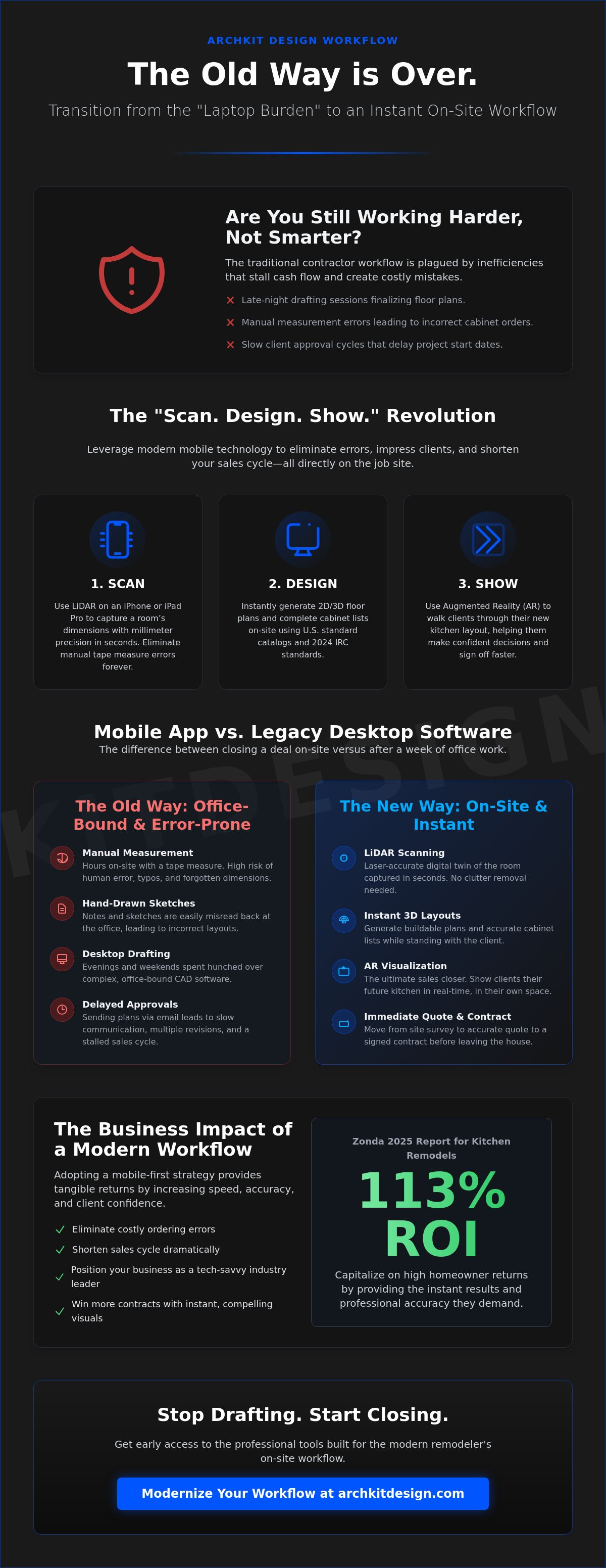
The "Legacy Way" is a notorious time sink. It starts with a tape measure and a notepad. You drive to the office, sit at a desk, and fight with complex CAD software for hours. Finally, you email a file to the client and wait. This cycle often takes days. A kitchen design app for contractors flips the script. You scan the room on-site. You design the layout instantly. You show the client the 3D model before you leave the driveway. This transition from office-bound drafting to mobile efficiency is how modern pros win more bids.
Legacy software requires a massive investment in both money and time. Professional desktop suites like Chief Architect Premier cost $229 per month or nearly $2,000 per year. Beyond the price, you face a steep learning curve that can take weeks of training to master. Most remodelers don't have that luxury. Mobile tools run on the iPad or iPhone you already carry. The interface is intuitive and built for the job site, not a climate-controlled office. You shouldn't need a degree in architecture just to place a base cabinet and get a signature.
There is also a common "catalog myth" in the industry. Some legacy brands brag about offering 500 plus manufacturer catalogs. For a busy contractor, that's just noise. It leads to decision fatigue and slows down the estimating process. Modern mobile tools focus on U.S. standard cabinet sizes. This keeps your workflow tight and your estimates accurate. You don't need infinite, confusing options; you need the right options that you can actually order and install without a headache.
Speed vs. Complexity: The Contractor’s Dilemma
In the field, a "good enough" 3D visualization shown on the spot beats a "perfect" rendering delivered three days later. If you wait three days, the client's excitement cools. They might start looking at other bids. Revisions in legacy software are painful because they require a trip back to the office. With mobile tools, you adjust the island size in seconds while standing in the kitchen. Check out our pricing for professional mobile tools to see how this shift fits your business model.
Field Independence: No Laptop Required
Finishing a design before you leave the job site provides a massive psychological relief. It removes the "going back home" fatigue where you spend your evening catching up on paperwork. Cloud syncing ensures that if you start a scan on your iPhone, the data is ready on your tablet for a larger presentation. Modern remodelers are ditching the traditional "office day" to stay in the field where the real work happens. No laptop required means you have total freedom to run your business from the palm of your hand.
5 Steps to Closing More Deals Using On-Site Visualization
While previous sections detailed the technical precision of LiDAR, this workflow focuses on the sales psychology of the job site. Integrating a kitchen design app for contractors into your initial pitch changes the dynamic with the homeowner. You aren't just a builder providing an estimate; you're a solutions provider delivering instant clarity. Moving from a consultation to a commitment requires a structured path that keeps the client engaged while their excitement is at its peak.
Step 1: The Initial Walkthrough. Begin by scanning the existing footprint. This takes less than five minutes and happens while the client describes their current frustrations. You capture the room's geometry without the interruption of a tape measure.
Step 2: Instant Layout. Drop in the base and wall units. Since ArchKit Design uses the U.S. standard sizes discussed earlier, you're building a technically sound quote in real time. The cabinets snap to the scanned walls, ensuring a perfect fit.
Step 3: The AR Reveal. Hand the device to the client. Let them stand in their kitchen and look through the screen to see the new layout overlaid on their existing space. This emotional connection is the strongest closer in the industry.
Step 4: On-the-Fly Revisions. Address objections immediately. If the client wants to see a different cabinet finish or a larger island, make the change in seconds. This eliminates the "I'll get back to you" delay that often leads to lost leads.
Step 5: The Handshake. Finalize the 2D plan and capture a digital signature. You've provided a professional 3D visualization and a buildable plan in a single visit, cutting weeks off the traditional sales cycle.
Professional Presentation Tips for Remodelers
Building trust starts with the first interaction. You can use a free kitchen design app to demonstrate your capabilities during the initial lead qualification. This "Tech-Savvy Foreman" approach justifies higher project fees because you're providing a level of service and certainty that competitors cannot match. Using 3D models early in the process prevents the "that's not what I thought" complaints that lead to expensive mid-project changes. If you're ready to modernize your sales process, get early access to our professional tools and start winning more bids.
Streamlining the Approval Process
The objective is to reduce the number of site visits required for project kick-off. Every return trip to re-measure or show a new drawing costs you money in fuel and lost labor hours. By using a kitchen design app for contractors, you lock in the layout and the budget simultaneously. Once the digital signature is captured on-site, you can export the cabinet list directly to your supplier. This ensures the final installation matches the client’s approved vision with zero data entry errors.
ArchKit: The On-Site Workflow Solution for Modern Remodelers
ArchKit is built for the reality of the field. It isn't a desktop program ported to a tablet; it's a dedicated kitchen design app for iPhone and iPad designed to handle the chaos of a renovation site. While legacy software forces you into an office chair, this tool keeps you where the profit is made. By focusing on the "Scan. Design. Show." workflow, you eliminate the gap between the initial measurement and the final sale. It's the most efficient kitchen design app for contractors who value their time as much as their craftsmanship.
The core of the ArchKit advantage is the "U.S. Standard" cabinet catalog. You don't have to sift through thousands of irrelevant international parts or generic shapes. The app provides the exact cabinet sizes used by American suppliers. This ensures your 2D and 3D layouts are accurate for estimating and ordering from the start. Because ArchKit operates on a SaaS model, your toolkit is always current. You get professional updates, new features, and secure cloud storage for every project file. Your data moves with you, accessible on any device whenever you need to reference a plan or show a client a revision.
Why ArchKit Focuses on the Job Site
This software was built by people who understand dusty boots and busy schedules. We know that a contractor's day doesn't end at 5:00 PM if there's still drafting work to do. The UI is intentionally no-nonsense. There are no hidden menus or overly complex settings to slow you down. You get in, get the scan, and get the layout. This speed allows you to provide a level of service that traditional firms can't match. If you want to stop the late-night laptop grind, get early access to ArchKit features and start designing where the work happens.
Building Your Professional Contractor Toolkit
Modernizing your business requires tools that talk to each other. ArchKit integrates into your existing project management flow by providing clean, exportable data. The standard cabinet list allows for rapid quoting, which means you can give a ballpark figure before you even pack up your tools. You aren't just selling a kitchen; you're selling a professional, tech-forward experience that builds trust. ArchKit functions as the professional bridge that connects your first site measurement to the final client signature. Modernize your business, eliminate the office day, and win more bids starting today. For those looking to partner with specialists who share this commitment to quality, Archers Roofing Services Ltd provides expert solutions for roofing and guttering maintenance.
Build More and Draft Less
The days of manual tape measures and late-night office work are over. You now have the power to transform a dusty job site into a digital showroom in minutes. By leveraging LiDAR-powered precision mapping, you eliminate the ordering errors that cost your business time and money. Every layout you create uses U.S. standard cabinet catalogs. This ensures your 2D and 3D plans are ready for production the moment the client approves. There is no laptop required and no need to wait days for a professional rendering.
Adopting a modern kitchen design app for contractors isn't just about convenience. It's about winning more bids and reclaiming your evenings. You've seen how AR visualization builds instant trust and how on-site revisions keep project momentum alive. Swap the legacy office grind for a workflow that works as hard as you do. Join the future of kitchen remodeling-Get Early Access to ArchKit and start closing deals before you leave the driveway. Your next successful project starts with a single scan.
Frequently Asked Questions
Is a kitchen design app accurate enough for ordering cabinets?
Yes, professional apps using LiDAR technology provide the millimeter precision required for high-stakes cabinet orders. These tools remove the risk of human error associated with misreading a tape measure or misplacing a decimal point in a notebook. By using a kitchen design app for contractors, you ensure that every U.S. standard cabinet box fits the physical space exactly as planned on-site.
Do I need an iPad Pro to use a kitchen design app for contractors?
You need a device equipped with a LiDAR sensor to access professional-grade spatial mapping features. As of May 2026, this includes the iPad Pro models from 2020 or later and the iPhone 12 Pro through 15 Pro Max series. These sensors are essential for the "Scan. Design. Show." workflow because they capture room geometry in seconds without requiring you to clear the counters.
Can I export 2D floor plans from a mobile design app?
Professional mobile tools allow you to generate and export 2D floor plans and 3D layouts directly from the field. You can send these files as PDFs or CAD-compatible formats to your suppliers or installation crews instantly. This eliminates the delay of returning to the office to draft plans, allowing you to move from a walkthrough to a signature in one visit.
How does LiDAR scanning work in a kitchen design app?
LiDAR uses rapid laser pulses to measure the distance between the device and every surface in the room. The app translates thousands of these data points into a precise 3D model of the kitchen. It automatically recognizes walls, windows, and plumbing stacks. This technology allows you to map a complex room in under five minutes while maintaining professional accuracy for your layout.
Will these apps work with standard U.S. cabinet sizes?
Professional apps like ArchKit include pre-loaded catalogs that feature U.S. standard cabinet dimensions. This ensures that every 30 inch base cabinet or 42 inch wall unit you place in the digital model is a buildable reality. You don't have to guess or manually adjust sizes. The software keeps your design grounded in the actual inventory available from your local cabinet suppliers.
How much does professional kitchen design software cost for a small business?
Pricing varies significantly between legacy desktop suites and modern mobile apps. For instance, Chief Architect Premier currently costs $229 per month or $1,995 for an annual subscription as of May 2026. Mobile-first solutions often provide a more accessible entry point for remodelers who need on-site efficiency rather than full architectural rendering power. This allows small businesses to scale their tech stack as they grow.
Can I use an AR kitchen app on an Android device?
Many Android devices support basic AR visualization, but the professional "Scan. Design. Show." workflow is currently optimized for Apple's LiDAR-equipped hardware. While ARCore provides visualization, the precision mapping needed for a kitchen design app for contractors relies on the specific sensors found in Pro-level iPhones and iPads. This hardware ensures the measurements are reliable enough for actual construction and ordering.
How does on-site visualization help reduce project revisions?
On-site visualization allows the homeowner to "walk" through their new layout using Augmented Reality before any demo work begins. This immersive experience settles debates about island placement or walkway clearances in real time. By showing the client exactly how a 36 inch island affects their floor space, you prevent the costly "that's not what I expected" complaints that typically lead to mid-project changes.


