
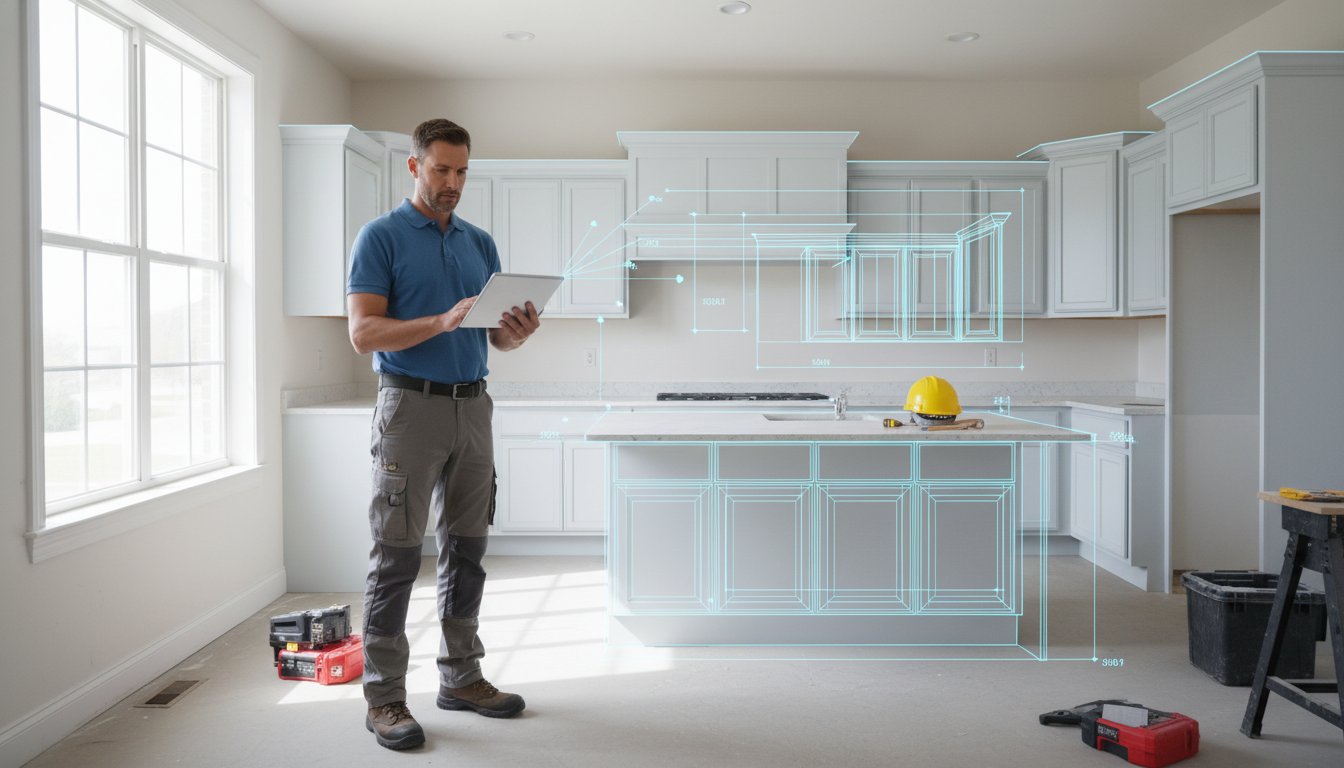
The tape measure is officially a legacy tool. In 2026, manual sketches and "close enough" measurements are the fastest ways to lose a client's trust. You've been there. A single misread digit on a notepad leads to a cabinet that won't fit and a week of expensive delays. It's frustrating, unprofessional, and entirely avoidable. Finding the right app to measure kitchen for cabinets isn't just about convenience; it's about survival in a digital-first market.
You already know that 73% of homeowners struggle to visualize a project from 2D plans alone. This guide reveals how LiDAR and AR apps deliver millimetric accuracy and instant 3D layouts directly on your mobile device. Discover how to replace your notepad with a scan-to-CAD workflow that builds immediate trust. We will compare the best professional tools, including the ArchKit Design ecosystem, to help you generate client-ready models in minutes. Scan, design, show. Stop sketching and start scanning to impress your clients today.
Key Takeaways
- Eliminate profit-killing measurement errors by shifting from manual tape measures to a digital "scan-to-CAD" ecosystem.
- Identify the best professional app to measure kitchen for cabinets by prioritizing LiDAR sensors over basic photogrammetry for millimetric accuracy.
- Master the "scan-first" workflow to capture a complete digital twin of the kitchen shell in minutes, removing the need for office-dependent design work.
- Leverage specialized tools like ArchKit to access U.S. standard cabinet catalogs for instant on-site estimating and 3D layout generation.
- Bridge the client visualization gap by using AR to overlay proposed cabinet designs onto the real-world space for immediate approval.
The Evolution of Kitchen Measurement: Why Pros are Ditching Tape Measures
The tape measure used to be the gold standard for every job site. Today, it's a bottleneck. In the world of custom cabinetry, being "close enough" is a recipe for a financial disaster. An error of just half an inch can ruin a layout, force expensive re-orders, and destroy your project timeline. Manual sketches are simply too limited. They can't accurately capture the reality of a 100-year-old house with wonky walls and out-of-plumb corners. When you rely on a pencil and a clipboard, you're essentially guessing at the geometry of the room.
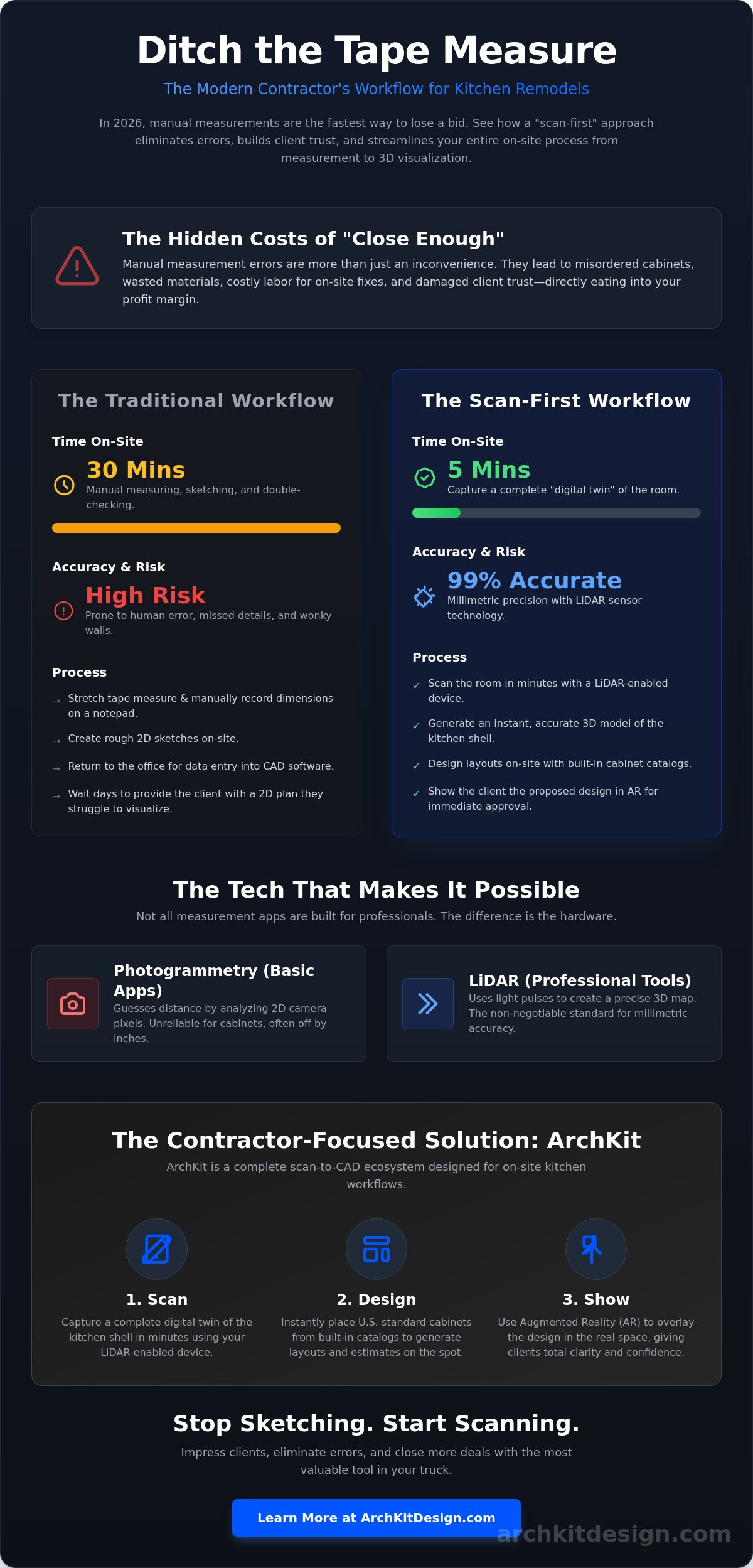
The speed difference is staggering. A thorough manual measurement of a standard kitchen usually takes 30 minutes of stretching tape, writing down digits, and double-checking for errors. Using a modern app to measure kitchen for cabinets cuts that time down to five minutes. You aren't just measuring; you're capturing. This digital shift gives you a "Professional Edge" that clients notice immediately. Instead of fumbling with a metal tape, you're providing instant digital layouts that prove you're the right contractor for a high-stakes renovation.
The Hidden Costs of Manual Measurements
Inaccurate measurements carry a heavy price tag. Every misordered cabinet box represents pure material waste. Even if you can make it work, you're losing labor hours on-site to modifications and "making it fit" with excessive fillers. This eats your margin. Beyond the physical work, there's the administrative fatigue. Spending your evening at a desk converting messy paper notes into a digital CAD file is a waste of your specialized talent. It's an office-dependent workflow that keeps you away from more profitable tasks. Moving to a digital measurement system eliminates this redundant data entry.
Digital Transformation in the 2026 Remodeling Market
By 2026, the industry has moved toward a mobile-first reality. Small contractors are now winning more bids by using LiDAR technology to create a digital twin of the workspace in seconds. This isn't just about speed; it's about meeting modern client expectations. Homeowners want to see results now. They don't want to wait three days for a drawing. Tools like ArchKit Design allow you to scan a room and show a 3D visualization during the very first meeting. This immediate feedback loop builds trust and closes deals faster. You stop being a person with a tape measure and start being a tech-forward professional who delivers millimetric accuracy. The app to measure kitchen for cabinets has become the most valuable tool in the truck.
Understanding LiDAR and AR: The Tech Behind Scan to 3D Model Apps
Not all apps are created equal. If you use a standard camera app to estimate a high-end kitchen, you're taking a massive risk. Basic photogrammetry uses your camera to guess distances by analyzing pixels. It's often off by several inches. To get millimetric precision, you need a professional app to measure kitchen for cabinets that utilizes a hardware-based sensor. This is why the iPad Pro (2020 or later) and iPhone 12 Pro (or newer) have become the industry standard for field measurements. These devices use LiDAR to map the environment with light pulses rather than just visual data.
The impact of LiDAR technology on modern construction is undeniable. It provides 99% accuracy by creating a high-resolution "digital twin" of the space. For a contractor, this means capturing the exact depth of an appliance alcove or the precise angle of a corner that isn't quite square. You can expect professional-grade scanners to deliver the level of detail required for custom cabinet orders without the stress of second-guessing your tape. It's about having total confidence in your data before you place a single order.
Why LiDAR is Non-Negotiable for Cabinets
LiDAR calculates distances at the speed of light to ensure sub-inch accuracy. It doesn't struggle with low-light corners or white-on-white walls where standard cameras often lose track. LiDAR is the gold standard for on-site spatial data. It captures complex geometry like soffits, plumbing drops, and appliance alcoves with a single scan. This eliminates the need for multiple manual check-measurements on the same wall. When you're dealing with tight tolerances, this sensor-based approach is the only way to ensure a perfect fit.
Augmented Reality for Real-Time Layout Planning
Augmented Reality (AR) takes that raw data and makes it visual. It overlays 3D cabinet volumes onto the client's actual walls before you even pick up a demo hammer. This allows you to test an L-shape versus an island configuration in real-time. You can spot clearance issues with refrigerator doors or dishwasher swings immediately. Since homeowners often struggle to interpret 2D blueprints, this technology bridges the gap by providing immediate spatial context. It turns a theoretical conversation into a physical reality that clients can understand and approve. If you want to stop explaining and start showing, get early access to ArchKit Design and see the difference on your next job site.
Choosing the Right App to Measure Kitchen for Cabinets: Pro vs. DIY
Don't settle for a generic room scanner. Most floor plan apps on the market are designed for real estate agents, not contractors. They capture walls and windows but completely ignore the nuances of cabinetry. You need an app to measure kitchen for cabinets that understands the difference between a standard 30-inch base and a 36-inch sink base. Generic tools leave you doing the math manually. Specialized apps do the heavy lifting for you.
Professional apps include pre-loaded U.S. standard cabinet catalogs. This is a game changer for on-site efficiency. Dropping in standard sizes while you're still in the client's kitchen allows for instant layout planning and estimating. If an app doesn't have a built-in catalog, it's just a digital tape measure. You want a workflow tool that bridges the gap between a scan and a finished proposal. This is where professional software pays for itself in a single visit.
Feature Checklist for Contractors
Demand more from your digital tools. Before you commit to a subscription, ensure the software supports LiDAR for sub-inch precision. It should allow you to drop in standard wall and base cabinet sizes with a tap. Finally, check the export options. You need professional PDF reports for clients and DXF files for your cabinet shop. If you can't get the data out of the app in a usable format, the tool is useless on a real job site.
Subscription models are an investment in your speed and professionalism. While DIY users look for free "lite" versions, pros value features like cloud storage and high-resolution exports. ArchKit offers a free kitchen design app tier for early access, but the "Regular" and "Pro" tiers provide the deeper manufacturing data required for complex projects. Spending $19.99 a month for the Pro tier is a small price to pay to avoid a $2,000 measurement mistake.
The Limitations of Free DIY Apps
Free apps are often a trap for professionals. They usually rely on photogrammetry, which misses the critical tolerances needed for custom cabinetry. You'll also find that these apps lack the export capabilities required for a modern workflow. Most DIY tools lock your data inside the app or provide low-resolution images that a cabinet shop won't accept. Don't let a "free" tool cost you thousands in field errors and lost time. Stick to professional-grade sensors and specialized software to protect your margins.
On-Site Workflow: Maximizing Accuracy with Mobile Measurement Tools
A successful measurement starts before you open your device. Clear the counters. Open the blinds. Maximize your line-of-sight. Shadows and clutter can confuse even the best sensors, so maintaining a clear path for the laser is your top priority. Once the room is prepped, adopt a "Scan-First" mentality. You're capturing the entire shell of the kitchen, not just a few walls. This digital foundation ensures that every subsequent cabinet placement is rooted in reality. Finding the right app to measure kitchen for cabinets is only half the battle; the rest is your on-site process.
Don't ignore the plumbing and electrical. Identify and mark stubs, outlets, and HVAC vents directly in the digital model. This prevents the nightmare of a cabinet box landing exactly where a gas line needs to be. Tag these points within your app to measure kitchen for cabinets to avoid layout conflicts during the design phase. After the scan, refine the model. Verify one or two critical dimensions with a laser to double-check the LiDAR's work. This combination of hardware scanning and manual verification is the gold standard for 2026.
Step-by-Step: From Scan to 3D Model
Start in a corner and move steadily. Avoid rapid movements to prevent scan drift. Capture ceiling heights and floor levels carefully. This is critical for tall pantry cabinets and crown molding clearances. Most professional apps allow you to "snap" walls to 90 degrees. Use this feature to clean up your CAD exports without losing the underlying accuracy of the scan. It saves you hours of post-processing in the office.
Integrating Cabinet Layouts on the Fly
Once the shell is captured, start dropping in boxes. Use a professional cabinetry layout tool to select standard U.S. sizes from a built-in catalog. Adjust your fillers and overlays in the digital environment to see exactly how the run ends. You can even validate the "Work Triangle" within the app interface. This ensures the kitchen isn't just accurate, but functional. You're designing and estimating in one go. Stop guessing and start designing with precision. Get early access to ArchKit and transform your site visits into design sessions today.
ArchKit: Why Specialized Contractor Apps Outperform Generic Scanning
Generic scanning apps are built for visualization; ArchKit is built for construction. Most "dream kitchen" tools on the App Store stop at the 3D model. They don't give you the manufacturing-ready data needed to actually order boxes. ArchKit is the only app to measure kitchen for cabinets that prioritizes the contractor-to-cabinet-shop workflow. Its LiDAR-first architecture ensures that the digital twin you create on-site matches the physical reality of the room within millimeters. You aren't just taking pictures. You're capturing a high-fidelity data set that your cabinet shop can actually use.
This data connects directly to a comprehensive U.S. standard cabinet catalog. Imagine standing in a gutted kitchen and dropping in 24-inch base cabinets that snap to the walls with perfect accuracy. You can generate an instant estimate based on real dimensions. This eliminates the "visualization gap" that causes 73% of homeowners to hesitate. When you can show a client exactly how their custom layout looks in their own space, the sale becomes effortless. Use AR walkthroughs to get an immediate sign-off. Move from scan to pricing and subscription details in minutes. It's about closing the deal before you even leave the driveway.
The ArchKit Advantage for Remodelers
Kill the "office night" for good. The traditional workflow is broken. You measure during the day and spend your evening sketching at a desk. ArchKit fixes this by allowing you to finish the design at the client’s house. You leave the job site with a completed 3D model and a cabinet list. This reduces revision cycles because you address layout concerns in real-time with the client. It's the core of ArchKit: The Ultimate Kitchen Design App for Contractors. You look more professional. You work faster. You win more bids.
Ready to Modernize Your Workflow?
The transition to digital measurement is easier than you think. Start with the free kitchen design app version to get a feel for the scanning interface. However, remember that hardware is your foundation. The latest iPad Pro or iPhone Pro is essential. These devices provide the LiDAR sensors required for professional-grade results. Don't settle for the low-resolution scans of older hardware or generic photogrammetry. Once you see the millimetric precision of a LiDAR-enabled device, you'll never go back to a tape measure. Join the waitlist for early access and start your digital transformation today. Scan. Design. Close. It's that simple.
Take Command of Your Job Site Accuracy
The days of second-guessing your tape measure are over. Transitioning to a digital workflow isn't just about speed; it's about protecting your profit margins and looking like the expert your clients expect. By utilizing LiDAR-powered precision, you eliminate the risk of manual measurement errors and the administrative fatigue of late-night CAD sketching. You've seen the shift. Professionals in 2026 are winning more bids by delivering immediate, accurate results right in the kitchen.
Choosing the right app to measure kitchen for cabinets means moving from simple visualization to real-world execution. ArchKit allows you to generate complete 3D layouts in under 10 minutes. With a standard U.S. Cabinet Catalog built directly into the interface, you can finalize designs and estimates before you even leave the driveway. It's time to ditch the clipboard and embrace a scan-to-CAD ecosystem that works as hard as you do.
Start your next kitchen project with ArchKit today. Your business deserves the efficiency of modern technology. Build with confidence and secure your next contract with ease.
Frequently Asked Questions
How accurate is a LiDAR app for kitchen cabinet measurements?
LiDAR apps deliver millimetric accuracy, typically reaching a 99% precision rate in standard room conditions. This technology creates a digital twin by pulsing light to calculate distances instantly, making it far more reliable than legacy photogrammetry methods. You can trust these scans for custom cabinetry orders where tolerances are tight and manual errors are expensive.
Do I still need a manual tape measure if I use an app?
You don't need a tape for the heavy lifting, but keeping one for a single check-measure is a smart move. Use the app to measure kitchen for cabinets to capture the entire room shell and all obstructions in minutes. A quick laser or tape check on one critical wall confirms the scan's calibration and gives you total confidence before placing an order.
Which iPhone or iPad models support LiDAR scanning for kitchens?
Professional LiDAR scanning requires an iPhone 12 Pro or newer, or an iPad Pro from 2020 or later. These specific models house the hardware sensor needed for high-resolution 3D mapping. Standard iPhone models and older iPads lack this sensor, which limits them to less accurate visual-only measurements. Investing in Pro-level hardware is a necessary step for a digital workflow.
Can I export app measurements to professional CAD software like 2020 Design?
Pro apps export measurements in industry-standard formats like DXF, PDF, and various 3D file types. This ensures your on-site data flows directly into professional CAD software like 2020 Design or Cabinet Vision. You eliminate the bottleneck of manual data entry in the office. It's a seamless transition from a mobile scan to a finished manufacturing drawing.
How do apps handle measuring kitchens with existing cabinets still installed?
Modern apps handle existing cabinets by capturing the visible shell and allowing you to set offsets for wall thickness. You scan the room as it sits, and the software helps you identify the footprint of the existing boxes. Specialized tools like ArchKit allow you to design the new layout right over the old one, making it easier to show the client the improvement.
Is it possible to measure a kitchen for cabinets using an Android app?
High-precision LiDAR scanning is currently an iOS-exclusive workflow for most professional tools. While some Android devices have sensors, the contractor-focused ecosystem is centered on Apple hardware. If you're looking for the most reliable app to measure kitchen for cabinets, the iPad Pro remains the industry standard due to its consistent hardware-software integration.
What is the best app for measuring a kitchen for cabinets in 2026?
ArchKit is the top-rated app for measuring a kitchen for cabinets in 2026. It's built specifically for the contractor's job site environment rather than generic real estate use. Unlike basic floor plan tools, it includes a U.S. standard cabinet catalog and instant estimating features. It bridges the gap between a raw room scan and a professional proposal you can deliver on-site.
How much does professional kitchen measurement software typically cost?
Professional kitchen measurement software usually operates on a tiered subscription model. ArchKit offers a free early access tier, a Regular plan for $9.99 per month, and a Pro plan for $19.99 per month. This investment pays for itself by eliminating a single measurement error. You get access to cloud storage, professional exports, and the full cabinetry layout toolset.


