
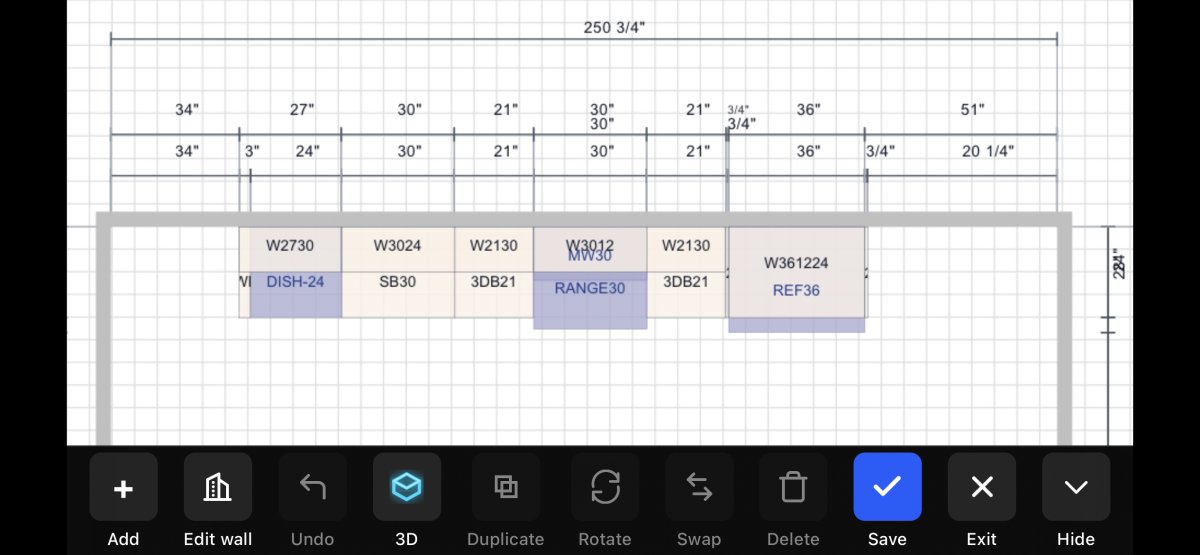
How many hours did you lose this week sitting in your office after dark just to sketch a basic kitchen layout? It's a common trap for contractors. You work all day in the field only to face a second shift of manual drafting. Relying on old-school tapes and paper sketches costs you more than just time. It leads to expensive measurement errors and lost bids. You need a modern cabinetry layout tool that works as hard as you do.
We know the frustration of a client who can't visualize the final result until the boxes are already on the truck. This 2026 buyer's guide shows you how to choose a tool that eliminates errors and closes deals right on the job site. We'll explore how mobile technology like LiDAR scanning and AR visualization, found in professional apps like ArchKit, can generate instant 3D layouts. Learn to measure, design, and approve in one visit. It's time to stop designing at a desk and start winning more contracts in the field.
Key Takeaways
- Eliminate the office bottleneck. Transition from manual drafting to a mobile-first design workflow.
- Identify core features of a modern cabinetry layout tool. Focus on LiDAR precision and instant 3D visualization.
- Compare mobile AR speed against legacy desktop CAD. Choose the right hardware for a field-ready workflow.
- Audit your current design process. Calculate the true cost of hidden office hours and manual errors.
- Master the LiDAR-to-layout process. Use ArchKit to secure faster client approvals and provide on-site estimates.
The Shift to Mobile: Why Your Cabinetry Layout Tool Needs to Be On-Site
Stop treating your design software like a stationary office appliance. In 2026, the best cabinetry layout tool is the one sitting in your pocket. Traditional workflows rely on the "Office Bottleneck." You spend your morning measuring, your afternoon driving, and your night fighting with complex desktop CAD programs. This delay kills project momentum. While you're still drafting at a desk, the modern contractor is already sending an estimate from the driveway. Speed is the new industry standard. If you can't move from measurement to layout in minutes, you're leaving money on the table.
The cabinetry market is projected to reach $148.09 billion this year, according to industry research. To capture your share of this growth, you must eliminate manual data entry. Old-school methods require you to transcribe numbers from a notepad into a computer. This double-handling of data is where mistakes happen. A mobile-first cabinetry layout tool replaces this with automatic digital room capture. You scan the space once and the software builds the room for you. It turns a jobsite walkthrough into a live design session.
The Death of the Manual Tape Measure
Manual measurements are a liability. They're the primary reason for costly re-orders and project delays. A single misread digit on a scrap of paper can ruin a project's timeline. This "pad and pencil" workflow carries a hidden cost that sinks small businesses. Transitioning to digital precision isn't optional anymore. You need to capture the reality of the room instantly. Tools like ArchKit allow you to move past the tape measure and use LiDAR to map out every corner with high accuracy. This ensures that your modern cabinet construction specs are perfect before you ever place an order. Whether you're planning for frameless European boxes or traditional face-frame units, digital capture removes the guesswork.
Meeting Client Expectations in the Instant Economy
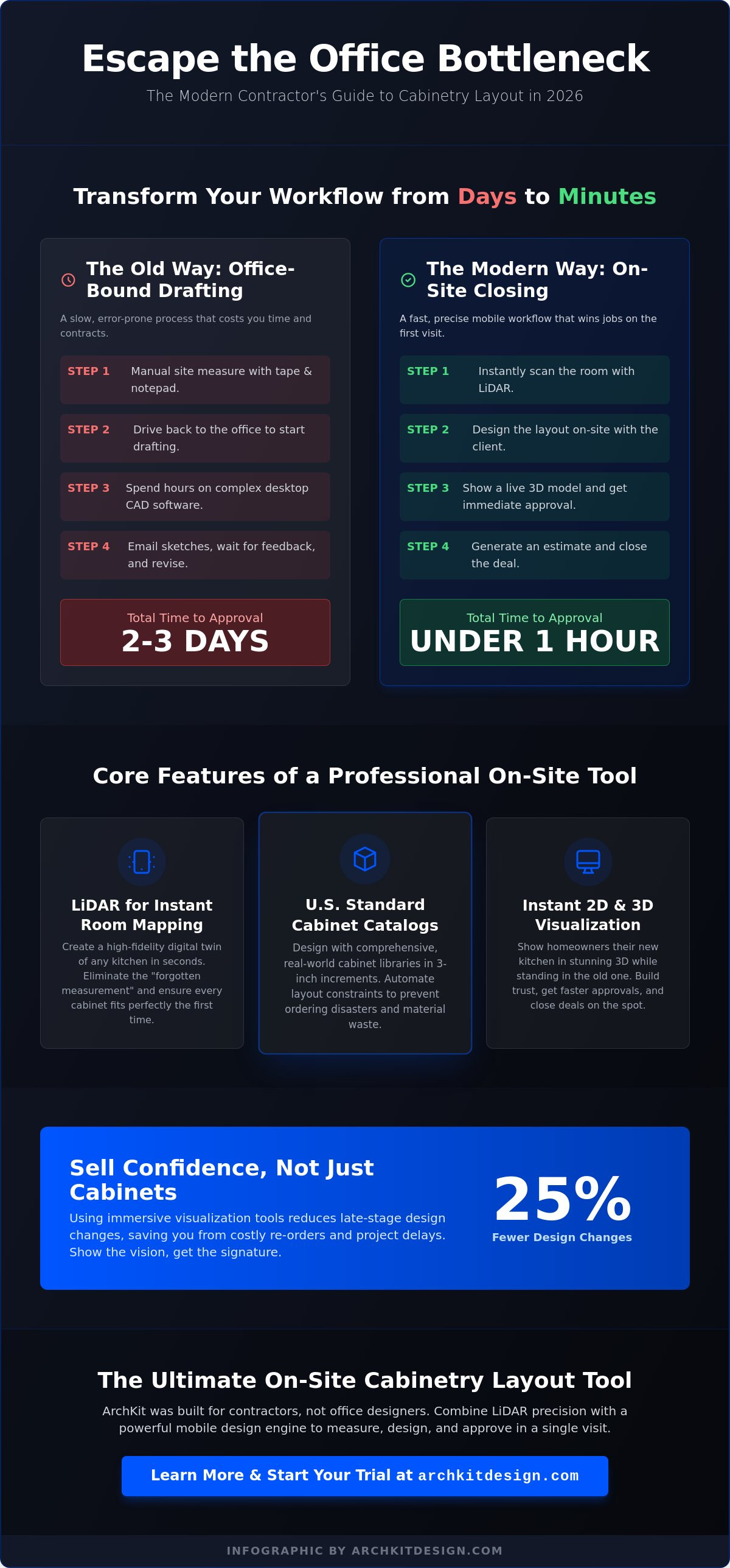
Homeowners now live in an instant economy. They expect 3D visualizations during the very first meeting. If you tell a client you'll get back to them in three days with a sketch, you've already lost the lead. Research shows that using immersive visualization can reduce late-stage design changes by 25% for firms that adopt these technologies. The first pro to show the vision is the one who gets the signature.
Use an on-site kitchen design workflow tool to build trust immediately. Showing a client a 3D model of their new kitchen while standing in their old one is a powerful closing tactic. It proves you're a tech-forward professional who values their time. When you provide instant clarity, you remove the barriers to a signed contract. You aren't just selling cabinets; you're selling the confidence that the job will be done right the first time.
Core Features of a Professional Cabinet Layout Software
Efficiency starts with your tech stack. In 2026, a professional cabinetry layout tool must do more than just draw boxes. It needs to bridge the gap between the physical jobsite and the final order. Integrated measurement and design are no longer separate steps. They are a single, fluid motion. If your software requires you to manually input dimensions from a tape measure, it isn't a tool; it's a chore. Modern pros demand a low learning curve and high-velocity output. You need to walk into a kitchen, capture the data, and walk out with a signed contract.
LiDAR Scanning for Instant Room Mapping
LiDAR technology is the new industry benchmark. It creates a high-fidelity digital twin of the kitchen in seconds. This isn't just about wall lengths. It's about capturing the exact location of plumbing stacks, gas lines, and window casing heights without a second thought. For the high-stakes world of remodeling, LiDAR kitchen measurement tools are now non-negotiable. They eliminate the "forgotten measurement" that forces a second trip to the site. Scan the room. Build the model. Move on.
U.S. Standard Cabinet Catalog Integration
Precision requires real-world constraints. Generic browser-based planners often use "approximate" shapes that lead to ordering disasters. Your layout tool must include a comprehensive U.S. standard catalog with 3-inch increments. This ensures every base, wall, and tall cabinet fits the actual space available. Automating this process reduces material waste and layout errors significantly. The impact of technology on productivity within the cabinet sector shows that automation is the fastest way to scale a small contracting business. When the software understands real-world dimensions, you stop fighting with fillers and start designing for profit.
2D Floor Plans and 3D Visualizations
Communication is the final piece of the puzzle. Your layout software must speak two languages: client and installer. Installers need clean, technical 2D floor plans with clear centerlines and appliance clearances. Clients need to "feel" the space. AR overlays allow homeowners to see 3D cabinets sitting in their current room. This visualization bridges the gap between a design concept and a technical estimate. It turns a "maybe" into a "yes" by removing the fear of the unknown. To see how these features work in a live environment, you can get early access to our mobile workflow app and start streamlining your next project today.
Don't settle for laggy, office-bound programs. The right cabinetry layout tool keeps you in the field where the work happens. It handles the technical heavy lifting so you can focus on building. By combining LiDAR precision with standard catalog logic, you ensure that every design is as accurate as it is impressive.
Mobile AR vs. Legacy Desktop CAD: The Competitive Edge
The cabinetry layout tool on your phone beats the one on your desk every single time. Legacy CAD software requires a high-end PC, a quiet office, and hours of uninterrupted focus. It keeps you chained to a cubicle while your project sits idle in the field. Mobile AR tools change the math. You move the design process from the office directly into the kitchen. This isn't just about convenience. It's about the "Time to Proposal" metric. If it takes you three days to return a sketch, you're giving your competition a 72-hour head start.
Hardware requirements tell the story. Traditional CAD demands thousands of dollars in stationary equipment and complex software licenses. Professional mobile workflows run on the iPad or iPhone you already own. Adhering to the quality and performance standards set by the Kitchen Cabinet Manufacturers Association (KCMA) is easier when your tool validates clearances on-site. You don't need a high-end graphics card when you have LiDAR and augmented reality in the palm of your hand. It's a leaner, faster, and more profitable way to run a remodeling business.
Eliminating the 'Measure Twice, Design Once' Cycle
Stop separating your measurement and design phases. Mobile tools allow you to design while you measure. This real-time workflow catches layout conflicts before they become change orders. You can see immediately if a crown molding detail will hit a window trim or if a drawer bank will clear a dishwasher handle. Identifying these issues while you're still standing in the room saves you from making a second site visit. It turns a two-step process into a single, high-accuracy event. You walk away with a verified plan, not just a list of numbers.
Closing the Deal on the First Visit
Client feedback is most valuable when it happens in the moment. Use AR to overlay cabinet placements onto the existing walls. Let the homeowner walk through their new layout before you even leave the house. This immediate visualization leads to faster project approvals and fewer revisions. You can adjust a pantry location or swap a range for a cooktop with a few taps. Check ArchKit's pricing to see how a small monthly investment can radically increase your closing speed. By providing a technical estimate and a 3D preview on the first visit, you position yourself as the most professional choice for the job. You aren't just a contractor; you're a solution provider who delivers results instantly.
Evaluating Your Workflow: Is Your Layout Tool Costing You Money?
Audit your day. Look at the clock. If you spend three hours drafting in the office for every one hour spent measuring on-site, your workflow is broken. A professional cabinetry layout tool should pay for itself in saved time alone. Calculate your hourly rate. Multiply it by the nights you spend at your desk fighting with legacy software. The number is likely staggering. Your business doesn't grow in front of a monitor; it grows in front of clients. If your current design process keeps you away from the jobsite, it's a financial drain.
Identify the red flags of outdated technology. Is your software stationary? Does it require manual data entry from a notepad? In 2026, these are signs of an inefficient process. Modern standards demand immediate results. If your tool doesn't offer instant room capture or mobile visualization, you're working harder for less profit. Transitioning to a field-ready workflow allows you to reclaim your evenings and focus on high-value tasks like project management and sales.
The Cost of Revisions and Ordering Errors
Errors are expensive. A $100 measurement mistake isn't just about a single cabinet. It represents an installer's lost day, the client's frustration, and potentially $1,000 in project delays. Digital verification is your best insurance. Use professional kitchen cabinet list generators to export exact manifests directly from your layout. This eliminates the human error inherent in manual ordering. When your design is locked to the physical reality of the room, re-orders become a thing of the past.
User Experience: Can Your Lead Carpenter Use It?
Efficiency requires team adoption. If only the business owner knows how to run the design software, you've created a massive bottleneck. Your cabinetry layout tool must be accessible to your entire field team. In a dusty, busy kitchen, "simple" beats "powerful" every time. You need a tool that balances professional features with mobile ease-of-use. Look for an interface that allows a lead carpenter to make a quick adjustment or verify a clearance without a three-day training course. When the whole team can use the tool, the whole business moves faster.
Stop losing nights to manual CAD work. Reclaim your time and protect your margins by switching to a modern, mobile-first solution. Get early access to our on-site workflow tool and start auditing your efficiency today. Every minute you save in the office is another minute you can spend closing your next big project.
ArchKit: The Ultimate On-Site Cabinetry Layout Tool
ArchKit is the answer to the administrative fatigue that slows down your business. It's a specific solution built for the high stakes of professional remodeling. We understand that your time is your most valuable asset. That's why we built a cabinetry layout tool that stays in the field. You don't need a desk to be a professional. You need a workflow that delivers results in real-time. Stop letting office bottlenecks delay your project starts. Modernize your toolkit for the 2026 season and start closing more deals today.
The core of the ArchKit experience is the LiDAR-to-layout workflow. This process takes minutes, not hours. You walk into a room, scan the environment, and watch as the digital twin appears on your screen. It captures every obstacle and every dimension with high-velocity accuracy. Once the room is mapped, you can drop in cabinets from a professional catalog instantly. This isn't a toy for DIYers. It is a high-performance tool for contractors who value speed and precision.
Built for the Field, Not the Office
Success in this industry happens on-site. ArchKit focuses on mobile-first, high-velocity cabinetry design. You can access standard U.S. cabinet catalogs directly on your iPhone or iPad. This ensures your designs follow real-world manufacturing constraints from the very first tap. You don't have to wait until you get home to see if a layout works. Verify the fit while you're still standing in the kitchen. Download the free kitchen design app to see how a mobile workflow changes your project timeline.
Streamlining Project Management from Scan to Install
ArchKit generates the technical data you need for accurate project estimating. It bridges the communication gap between the jobsite and the cabinet manufacturer. By exporting precise 2D plans and 3D models, you provide installers with the clarity they need to work fast. AR visualization also reduces client anxiety. When homeowners see their new kitchen overlaid in their current space, they feel empowered to sign the contract. Don't fall behind the competition. You can get early access to our latest LiDAR features and start streamlining your project management from scan to install.
Empower your team with a tool that works as hard as they do. ArchKit removes the burden of manual processes and replaces it with the satisfaction of immediate, professional results. It's time to trade the office chair for a signed contract. Scan the room. Design the layout. Win the bid. It's that simple.
Modernize Your Workflow for the 2026 Season
The transition from office-bound CAD to mobile AR visualization is the biggest competitive advantage for the modern contractor. You've seen how a professional cabinetry layout tool eliminates the "Office Bottleneck" by moving the design phase directly into the kitchen. By leveraging LiDAR-powered accuracy and built-in U.S. standard catalogs, you ensure every order is perfect before you leave the jobsite. This isn't just about saving time; it's about protecting your margins and impressing clients with immediate results.
Stop losing your evenings to manual drafting and administrative fatigue. A no-office-required workflow allows you to close deals faster and move projects into production with total confidence. It's time to trade your old tape measure for a digital twin and take control of your project timelines. Start designing on-site today with ArchKit and experience the satisfaction of a streamlined, field-ready business. You've got the skills to build great kitchens. Now you have the technology to match them.
Frequently Asked Questions
What is the best cabinetry layout tool for contractors in 2026?
ArchKit is the top-rated cabinetry layout tool for contractors in 2026 because it combines LiDAR precision with a mobile-first workflow. It replaces cumbersome desktop CAD programs with a solution you can use directly on the jobsite. This allows you to move from a room scan to a completed 3D model in minutes. It's built specifically for field professionals who need to eliminate office time and close deals faster.
Can I use a cabinetry layout tool on my iPhone or iPad?
Yes, modern cabinetry layout tools are designed specifically for iPhone and iPad to leverage their built-in sensors. Using a mobile device allows you to capture room data while you walk through the space. You don't have to carry heavy equipment or wait until you get home to start your design. This portability ensures that your data collection and layout planning happen simultaneously, reducing the risk of forgotten measurements.
How does LiDAR technology improve cabinet layout accuracy?
LiDAR technology improves accuracy by using light pulses to create a precise 3D map of the physical environment. This digital twin captures every wall angle, window casing, and utility location with high-velocity precision. It eliminates the human error found in manual tape measurements and ensures your cabinets fit the actual room conditions. For contractors, this means fewer re-orders and a much faster installation process.
Do I need a laptop to create professional kitchen designs for clients?
You don't need a laptop to create professional designs when you use a mobile-first cabinetry layout tool. High-performance apps now handle complex 3D rendering and technical 2D plans directly on mobile hardware. This shift removes the need for expensive office workstations and allows you to present designs to clients while standing in their kitchen. It's a leaner way to work that keeps your focus on the jobsite.
Can a cabinetry layout tool help me generate accurate project estimates?
A cabinetry layout tool streamlines estimating by automatically generating a manifest based on your design. When you drop standard cabinets into a digital model, the software tracks the quantities and sizes for you. This data flows directly into your estimate creator, ensuring that your quotes are based on the actual layout. It removes the guesswork from your material costs and helps you maintain healthy profit margins.
What are the standard U.S. cabinet sizes used in layout software?
Standard U.S. cabinet sizes typically follow 3-inch width increments, starting from 9 inches up to 48 inches for base and wall units. Professional layout software includes these dimensions in a built-in catalog to ensure your designs are manufacturable. The software also accounts for standard depths, such as 24 inches for base cabinets and 12 inches for wall units. This ensures your layout fits real-world industry standards.
How can AR visualization help me win more kitchen remodeling bids?
AR visualization wins more bids by allowing homeowners to see their new kitchen in their current space before they sign. It bridges the gap between a technical floor plan and the client's vision. When you use a cabinetry layout tool with augmented reality, you provide immediate clarity that reduces client anxiety. This transparent process builds trust and positions you as a tech-forward professional who delivers results instantly.
Are there free cabinetry layout tools available for professionals?
Free tiers are available for professionals who want to test a cabinetry layout tool before committing to a subscription. ArchKit, for example, offers a free plan that includes LiDAR scanning and basic layout tools to help you get started. This allows you to experience the speed of a mobile workflow without an upfront investment. It's an excellent way to audit your current process and see how much time you can save.


