
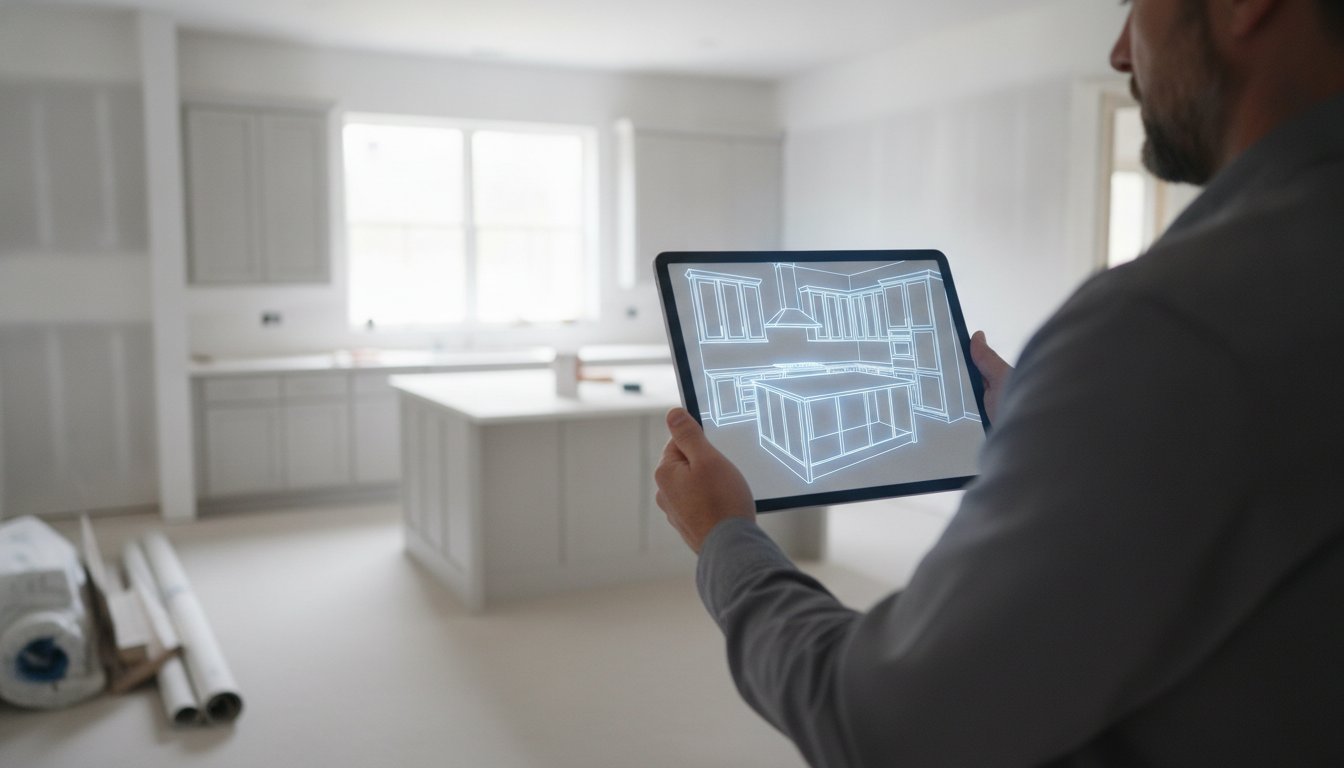
You're standing in a gutted kitchen with a tape measure in one hand and a notepad of scribbled dimensions in the other. If one number is off by a fraction of an inch, your cabinet order is ruined. If the client can't visualize the layout from your 2D sketch, the project stalls. Managing kitchen design files for contractors shouldn't involve hours of manual data entry or stressful office-bound revisions. You know the frustration of losing entire evenings re-drawing field notes into CAD software while your actual jobsite progress sits at a standstill.
It's time to move your design files from the desk to the jobsite. We'll show you how to eliminate administrative fatigue and version-control errors by adopting a mobile-first workflow. You'll learn how to capture accurate measurements in minutes, generate instant 3D visuals for clients, and sync files to the cloud using tools like ArchKit. We're breaking down the exact steps to turn your smartphone into a LiDAR-powered design studio. Stop wasting time on paperwork and start closing deals right in the kitchen.
Key Takeaways
- Stop wasting hours re-drawing manual field notes in the office and start finalizing layouts directly on the jobsite.
- Use LiDAR technology to create a digital "single source of truth" that eliminates measuring errors and cabinet misfits.
- Master the process of managing kitchen design files for contractors by switching from static PDFs to high-density 3D and AR models.
- Implement professional naming conventions and instant cloud syncing to ensure your field crew and office staff stay perfectly aligned.
- Leverage ArchKit to combine scanning, 3D visualization, and estimating into a single, high-speed mobile workflow.
The Cost of Administrative Fatigue: Why Manual Design Files Fail Contractors
Most contractors lose hours every week to administrative fatigue. It's the exhaustion that comes from being a part-time designer and a full-time project manager. You spend your day on-site, only to spend your night re-drawing field notes into a computer. This manual process of managing kitchen design files for contractors is a silent profit killer. Every time you translate a pencil sketch into a static PDF, you risk losing critical data. The hidden hours spent on file conversion and office re-draws drain your energy and pull you away from high-value tasks like sales or site supervision.
Measurement errors are rarely caught in the office. They're caught during cabinet installation when a three-quarter-inch discrepancy stops the entire crew. These delays aren't just annoying; they're expensive. While you're fighting with a 2D blueprint that the client doesn't understand, your margins are shrinking. Most homeowners struggle to visualize a kitchen from a flat drawing. This leads to mid-project change orders and expensive revisions that could have been avoided with better visualization tools. If a client can't see the final result, they can't confidently sign off on the design.
The Version Control Nightmare
Project errors often stem from stale data. If you have three different versions of a floor plan floating around, the wrong one will inevitably end up in the hands of the installer. Without instant cloud syncing, a small change made in the office might never reach the jobsite. Version control is the contractor’s primary defense against rework. By adopting Building Information Modeling (BIM) principles on a smaller scale, you ensure every stakeholder sees the same reality. It stops the cycle of working from outdated paper sketches that lead to site errors.
From Field Notes to Office CAD: The Broken Link
The time gap between site measurement and office drafting is where mistakes live. Manual data entry often introduces error margins of 5% to 10%, especially when relying on messy handwriting or memory. This creates a broken link in your workflow. The psychological toll of an administrative backlog is heavy for small business owners. You feel like you're never done with work because the office tasks are always waiting. Using a free kitchen design app like ArchKit can bridge this gap by allowing you to generate 3D models instantly on-site. It turns your smartphone into a powerful design tool, removing the need for stationary office equipment and late-night drafting sessions.
Transitioning to Mobile-First Kitchen Design Management
Mobile-first design isn't just about checking email on your phone. It's a complete workflow shift where the jobsite becomes your primary office. Managing kitchen design files for contractors changes fundamentally when the master file is created and edited where the actual work happens. You stop relying on stationary office equipment and start using the hardware already in your pocket. This transition moves you away from static drawings and toward dynamic AR models that provide a real-time view of the project. By making the jobsite the center of your digital world, you remove the friction between measuring a space and designing it.
Real-time access to project data is non-negotiable for modern remodelers. Integrating cloud and mobile technology into your daily routine ensures that a layout update made on-site is instantly available for estimating or cabinet ordering. You no longer have to wait until you get back to a desktop to move a sink or adjust a pantry width. The data moves as fast as you do, keeping the project momentum high and reducing the chance of miscommunication with your crew or subcontractors.
The Role of LiDAR in Professional Measurement
LiDAR room mapping creates a high-fidelity 3D foundation for every project. Traditional tape measures and laser distance meters are useful, but they only provide isolated numbers. LiDAR uses rapid laser pulses to scan every corner, soffit, and outlet location in seconds, creating a digital twin of the room. This high-fidelity scan is far more versatile than a standard 2D floor plan because it captures volume and depth. You can verify clearances for appliances and cabinet doors with millimeter precision. This technology replaces the digital tape measure as the primary tool for creating master files, ensuring that your initial measurements are perfect every time.
Eliminating the "Redraw" Phase
Mobile CAD for kitchen design allows for immediate cabinet placement while you're still standing in the room. You can drop a 36-inch base cabinet into the digital model and see exactly how it interacts with existing plumbing or windows. This eliminates the tedious redraw phase where you spend your evening duplicating site notes into office software. It also drastically reduces secondary site visits for missed measurements. If you're unsure about a window casing height later, you simply check the 3D scan on your device. Showing a client a 3D layout before you even leave their driveway is a massive competitive advantage that builds immediate trust. You can get early access to these mobile-first tools like ArchKit and start reclaiming your evening hours today.
Legacy PDFs vs. Dynamic 3D Models: Comparing File Utility
Managing kitchen design files for contractors requires a shift from flat images to interactive data. A static PDF is just digital paper. It's a snapshot in time that quickly becomes obsolete. Dynamic 3D models offer a level of utility that blueprints can't match. They provide high information density, allowing you to toggle between 2D floor plans and 3D perspectives instantly. You aren't just looking at a drawing; you're interacting with a database of dimensions, materials, and spatial relationships. This depth of information prevents the guesswork that usually happens when a contractor tries to translate a flat line into a finished cabinet run.
The speed of your sales cycle depends on client confidence. Industry data suggests that interactive AR walkthroughs can reduce project approval time by 40%. When a homeowner can stand in their empty kitchen and see the new island through their phone screen, they stop asking "what if" and start saying "yes." Sharing these files is effortless. Forget about printing large-format plans or driving across town to deliver a revision. Send a link. Your client, your sub, and your installer all get immediate access to the most current version of the project.
Why Static Files Lead to On-Site Revisions
Static files create an interpretation gap. A 2D drawing might show a cabinet next to a wall, but it often hides potential plumbing or electrical conflicts. You don't see the clash between a crown molding and a low-hanging light fixture until you're on-site with the product. Misinterpreting a PDF specification sheet is a common, expensive mistake. These documents lack the spatial context needed for complex kitchen layouts. Without a dynamic model, you're essentially building a puzzle without the box top, leading to inevitable on-site revisions and wasted material.
The Advantage of Cloud-Synced Layouts
Cloud-synced layouts ensure your entire team sees the same reality. When you move a cabinet on your device using a kitchen design app for iPhone, the installer sees that change instantly. There's no "old version" to cause confusion. This real-time synchronization acts as your project's single source of truth. Beyond the build, these digital files serve as a permanent archive. If a client needs warranty work or a future renovation three years from now, you have the exact measurements and specifications ready to go. It turns every project into a reusable asset for your business.
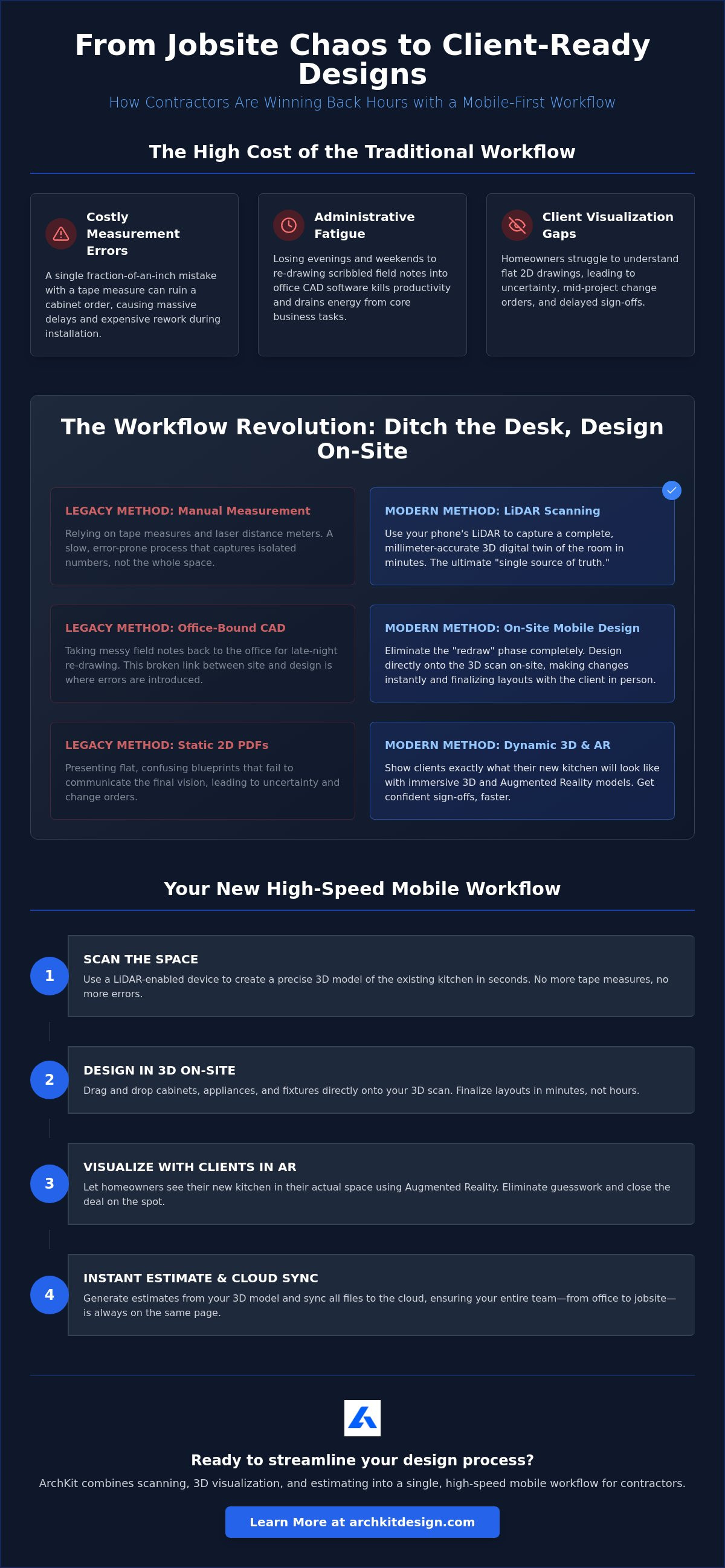
A Professional Workflow: Organizing Kitchen Projects from Scan to Estimate
Managing kitchen design files for contractors requires more than just a digital tape measure. It demands a disciplined internal organization strategy. Your team needs a single source of truth for every project dimension. Stop relying on loose scraps of paper or unorganized photo galleries. Establish a standardized file naming convention immediately. Use a format like [Date]-[ClientName]-[Status] to ensure you can retrieve any layout on-site in seconds. This structure prevents the confusion of searching through folders while a client or subcontractor waits for an answer.
Professional file management isn't just about storage; it's about utility. By integrating U.S. standard cabinet sizes directly into your master files, you turn a simple scan into a functional build plan. This workflow automates the generation of material lists and project estimates, cutting down the time you spend on manual calculations. When your design data is organized, your business runs faster.
Step 1: On-Site Data Acquisition
Start every project with a clean digital baseline. Perform a full scan of the existing space to capture every wall, corner, and ceiling height. You must note all fixed points that dictate the layout, including plumbing stacks, gas lines, and electrical outlets. Using a LiDAR kitchen scanner app ensures mm-level precision from the very first visit. This high-fidelity data becomes the foundation for every decision that follows, eliminating the need for frantic "re-measuring" trips later in the week.
Step 2: Interactive Layout Planning
Once you have your scan, begin the design phase immediately. Drag and drop cabinets from a standard catalog to build the new layout while you're still in the room. Adjust dimensions in real-time to fit the scanned room constraints. This is where you catch clearance issues before they become expensive site problems. Check the swing of the dishwasher door against the island or verify that the crown molding won't block a window casing. You're not just drawing; you're problem-solving in a digital environment that mirrors the physical reality.
Step 3: Instant Client Approval
Close the communication gap by showing the client exactly what they're buying. Use AR for client communication to walk them through the virtual design in their actual kitchen. If they want the sink moved six inches to the left, make the tweak on the fly. This transparency builds trust and secures faster sign-offs. Once the client is satisfied, lock the file. This prevents unauthorized changes and ensures your installation crew works from the final, approved version. Ready to modernize your project organization? Get early access to ArchKit and start streamlining your workflow today.
Streamlining Your Design Workflow with ArchKit
ArchKit serves as the all-in-one kitchen design app for contractors. It combines LiDAR scanning, 3D layout, and file management into a single mobile interface. You no longer need to toggle between different software platforms or physical tools. Managing kitchen design files for contractors becomes a streamlined, background process when your design data, measurements, and client approvals live in one place. Carry your entire professional toolkit on an iPhone or iPad. This mobility allows you to generate accurate quotes directly from the design file before you even pack up your tools. Scan. Visualize. Estimate. It’s a linear path to a signed contract.
Professional Results without the CAD Learning Curve
Traditional CAD software usually requires weeks of training and a powerful desktop computer. ArchKit removes that barrier. It simplifies complex design tasks specifically for field use. You don't need to be a drafting expert to create professional results. Use the built-in U.S. standard cabinet size catalog to build your layout. This ensures your estimating is accurate and your cabinet orders are perfect from the start. This catalog-driven approach eliminates the "interpretation gap" mentioned earlier in the article. If you're ready to modernize your business and stop wasting nights on drafting, sign up for ArchKit early access today.
Winning More Bids with Better Presentations
Winning more bids requires a superior presentation. High-fidelity 3D visualization sets you apart from "tape-and-paper" competitors who still rely on hand-drawn sketches. You provide a level of professionalism that justifies your pricing and builds immediate trust. Reduce your sales cycle by closing the deal on the first visit. When a client sees their new kitchen in AR, their hesitation disappears. They aren't just looking at a drawing; they're looking at their future home. This clarity prevents the mid-project change orders that drain your profit. Visit the ArchKit pricing page to find a plan that fits your firm's volume and start reclaiming your time.
Modernize Your Kitchen Design Workflow
Administrative fatigue is a choice, not a requirement. Transitioning to a mobile-first strategy eliminates the broken link between the field and the office. You've learned how LiDAR-powered accuracy and AR 3D visualization turn your smartphone into a professional design studio. Managing kitchen design files for contractors is now about speed, precision, and on-site results. No more re-drawing notes. No more visualization gaps.
Leverage a Standard U.S. Cabinet Catalog to build layouts and generate estimates while standing in the client's kitchen. This approach secures sign-offs faster and keeps your installation crew perfectly aligned with the master file. It's time to reject stationary office equipment and embrace the freedom of the jobsite. Your business deserves a workflow that moves as fast as you do.
Start your mobile-first workflow with the ArchKit Kitchen Design App to reclaim your evenings and impress your clients. Build with confidence. Scale with speed. Lead the trade.
Frequently Asked Questions
What is the best file format for sharing kitchen designs with subcontractors?
Interactive 3D models and cloud-synced mobile links are superior to static PDFs. They allow subcontractors to see spatial relationships, plumbing locations, and electrical requirements in a real-world context. Standard formats like .obj or .dwg are useful for CAD, but a live mobile link ensures everyone sees the most current version. This prevents the version-control errors common with printed blueprints and flat images.
How does LiDAR technology improve kitchen measurement accuracy for contractors?
LiDAR creates a digital twin of the room with millimeter precision by scanning millions of points in seconds. It captures complex geometry, such as wall out-of-plumbness and ceiling height variances, that a tape measure often misses. This high-fidelity data foundation is essential for managing kitchen design files for contractors because it eliminates manual re-measuring and reduces the risk of cabinet misfits during installation.
Can I use a kitchen design app on-site without an internet connection?
Yes, professional apps like ArchKit allow you to perform LiDAR scans and layout planning offline. The local processing power of an iPhone or iPad handles the heavy lifting of 3D modeling. Once you return to a zone with service, the app automatically syncs the data to the cloud. This ensures your field work isn't interrupted by spotty jobsite connectivity while keeping your project files secure and accessible.
What are the most common mistakes contractors make when managing project files?
Relying on unorganized photo galleries and loose paper notes is the most frequent error. Without a centralized digital system, critical dimensions get lost or misinterpreted. Another common pitfall is failing to establish a single source of truth for the final approved design. This leads to crews working from outdated versions, causing expensive site errors and cabinet installation delays that stall your project momentum and profit.
How do I organize my digital kitchen design folders for multiple clients?
Standardize your naming convention using a [Date]-[ClientName]-[Status] format for instant retrieval. Create subfolders for raw LiDAR scans, approved 3D layouts, and final material estimates. Using a dedicated mobile-first workflow tool like ArchKit automates this organization. It keeps all client data siloed and searchable, ensuring you never pull up the wrong floor plan while standing in front of a homeowner or an installer.
Is AR visualization actually useful for professional kitchen remodeling?
AR visualization is a high-performance sales and communication tool. It allows clients to see new cabinets and islands overlaid on their actual space, which builds immediate trust and speeds up sign-offs. For the contractor, it acts as a final clearance check. You can verify that appliance doors open fully and that walkways remain clear before ordering custom cabinetry. It turns a conceptual drawing into a physical reality.
How can I reduce the number of design revisions on a kitchen project?
Use real-time 3D modeling and AR walkthroughs during the first site visit. When clients can visualize the final result immediately, they make decisions faster and with more confidence. Managing kitchen design files for contractors through a mobile-first app allows you to make tweaks on the fly. Catching preferences and conflicts early prevents the late-stage change orders that erode your profit margins and project timeline.
Do I need a special device to use a professional LiDAR kitchen scanner app?
You need a device equipped with a LiDAR sensor, such as an iPhone 12 Pro or newer, or an iPad Pro from 2020 or later. These consumer devices pack professional-grade scanning technology into a portable frame. There is no need for expensive, bulky surveying equipment. Your existing mobile hardware is enough to create high-fidelity 3D models and streamline your entire on-site design and estimating process.


