
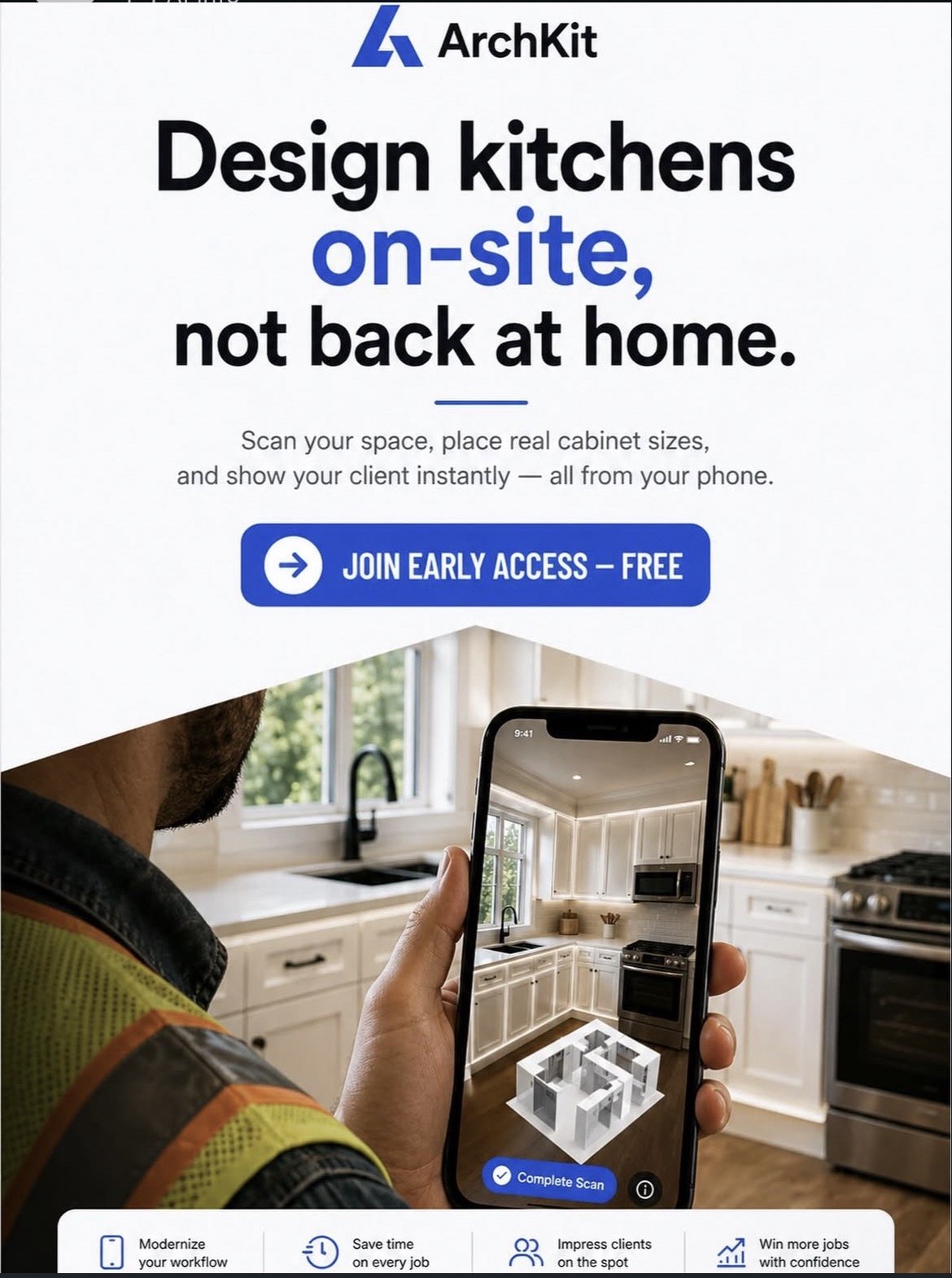
What if you could walk into a kitchen, scan the room, and hand the client a signed contract ten minutes later? The office trap is real. Spending your nights wrestling with desktop CAD software while waiting for renderings to process isn't just exhausting; it's expensive. In 2026, the most successful contractors have traded stationary desks for mobile speed. Using a 3D kitchen visualizer for professionals like ArchKit Design allows you to turn a job site into a design studio instantly. No more manual measurement errors. No more cabinet misfits. No more "I'll get back to you with a quote next week."
You already know that clients who can't visualize the final result are the hardest to close. We promise to show you how to leverage mobile LiDAR technology and AR visualization to bridge that gap. You'll learn how to create 10-minute layouts and provide immediate walkthroughs that secure project approval on the spot. We are covering the exact mobile workflows you need to boost your on-site efficiency and reclaim your evenings. Scan. Design. Close.
Key Takeaways
- Ditch the "Office Trap" and use a 3D kitchen visualizer for professionals to generate accurate layouts directly on your mobile device.
- Leverage LiDAR technology to eliminate manual measurement errors and capture structural data with a single room scan.
- Bridge the visualization gap with AR walkthroughs that let clients experience their new kitchen layout before the demo phase begins.
- Protect your margins by using professional cabinet catalogs and digital tools designed specifically for real-world construction site realities.
- Streamline your bidding process with a step-by-step on-site workflow that turns quick measurements into instant project approval.
Beyond Pretty Pictures: What is a Professional 3D Kitchen Visualizer?
A professional 3D kitchen visualizer is no longer just a desktop application for creating "pretty pictures" for a portfolio. In 2026, it's a mobile-first tool designed specifically for the chaos of a live job site. Unlike generic online planners that cater to homeowners, a 3D kitchen visualizer for professionals is built to turn spatial data into a signed contract before you even leave the driveway. It shifts the focus from abstract planning to immediate execution. You aren't just showing a client what their kitchen could look like; you're proving that your cabinets will fit within the millimeter. This technology prioritizes real-world logic over aesthetic fluff, using actual U.S. standard cabinetry specifications rather than generic boxes.
The Death of the Stationary Office Workflow
The traditional "Office Trap" is a profit killer. Historically, contractors would visit a site, take manual measurements, and then spend hours or days back at a desk wrestling with complex CAD software. This creates a dangerous 48-hour gap where client excitement cools and competitors can swoop in. By moving the design process to a mobile platform like ArchKit Design, you eliminate the need for a stationary workstation. You stop driving back and forth. You present the solution while you're still standing in the client's current kitchen. This eliminates the delay, keeps the momentum high, and saves your evenings for something other than screen time.
Key Features of Pro-Grade Visualization Software
Professional tools are defined by their accuracy and speed. They don't rely on "best guesses" from a tape measure. Instead, they integrate directly with LiDAR sensors found on modern mobile devices for millimeter-precise room mapping. This ensures that every base, wall, and tall cabinet in your layout is placed with absolute confidence. A critical component of this workflow is Augmented Reality (AR), which allows you to overlay digital cabinet designs directly onto a gutted room or an existing layout. This immediate visual validation helps clients understand structural constraints and layout choices instantly. Pro-grade software also includes pre-loaded catalogs that match standard industry dimensions, ensuring your estimates are as accurate as your renders. Scan. Design. Close.
By using an on-site kitchen design workflow tool, you bridge the gap between a sales pitch and a construction plan. You provide the client with a realistic walkthrough while you're both still in the room. This immediate feedback loop reduces revisions and builds trust. The goal is simple: get the project approved, get the contract signed, and get to work.
The Tech Stack: LiDAR and AR in Professional Remodeling
The tape measure is a relic. Your smartphone is now the most powerful tool in your tool belt. By utilizing a 3D kitchen visualizer for professionals, you turn raw spatial data into a functional blueprint in seconds. This isn't just about convenience; it's about eliminating the human error that leads to cabinet misfits and wasted material. Automated scanning captures every corner, soffit, and plumbing stub with near-zero deviation. You aren't just taking measurements anymore. You're capturing a digital twin of the job site.
LiDAR Scanning: Accuracy at the Speed of Light
Modern iPad Pro and iPhone sensors have changed the game for field professionals. These devices use LiDAR to pulse light across a room, mapping thousands of data points instantly. The software then converts these raw scans into clean 2D and 3D floor plans automatically. This process removes the need for a sketchpad or a second set of hands to hold the tape. Research on LiDAR in construction practices shows that this technology significantly reduces the time spent on site surveys while increasing data reliability. LiDAR has become the professional measurement standard for 2026, providing the speed and precision required for complex kitchen remodels.
Augmented Reality (AR) for Client Approvals
Augmented Reality bridges the gap between a blueprint and a finished room. Clients often struggle to understand 2D drawings. They can't feel the space or judge the traffic flow around a new island. AR solves this. It overlays your digital design onto the physical job site in real-time. You can visualize structural changes, such as wall removals or window relocations, while standing in the middle of the kitchen.
The psychological impact of AR is immense. When a client can "walk through" their new kitchen before a single cabinet is ordered, their anxiety vanishes. It builds immediate trust in your expertise and your vision. This transparency leads to faster project approvals and fewer mid-construction change orders. You can test these mobile workflows to see how immediate visual results can transform your closing rate.
Using a 3D kitchen visualizer for professionals means you're no longer selling a promise. You're selling a reality that the client can see and touch. This tech stack doesn't just make you faster; it makes you more professional. It ensures that your layout is perfect before the first cabinet arrives on site. Real-time spatial awareness is the ultimate competitive advantage in the 2026 remodeling market.
Professional Visualizers vs. DIY Online Planners
Don't settle for "free" browser-based planners. They're built for hobbyists, not professionals. Most web tools struggle with lag on job sites where cellular service is spotty. A native 3D kitchen visualizer for professionals provides the local processing power needed for complex geometry and high-resolution rendering. It keeps your data secure and your projects organized in a centralized database. High-level digital platforms have changed interior design by shifting the focus from simple aesthetics to integrated technical workflows that contractors can actually use.
Standardized Cabinetry: The Contractor’s Secret Weapon
Generic cabinet "boxes" lead to estimating disasters. If your visualizer uses arbitrary shapes instead of real-world dimensions, your bid is a guess. Use US standard cabinet sizes to ensure your layout is buildable from the start. ArchKit Design utilizes these standard dimensions to generate accurate layouts that translate directly to your supplier's catalog. This eliminates the "will it fit?" panic during the installation phase. You get precise Base, Wall, and Tall cabinet placements every time. Accuracy isn't just a goal; it's a requirement for maintaining your margins.
Workflow Integration: From Design to Estimate
Speed wins contracts. DIY planners end at the picture, but professional tools use the design as a data source. Sync your 3D visualizer with your pricing and estimation tools to remove manual entry errors. Generate professional PDFs and project summaries directly from the app while you're still parked in front of the house. This efficiency prevents the "Office Trap" and keeps your sales pipeline moving. You provide a quote before you leave the driveway. This rapid-fire delivery impresses clients and positions you as the most prepared contractor in the room.
- Eliminate browser-based lag with native mobile performance.
- Ensure buildability with industry-standard cabinet libraries.
- Sync designs with estimating tools for instant bidding.
- Reclaim your evenings by finishing the paperwork on-site.
Professional tools are about more than just a 3D view. They're about building a repeatable, profitable workflow. By choosing a tool built for the field, you avoid the technical limitations of consumer-grade software. You aren't just drawing a kitchen; you're managing a project. Move faster. Measure better. Close more.
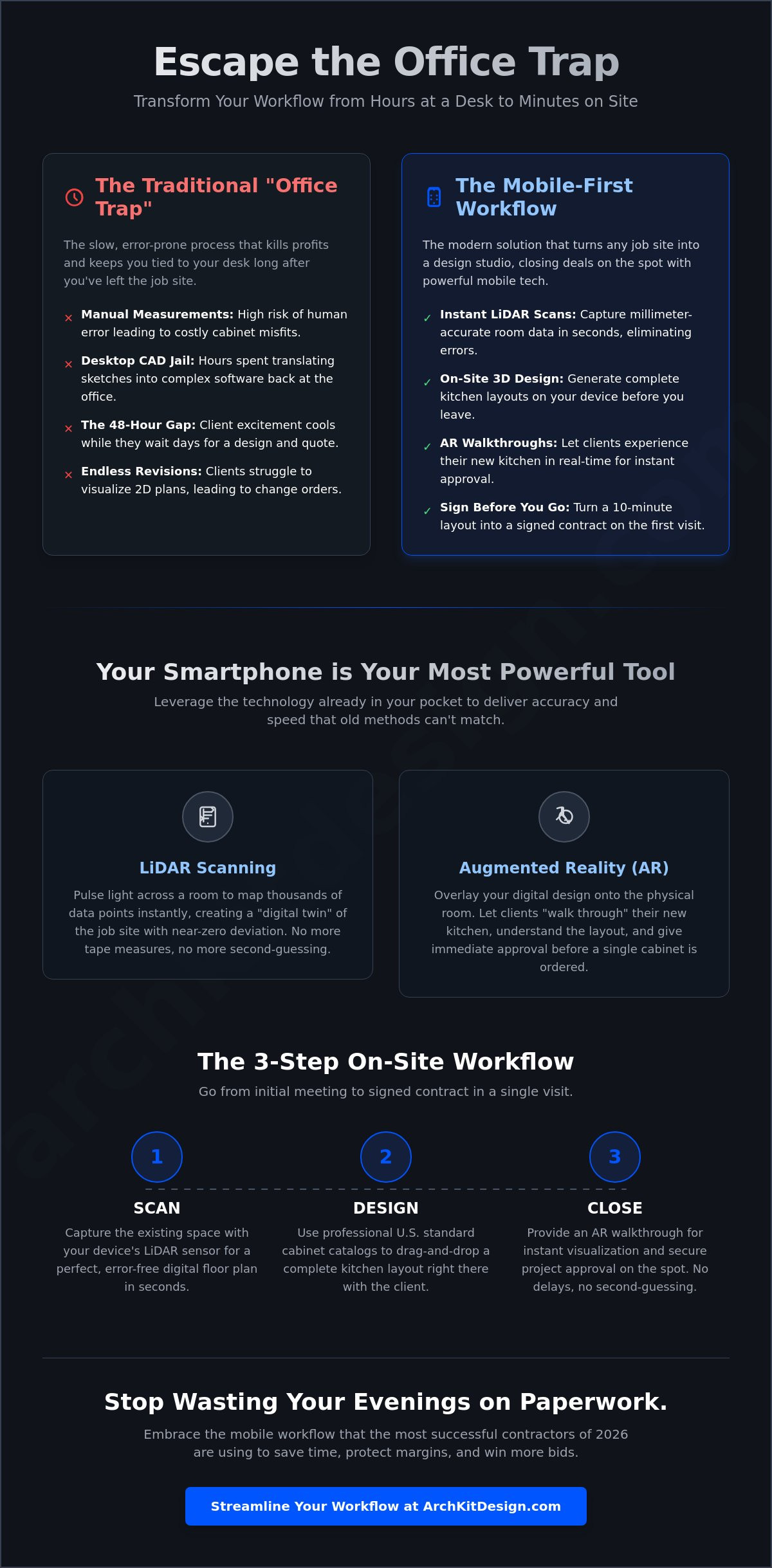
On-Site Workflow: Using a 3D Visualizer Step-by-Step
Success in kitchen remodeling isn't just about the finished product; it's about the "First 15 Minutes" on-site. When you walk into a client's home, you need to establish authority immediately. Using a 3D kitchen visualizer for professionals allows you to move from a casual conversation to a technical demonstration in minutes. This protocol replaces the slow, manual measurement phase with a high-speed digital workflow. You aren't just taking notes; you're building a live model that the client can see, touch, and approve before you even finish your first cup of coffee. This is about speed, accuracy, and professional presence.
Step 1: The LiDAR Room Scan
Begin by preparing the space. Clear the countertops and move any large obstructions that might block the sensor's line of sight. Using a tool like ArchKit, perform a single pass around the room to capture the perimeter. The LiDAR sensor identifies windows, doors, and plumbing stubs automatically. Once the scan is complete, verify the 2D floor plan for accuracy. This digital foundation ensures that every subsequent layout choice is rooted in the physical reality of the room, preventing the "it won't fit" disasters that plague manual sketches.
Step 2: Rapid 3D Cabinet Layout
With the room mapped, it's time to build. Use the free kitchen design app interface to drag and drop standard U.S. cabinetry into the space. You can adjust for appliance clearances and island placement on the fly. The kitchen design app for iPhone is optimized for high-speed placement, allowing you to snap cabinets to walls and align corners with zero friction. This isn't a rough draft; it's a buildable layout featuring real-world dimensions and professional specifications.
Step 3: The AR Presentation and Closing
The final step is the most powerful. Hand the device to the client and let them experience the space through an immersive AR walkthrough. They can see exactly how the new island affects the room's flow or how a different cabinet color changes the light. Make real-time revisions based on their feedback. Swapping a pantry for a wine fridge takes seconds, not days. Once the design is finalized, move straight to pricing and contracts. By providing this immediate clarity, you capture the client's excitement and secure the project on the spot. Ready to transform your sales process? You can get early access to the ArchKit workflow today.
Following this step-by-step workflow turns a standard estimate into a professional consultation. It removes the guesswork from the design process and the delay from the bidding process. You aren't just a contractor; you're a modern professional using the best tools available to deliver a superior client experience. Scan. Design. Close.
Why ArchKit is the Leading Choice for Kitchen Professionals
ArchKit isn't for homeowners dreaming about paint colors. It's the definitive 3D kitchen visualizer for professionals who need to move fast and stay accurate. We understand the grit of a job site. We know that a measurement error doesn't just mean a delay; it means a hit to your reputation and your wallet. That's why we've built a tool that handles the heavy lifting of spatial mapping while you focus on the sale. It's the kitchen design app for contractors that turns complex CAD tasks into simple mobile workflows. No fluff. No lag. Just results.
Eliminating Revisions and Miscommunication
Miscommunication is the most expensive part of any remodel. When a client says "I thought the island would be bigger," you're looking at a costly teardown or a disgruntled customer. Professional 3D visualization ensures everyone is on the same page before the first cabinet is ordered. It reduces "buyer’s remorse" by providing a realistic preview of the final product in its actual environment. You aren't just showing a picture; you're documenting site conditions with digital precision. This creates a clear record that protects you and the homeowner. It ensures the build matches the plan perfectly. Revisions happen in the app, not on the invoice.
Boosting Profitability with Speed
Efficiency is the engine of profit. ArchKit cuts your design time from hours at a desk to minutes on your phone. By generating accurate cabinet lists and measurements automatically, you reduce material waste and ordering mistakes. Your conversion rate climbs because you're presenting a professional, high-tech solution while the competition is still looking for their pencil. Our LiDAR engine and U.S. standard cabinet catalogs are updated continuously to reflect industry realities. You get the latest specs for Base, Wall, and Tall cabinets without lifting a finger. Speed wins bids. Accuracy keeps them profitable.
We offer no-nonsense pricing that scales with your business. Whether you're a solo contractor or a multi-crew firm, the platform adapts to your project volume. Stop wasting your nights in the "Office Trap" wrestling with outdated software. Reclaim your time. Win more work. Professionalism is just a scan away. If you're ready to modernize your trade and impress your clients from the first visit, get early access and start closing more projects today. Scan. Design. Close.
Master the Modern Job Site
The transition from stationary office work to mobile-first execution is the ultimate competitive advantage for 2026. You've seen how LiDAR technology removes the guesswork from measurements and how AR walkthroughs build immediate client trust. By integrating a 3D kitchen visualizer for professionals into your daily routine, you stop chasing leads and start closing them on the spot. You eliminate the administrative fatigue of the "Office Trap" while ensuring every cabinet in your layout is buildable and accurate.
Leveraging a U.S. Standard Cabinet Catalog and millimeter-precise room mapping means fewer revisions and higher margins. You provide the clarity clients crave and the speed your business requires to scale. It's time to trade your sketchpad for a digital twin. Reclaim your evenings. Your next project deserves the precision of a modern workflow. You have the tools to lead the market; now it's time to use them.
Start your free trial of ArchKit today and transform your job site workflow.
Common Questions About Mobile Kitchen Visualization
Is a 3D kitchen visualizer accurate enough for ordering cabinets?
Yes, professional tools using LiDAR technology provide millimeter-precise data suitable for ordering. While you should always verify critical dimensions before final purchase, these scans eliminate the common errors found in manual tape measurements. ArchKit captures the exact geometry of the room, including wall angles and plumbing locations. This level of detail ensures that your cabinet layout is buildable and accurate from the start.
Do I need an iPad Pro to use a professional 3D visualizer?
You don't strictly need an iPad Pro, but a LiDAR-enabled device like an iPhone 12 Pro or newer is best for speed. These sensors allow the 3D kitchen visualizer for professionals to map a room in seconds without manual input. If your device doesn't have LiDAR, you can still use the software by entering measurements manually. However, the automated scanning workflow is what truly boosts your on-site efficiency.
Can I export my 3D designs to other CAD software?
Yes, professional platforms allow you to export your 2D and 3D layouts for further refinement. ArchKit supports PDF exports and project sharing, making it easy to send your designs to suppliers or other team members. This ensures that the data you capture on-site integrates seamlessly with your existing office-based software. You get the speed of mobile design without sacrificing the technical depth of traditional CAD workflows.
How does AR visualization help in winning more contracting bids?
AR visualization wins bids by removing the imagination gap that often stalls project approvals. When a client can walk through their new kitchen in real-time, their anxiety disappears and their excitement grows. This immediate visual validation positions you as a tech-forward professional. It allows you to close the deal on-site rather than waiting days for a rendering to process back at the office.
What is the difference between a consumer planner and a professional tool?
Consumer planners are designed for dreaming; professional tools are designed for building. A 3D kitchen visualizer for professionals uses U.S. standard cabinet libraries and LiDAR mapping to ensure every design is buildable. Professional tools also prioritize speed and on-site utility. They skip the decorative fluff in favor of accurate cut lists, precise measurements, and integrated estimating features that protect your profit margins.
Does ArchKit support standard U.S. cabinet sizes?
Yes, ArchKit fully supports standard U.S. cabinet dimensions, including Base, Wall, and Tall specifications. This allows you to create layouts that match the catalogs of major cabinet manufacturers. Using these standardized sizes ensures that your digital model translates directly to the physical installation. You won't have to worry about custom adjustments or misfits because the software is built around industry-standard cabinetry logic.
Can I use a 3D kitchen visualizer for small or oddly shaped kitchens?
Yes, mobile visualizers excel in small or oddly shaped spaces where manual tape measurements are difficult. LiDAR sensors capture exact wall angles and structural irregularities that a tape measure might miss. Whether you're dealing with a tight galley kitchen or a room with non-standard corners, the software maps the space with digital precision. This makes it easier to plan layouts that maximize every inch of a challenging footprint.
How long does it take to learn a professional 3D kitchen design app?
You can master a professional kitchen design app in under 30 minutes. These tools are built for the field, meaning the interface is intuitive and focused on speed. You don't need a background in complex CAD software to get started. Most contractors can perform their first room scan and generate a basic layout during their very first site visit. It's about practical utility, not technical complexity.


