
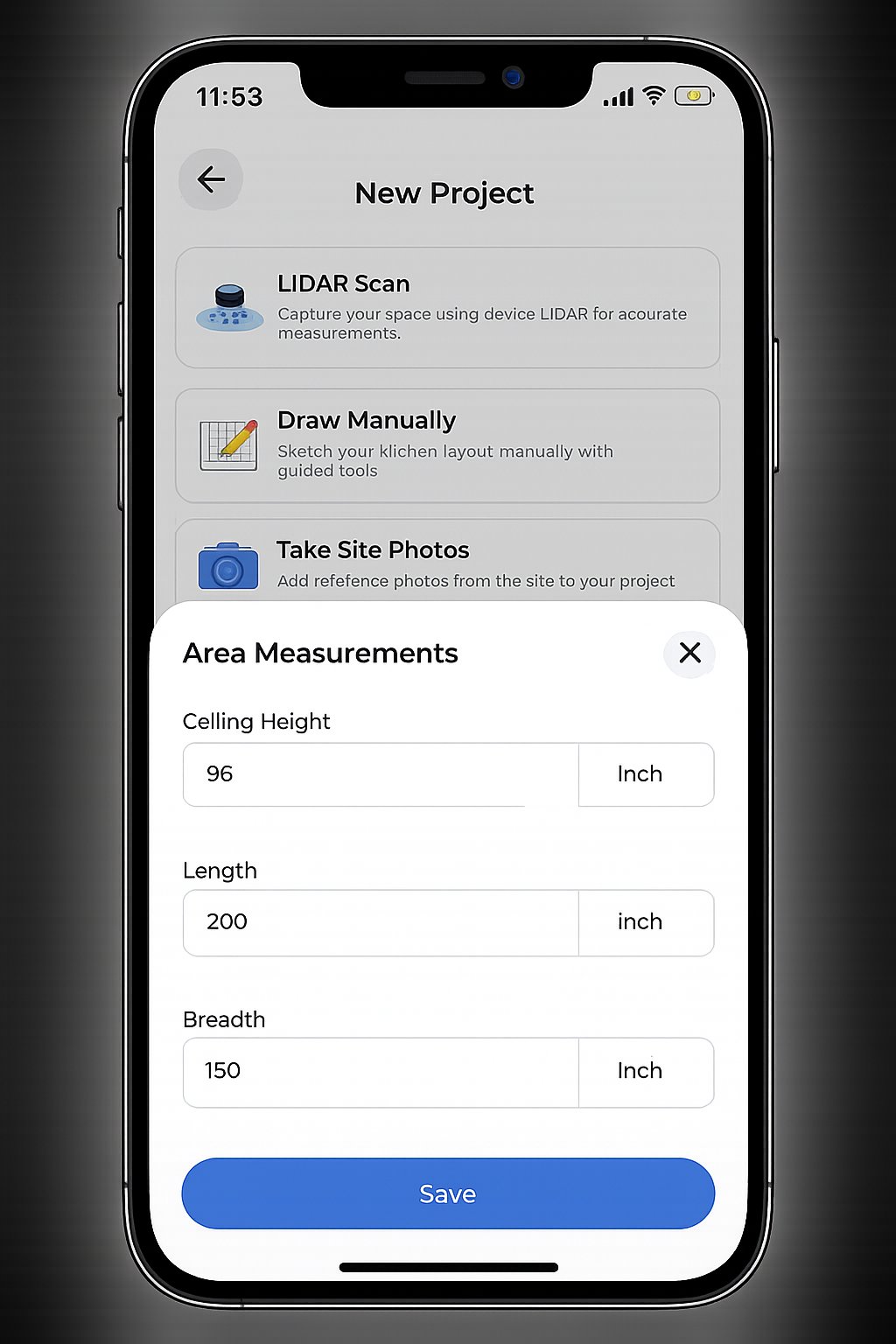
The tape measure is no longer the most accurate tool in your belt. For years, a single missed fraction meant a costly cabinet re-order and a stalled project. You know the frustration of spending hours on-site with a notepad, only to lose an entire afternoon at the office drafting 2D plans. It's a legacy bottleneck that drains your time and profit. Adopting a professional app for measuring kitchens transforms this workflow. Modern LiDAR technology turns a tedious site survey into a precise 10-minute digital scan.
You deserve a process that works as hard as you do. This article teaches you how to master a digital workflow that eliminates manual errors and generates instant 2D and 3D floor plans. We'll explore how tools like ArchKit provide zero-error cabinet lists and faster on-site approvals. You will learn to leverage mobile scanning to impress clients and reduce revisions before you even leave the job site. Stop settling for office-dependent delays and start using high-velocity digital tools to lead the market.
Key Takeaways
- Eliminate manual measurement errors. Stop paying for costly cabinet re-orders caused by a missed 1/8th of an inch or a forgotten wall bump-out.
- Speed up your workflow. Discover how a professional app for measuring kitchens replaces hours of manual drafting with a 10-minute digital scan.
- Master the digital scan. Learn specific movement patterns to avoid "drift" and ensure high-precision results on reflective backsplashes or uniform surfaces.
- Close deals faster on-site. Use instant 3D visualization to get immediate client approval and move straight to the ordering phase.
- Automate your paperwork. Generate precise cabinet lists and 2D floor plans instantly to skip the administrative fatigue of traditional office-dependent workflows.
Why Traditional Kitchen Measurement Methods Fail Modern Contractors
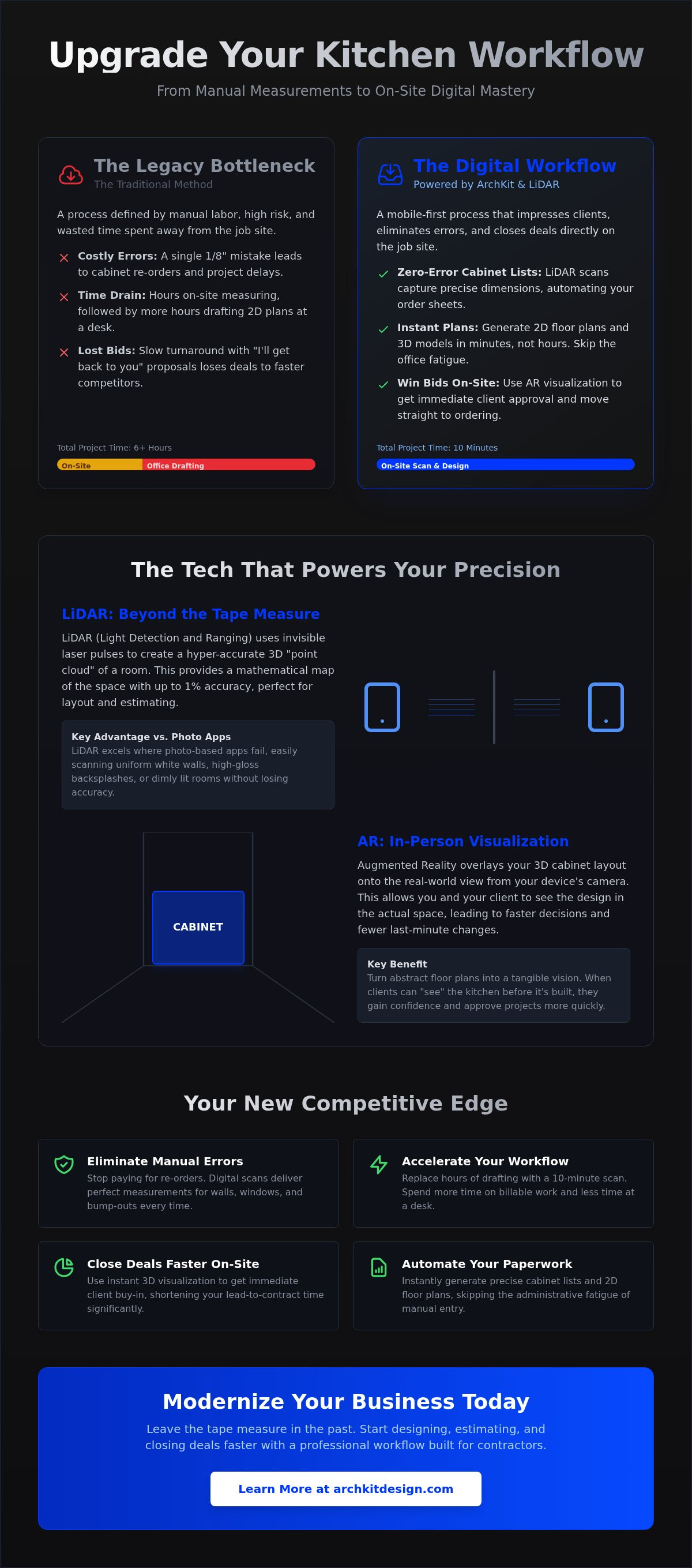
The traditional tape measure is a liability. It creates a false sense of security while hiding tiny errors that wreck your margins. In the kitchen remodeling world, a single 1/8th-inch discrepancy can prevent a cabinet run from fitting between two walls. That mistake leads to expensive re-orders and weeks of project delays. You've likely felt the frustration of lugging a laser, a tape, and a coffee-stained clipboard through a cramped job site, only to find your handwritten notes are illegible three hours later at your desk.
This office work bottleneck is a silent killer of productivity. Most contractors spend two hours measuring and another four hours drafting 2D plans in CAD software back at the office. It's a waste of billable time. By the time you send that proposal, your competition has already used an app for measuring kitchens to close the deal on-site. Lugging heavy hardware through a client's home is a legacy mindset. It signals to the homeowner that your process is slow and prone to human error.
The Hidden Costs of Manual Data Entry
Manual data entry is where accuracy goes to die. Transcribing scribbled numbers from a pad into a computer is a high-risk task. Messy sketches often lead to misinterpretations during the ordering phase. If you misread your own handwriting, you're the one paying for the correction. Project timelines suffer because you can't move to the next phase until the office work is done. This lag creates a dead zone in your schedule where no money is being made. Choosing a professional app for measuring kitchens isn't a luxury; it's a survival strategy for 2026.
Winning More Bids with On-Site Speed
Client expectations have shifted. In 2026, saying "I'll get back to you next week" is a guaranteed way to lose a bid. Homeowners want instant results. Using LiDAR technology allows you to scan a room and show a client a 3D layout before you finish your first walkthrough. This immediate visualization builds massive trust. It proves you're a modern design partner, not just a contractor with a tool belt.
Tools like ArchKit allow you to provide instant floor plans and cabinet layouts during the first visit. This reduces your lead-to-contract time significantly. You aren't just selling a kitchen; you're selling professional efficiency. When you provide a clear digital vision on the spot, you eliminate the client's need to shop around. Speed wins the contract, while digital accuracy protects your profit.
Understanding LiDAR and AR: The Tech Behind Measuring Apps
Professional accuracy requires professional hardware. To use a high-performance app for measuring kitchens, you need a device equipped with a LiDAR sensor. Currently, this means the iPhone Pro or iPad Pro models. While standard smartphone cameras use "photogrammetry" to guess distances based on images, LiDAR (Light Detection and Ranging) sends out actual laser pulses. It measures the exact time those pulses take to bounce back, creating a precise 3D point cloud of the room. This isn't just a photo; it's a mathematical map of the physical space.
Trusting the tech starts with understanding its limits. For most cabinet layouts, a LiDAR-powered scan is accurate within 1% of the total room dimensions. This is more than enough for initial design and estimating. However, always use your tape measure for "critical fit" dimensions, such as a tight dishwasher opening or a custom appliance built-in. The goal isn't to throw away your tape; it's to stop using it for the 95% of measurements that a digital tool handles faster.
The Difference Between Photo-Based Apps and LiDAR
Photo-based apps struggle with uniform surfaces like white walls or dark cabinets. They need visual "landmarks" to calculate depth. LiDAR doesn't care about shadows or lack of contrast. It works perfectly in dim, unfinished basements or kitchens with high-gloss backsplashes that confuse standard cameras. By generating a 3D mesh, these sensors allow you to check for wall plumbness and floor levelness instantly. You can see if a corner is truly 90 degrees or if a wall bows before you ever order a single box. This level of insight is why ArchKit focuses on LiDAR-first workflows to protect your profit margins.
AR Visualization: Seeing Cabinets Before They Arrive
Augmented Reality (AR) takes your scan and overlays digital models onto the real world. You can project standard U.S. cabinet sizes directly onto the scanned walls while standing in the room. This allows you to identify obstructions in real-time. If a planned 36-inch pantry cabinet blocks a light switch or a plumbing stack, you'll see the conflict immediately on your screen. Use AR to validate the "kitchen work triangle" with the client during the first walkthrough. It's much easier to move a digital sink than a physical one. To start modernizing your on-site process, you can get early access to these professional design tools today.
Step-by-Step: How to Measure a Kitchen for Cabinets Using an App
Measuring a room digitally requires a tactical approach. You aren't just taking pictures; you're building a structural model. A professional app for measuring kitchens handles the heavy math, but your field technique determines the final accuracy. Follow these steps to ensure your digital twin is order-ready and free of manual errors.
Step 1: Preparing the Job Site for Digital Scanning
Clear the clutter. LiDAR sensors need a direct line of sight to the walls and floors to calculate distance accurately. Remove countertop appliances, large boxes, and debris that obscure corners. Identify your fixed points immediately. Mark gas lines, water valves, and electrical outlets within the app interface. This prevents design conflicts later when you're placing the sink or range. Pick a corner near the main entrance as your starting point. This establishes a consistent mesh and makes it easier to orient the plan during the design phase.
Step 2: Executing the Room Scan
Keep your movements steady. Hold your device at chest height and walk slowly along the perimeter of the room. Avoid rapid swinging or jerky motions. These movements can cause the digital model to "drift," which ruins your floor plan accuracy. Scan from the floorboards up to the ceiling to capture the full 3D volume. Pay close attention to window casings and door frames. Capture the depth of pass-throughs and alcoves to ensure your cabinet runs don't hit unexpected obstacles. Verify that every wall segment is highlighted in the app before you finish the scan.
Step 3: Refining the Layout and Cabinet Placement
Once the room is mapped, start placing your boxes. Use a professional cabinetry layout tool to snap standard U.S. cabinet dimensions directly to your scanned walls. This eliminates the need for manual alignment and tedious "nudge" adjustments. Adjust for fillers and corner clearances in real-time. The app should automatically flag tight spots where appliance doors might hit a handle or a wall.
Verify your walkways. Ensure you have at least 42 to 48 inches of clearance for main traffic paths. Using an app for measuring kitchens like ArchKit allows you to bypass the office-drafting phase entirely. You can validate the entire layout on-site, export the final submittal, and move to the next job with total confidence in your data. This immediate workflow replaces the old "measure now, draft later" bottleneck with instant, actionable results.
Avoiding Common Digital Measurement Errors on the Job Site
Digital tools aren't magic. They require technique. The most common failure in the field is the 'Drift' phenomenon. This occurs when you swing your device too quickly or move with jerky motions. The sensor loses its orientation in 3D space. Your 120-inch wall suddenly looks like 118 inches in the digital model. Scan with deliberate speed. Slow down at corners. Let the app for measuring kitchens process the depth data before you turn. Smooth movement is the key to professional-grade results.
Calibration is your second line of defense. Check for software updates before you step onto the job site. Manufacturers frequently tune LiDAR sensors through OS updates to improve edge detection and depth processing. If your software is out of date, your accuracy is at risk. A well-maintained app for measuring kitchens ensures your hardware and software are in sync. This simple habit prevents the administrative fatigue of having to return to a site for a re-measure.
Managing Reflective and Dark Surfaces
LiDAR sensors struggle with certain materials. Stainless steel appliances and glass doors can cause "ghosting" because the laser pulses either bounce off or pass right through the surface. This creates fake geometry that ruins your cabinet layout. High-contrast lighting, such as bright afternoon sun hitting a dark corner, can also confuse the sensor. Use a simple trick to anchor the scan: place a piece of blue painter's tape or a sticky note on the center of the fridge or glass backsplash. These physical markers give the sensor a solid target. They provide the tracking points needed to maintain a precise digital mesh in difficult environments.
The 'Trust but Verify' Protocol
Professionalism means never guessing. Even with the advanced tech available in 2026, implement a 'Trust but Verify' protocol. Identify three critical measurements: the total wall-to-wall run, the appliance openings, and the sink plumbing center-line. These are the high-stakes numbers where a fraction of an inch determines if a cabinet fits. Use a digital tape measure app for contractors to perform quick spot checks on these points. Document any structural deviations, such as a wall that isn't plumb, directly in your digital notes. This creates a data-backed paper trail that protects your profit margins. To start using a workflow designed for zero-error accuracy, secure early access to our professional tools today.
From Scan to Submittal: Streamlining Your Workflow with ArchKit
Efficiency isn't just about the scan. It's about what happens next. ArchKit bridges the gap between a raw room scan and a signed contract. Using a professional app for measuring kitchens allows you to skip the manual drafting phase entirely. Generate a precise model. Select your cabinet lines. Produce a submittal-ready plan before you even start your truck. This high-velocity workflow replaces the administrative fatigue of traditional methods with the satisfaction of immediate results.
The biggest time-saver is the automated kitchen cabinet list generator. It calculates every box, filler, and trim piece based on your digital layout. This eliminates the "forgotten cabinet" error that often eats into your profit margins. Get a complete bill of materials instantly. It turns a stressful estimation process into a simple verification step. No more second-guessing if you accounted for the crown molding or the toe kick. You have the data you need to order with confidence.
Speed builds confidence. When a client sees their new kitchen in 3D during the first meeting, the sales cycle shrinks. You aren't just a contractor; you're a designer with immediate answers. This reduces revisions because you solve layout problems in real-time with the homeowner. They see the value. They trust the accuracy. You close the bid while the excitement is still high.
Instant 2D and 3D Layout Generation
Convert your LiDAR data into a CAD-ready floor plan with one tap. Switch between 2D technical views for your installers and high-performance 3D renderings for your clients. This binary view helps you manage both the technical reality and the emotional sale. If you need deeper customization, export these files for use in various alternatives to 2020 design software. This ensures your field data integrates perfectly with your existing office tools without requiring a complete software overhaul.
Professional Project Management on the Move
Stop losing paper sketches. Store every measurement and design in the cloud for instant access on any device. Share layouts with your subs and suppliers directly from the job site. This transparency prevents communication breakdowns and keeps the project moving at a professional pace. Check out ArchKit pricing to find the right plan for your firm. Transitioning to a professional app for measuring kitchens is more than a tech upgrade. It's an investment in your company's growth, your professional reputation, and your daily peace of mind.
Modernize Your On-Site Workflow Today
The era of the clipboard and coffee-stained notepad is over. By adopting a professional app for measuring kitchens, you replace hours of administrative office work with a 10-minute digital scan. You've seen how LiDAR-powered accuracy protects your profit margins and how on-site 3D visualization builds immediate client trust. These tools allow you to identify structural obstructions and validate layout principles while you're still standing in the room with the homeowner. It's time to move from a legacy contractor mindset to a modern design partner.
Using a U.S. Standard Cabinet Catalog directly in the field ensures your layouts are order-ready before you even leave the job site. This isn't just about a new gadget; it's about reclaiming your billable time and securing more contracts with modern efficiency. Stop dealing with manual errors and office-dependent delays. Embrace a workflow that lets you design, estimate, and close the deal in a single visit. You have the expertise to build great kitchens. Use the technology that matches your skill level.
Start scanning your next project with the ArchKit free kitchen design app
Frequently Asked Questions
Is a kitchen measuring app accurate enough for ordering custom cabinets?
Digital measurements are highly accurate for initial layouts and estimating. Most LiDAR-powered tools provide accuracy within 1% of total room dimensions, which is ideal for generating floor plans during the first visit. However, you should still verify "critical fit" dimensions, like a dishwasher opening or a built-in appliance niche, with a tape measure. The app handles the bulk work while you use manual tools for high-stakes fractions.
Do I need a LiDAR-enabled device to use an app for measuring kitchens?
Professional accuracy requires a LiDAR sensor, currently found on iPhone Pro and iPad Pro models. While standard camera-based apps exist, they rely on photogrammetry which often fails on uniform white surfaces or in low light. A dedicated app for measuring kitchens using LiDAR sends out actual laser pulses to create a precise 3D mesh. This ensures your data is reliable enough for cabinetry planning on a fast-paced job site.
How do I measure for cabinets if the kitchen is currently full of old cabinets?
You don't need a demo to start your design. Scan the visible floor and ceiling lines to establish the room's height and perimeter. Most professional apps allow you to place virtual walls behind existing cabinetry by referencing the ceiling line. Identify fixed points like plumbing and electrical outlets that won't move. This allows you to generate a 2D layout and start the estimating process before the old kitchen is even removed.
Can these apps export floor plans to CAD software like AutoCAD or Chief Architect?
Professional tools like ArchKit support standard file exports for seamless integration with your office-based software. You can export your on-site scans as DXF, OBJ, or PDF files. This allows you to import the raw room data directly into programs like AutoCAD or Chief Architect. It eliminates the need to manually re-draw floor plans back at the office, saving you hours of administrative drafting time and reducing transcription errors.
What is the best app for contractors to measure kitchens on-site in 2026?
The best choice for contractors is an app that combines LiDAR scanning with an integrated cabinet catalog. ArchKit is specifically designed for the professional workflow, offering on-site 3D visualization and automated cabinet list generation. While general scanning apps like Polycam exist, they lack the industry-specific tools needed for cabinet layout. Look for a solution that bridges the gap between a raw scan and a professional submittal to save the most time.
How do I handle out-of-plumb walls when using a digital measurement tool?
Digital tools make identifying out-of-plumb walls much easier than using a traditional level. The 3D mesh generated by the scan will show wall bows or corners that aren't a true 90 degrees. Once identified, you can account for these structural issues in the design phase. Add appropriate fillers to your cabinet runs within the app for measuring kitchens to ensure everything fits perfectly during the physical installation phase without needing mid-project revisions.


