
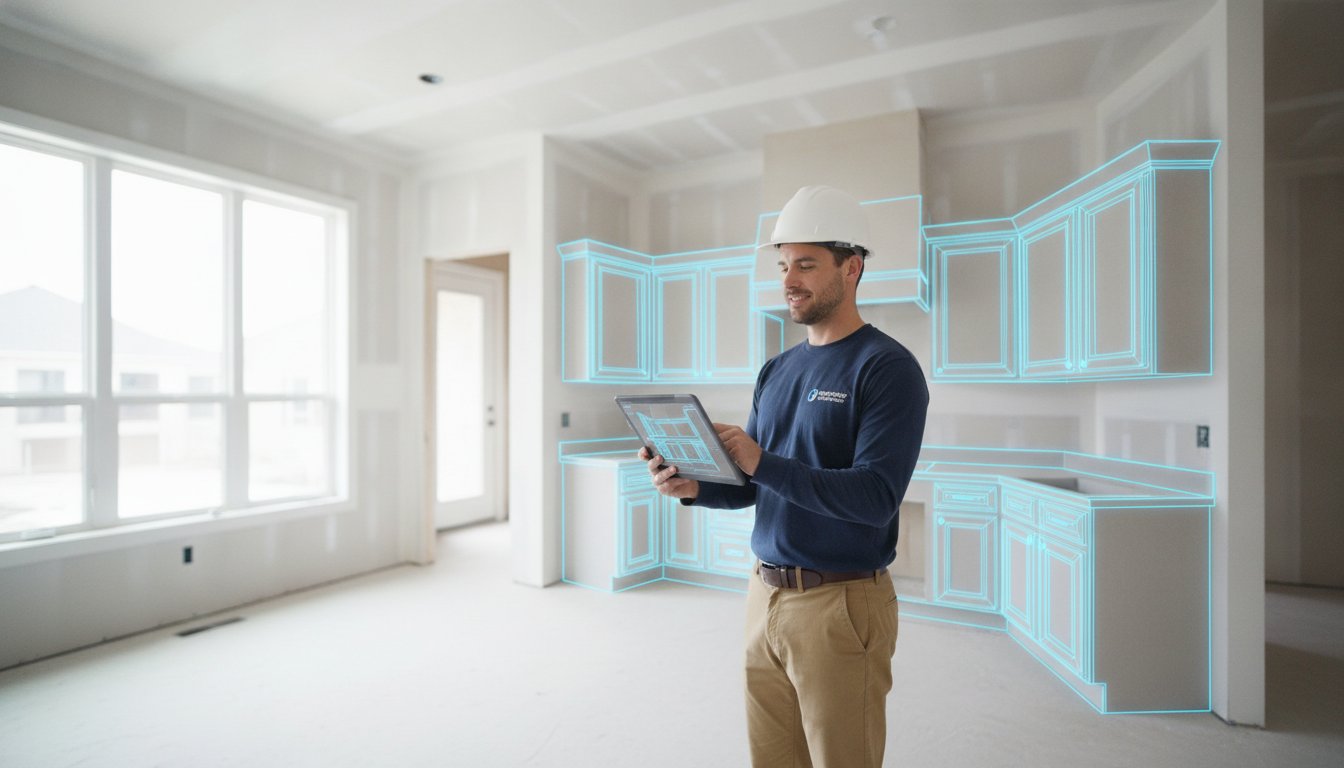
You're standing in a gut-renovated kitchen, measuring tape in hand, only to realize weeks later that a miscalculated half-inch just tanked your entire cabinet order. It's a common nightmare that costs you thousands in reorders and wasted time. You know the drill. You spend four to eight hours hunched over a laptop back at the office just to get one bid out. Finding the right software for kitchen remodel takeoffs shouldn't feel like another chore on your punch list. It's time to stop guessing and start winning.
We agree that manual measurements are a liability you can no longer afford. This guide shows you how to eliminate measurement errors and slash estimating time using modern mobile takeoff tools. You'll learn how to generate a professional bid before you even walk out the front door. We'll look at how tools like ArchKit use LiDAR and AR to capture every filler piece and corner. Get ready to ditch the office desk, impress your clients with 3D visuals, and close more sales instantly. Precision starts on the job site, not in the office.
Key Takeaways
- Stop wasting hours on manual data entry and office bottlenecks by moving your estimating process directly to the job site.
- Discover how modern software for kitchen remodel takeoffs uses LiDAR scanning to eliminate measurement errors and forgotten filler pieces.
- Compare the speed of on-site mobile AR workflows against traditional desktop CAD to find the most efficient path for your business.
- Master a five-step scanning process that captures walls, plumbing, and electrical outlets in minutes to produce accurate 2D and 3D layouts.
- Use tools like ArchKit to create professional visualizations and final bids before you even walk out the client's front door.
The High Cost of Manual Kitchen Remodel Takeoffs
A construction takeoff for a kitchen is more than just a list of parts. It's the precise process of quantifying every cabinet box, slab of quartz, and linear foot of crown molding required for the build. For decades, this meant a tape measure and a notepad. But in 2026, relying on legacy tools is a choice to leave money on the table. When you use outdated methods, you're inviting the "Office Bottleneck" into your workflow. This is the frustrating gap between measuring on-site and finally sitting down at 8:00 PM to type those notes into a spreadsheet. Modern software for kitchen remodel takeoffs eliminates this delay by capturing data the moment you see it.
The stakes are high. Ordering custom cabinets based on a misread tape measure is the number one margin killer in this industry. If a cabinet arrives a quarter-inch too wide for the opening, you don't just lose time. you lose thousands of dollars in reorders and shipping fees. Digital scanning replaces the guesswork of paper sketches with high-velocity data. It ensures that what you see on the job site is exactly what gets ordered—a standard of accuracy that specialists like Bowkirk Kitchens & Bedrooms maintain through their bespoke design and installation services.
Why Tape Measures Fail in Complex Kitchens
Tape measures are honest, but the people holding them make mistakes. It's easy to misread a scale in a dimly lit room or flip two digits while transcribing a number to a notepad. In older homes, walls are rarely square. A standard tape measure struggles to capture the precise angles that dictate whether a cabinet will actually slide into place. You end up spending hours double-checking clearances for appliances or plumbing. This manual repetition is a drain on your productivity. You need tools that capture the reality of the room, not just a flat line between two points.
The "Invisible" Costs of Slow Estimates
Small business owners often find themselves trapped in a cycle of late-night data entry that drains their energy for actual field work. To combat this burnout, you can discover Repair-CRM and see how mobile field service software helps pros digitize their operations while providing some much-needed relief from the daily grind.
There is also the issue of material price volatility. In a fast-moving market, a manual takeoff that sits on your desk for a week might be obsolete by the time you hit "send." You need a workflow that moves as fast as the job site. Integrating a mobile solution like ArchKit allows you to bypass the desk entirely. By using software for kitchen remodel takeoffs that lives on your phone, you turn physical space into digital data instantly. This shift from legacy paper to high-velocity scanning protects your time and your bottom line.
How Mobile Software for Kitchen Takeoffs Works
Most kitchen remodels don't begin with a clean PDF blueprint. They start in a dated kitchen with crooked walls and zero existing plans. While some office-bound programs fail without a digital starting point, modern software for kitchen remodel takeoffs thrives in these messy, real-world environments. It turns your iPhone or iPad into a high-performance measurement hub that creates its own data from scratch. You aren't just measuring; you're building a digital foundation for the entire project.
LiDAR Scanning: From Room to 3D Model in Seconds
LiDAR technology is the engine behind this speed. Instead of just taking a photo, your device emits rapid light pulses to map the room in three dimensions. You simply "paint" the walls with your screen to capture every dimension. The software is smart enough to detect windows, doors, and plumbing stubs automatically. This creates a perfect 3D digital twin of the space in seconds. For a deeper dive into the technical side of this process, read this LiDAR kitchen scanner app guide. It's about replacing the slow, manual crawl of a tape measure with high-velocity data capture.
Integrated Cabinet Catalogs
Once the room is mapped, Augmented Reality (AR) takes over. You aren't just looking at a flat floor plan; you're placing virtual cabinets into the actual room. Research Assessing Technology Adoption suggests that field pros value tools that bridge the gap between design and reality. These apps use integrated catalogs featuring standard U.S. cabinet sizes. Virtual boxes snap to the scanned walls, which eliminates the guesswork of cabinet placement. This process ensures that vital components like filler pieces and moldings are included in the initial count. It's a foolproof way to ensure everything fits before you place the order.
The workflow ends with an automated Bill of Materials (BOM). Every cabinet you drop into the AR layout is instantly logged. There is no separate data entry or manual counting. When the visual layout is finished, the takeoff is finished. Cloud syncing then moves this data from the job site to your cabinet supplier or office team immediately. You can modernize your on-site workflow right now to stop the late-night admin grind. Use ArchKit to turn a physical room into a digital order in one visit. It's the most efficient way to secure your project margins and impress your clients simultaneously.
Desktop CAD vs. Mobile AR: Choosing Your Takeoff Workflow
The office is for paperwork; the job site is for progress. Choosing the right software for kitchen remodel takeoffs often comes down to where you want to spend your time. Traditional desktop CAD programs are powerful, but they keep you tethered to a desk. Mobile AR tools give you the freedom to finish the job while you're still standing in the room. This isn't just about convenience. It's about eliminating the "Double Entry" trap that kills your productivity. You shouldn't have to measure a kitchen twice just to get one bid out.
Precision is a common concern for pros moving away from legacy systems. In 2026, modern LiDAR sensors on mobile devices match the accuracy of traditional laser distance meters. You aren't just getting a raw number. You're getting a spatially aware digital twin that understands the relationship between walls, floors, and ceilings. This high-performance data capture allows you to move from a scan to a cabinet layout in minutes. The learning curve for mobile apps is significantly lower than complex design suites. These tools are built for contractors who need to move fast, not full-time CAD technicians.
When to Use Mobile Takeoff Tools
Mobile tools are the gold standard for initial client consultations and "no-blueprint" remodels. In residential work, homeowners rarely have existing architectural drawings. Mobile AR allows you to build those plans on the fly. This workflow is essential for small teams and one-man shops. You become the designer, estimator, and closer in a single visit. Using a tool like ArchKit ensures your data is ready to feed into larger project management systems immediately. Scan the room, drop the cabinets, and sync the data. It's that simple.
The Limitations of Legacy Desktop Software
Legacy software often carries high annual costs and requires dedicated staff to operate. The biggest drawback is the time lag. You measure on-site, drive back to the office, and then redraw the entire space from scratch. This inefficient loop delays your bids and opens the door for competitors to swoop in. If you're looking for ways to streamline your process, explore these alternatives to 2020 design software. Modern software for kitchen remodel takeoffs should prioritize your speed in the field. Ditch the stationary equipment and embrace a workflow that moves as fast as you do.
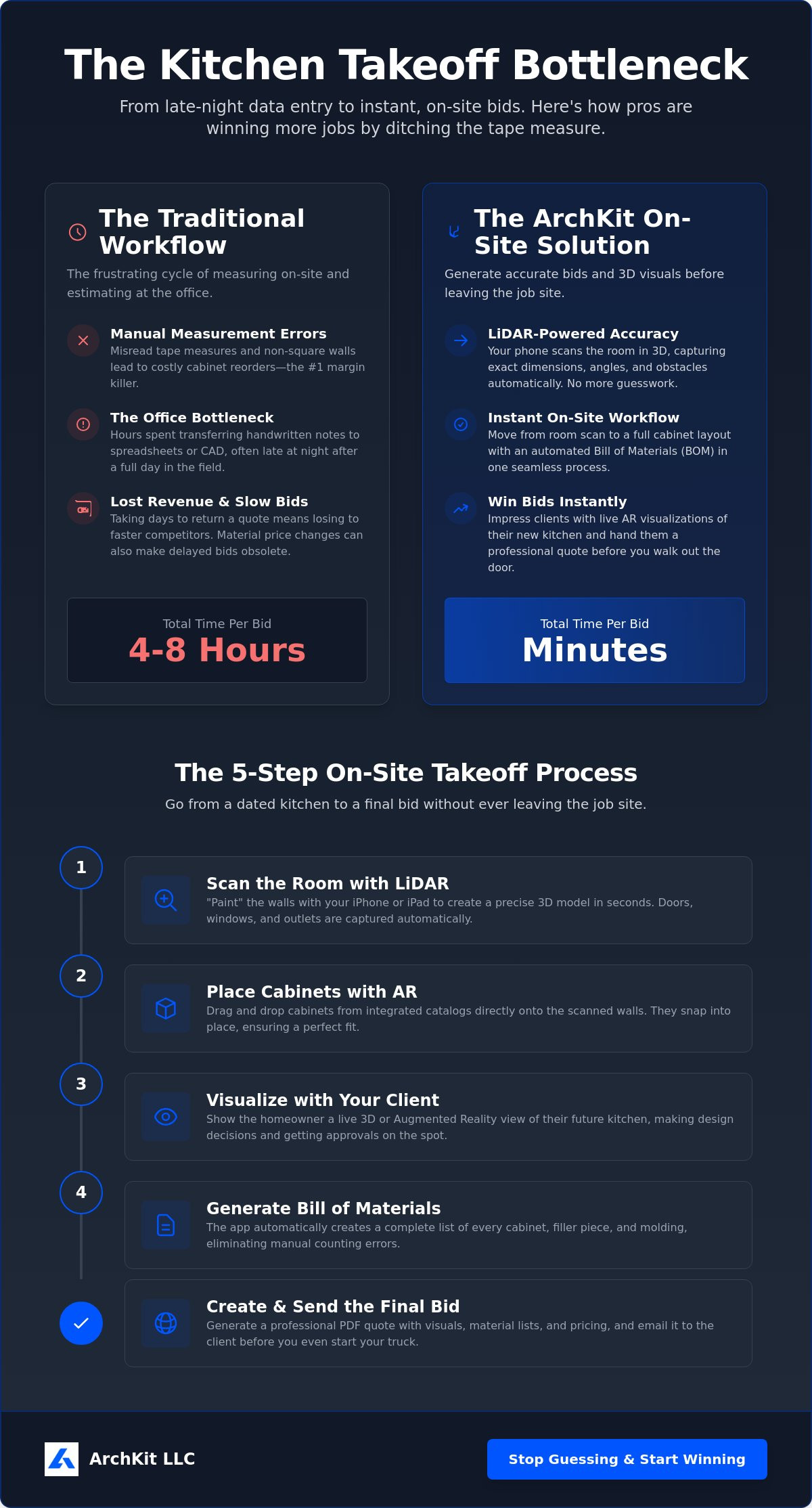
5 Steps to a Perfect On-Site Kitchen Takeoff
Execution in the field requires a repeatable process. You can't rely on memory or messy sketches when thousands of dollars in cabinet orders are on the line. Moving to a digital workflow means following a logical sequence that starts with raw data and ends with a signed contract. Using software for kitchen remodel takeoffs allows you to complete this entire loop during your first site visit. Follow these five steps to ensure your next takeoff is flawless.
- Step 1: Scan the existing room. Capture every wall surface, the floor, and ceiling heights. This digital map is your project foundation.
- Step 2: Mark fixed points. Identify plumbing stubs, gas lines, and electrical outlets. Tagging these anchors prevents layout errors later.
- Step 3: Build the footprint. Drop standard cabinets into the layout. Watch them snap to the scanned walls to build the kitchen footprint in real-time.
- Step 4: Quantify the materials. Generate an automated list for cabinets, countertops, and trim. The software counts every piece so you don't have to.
- Step 5: Present and close. Export the estimate and show the professional 3D visual to the homeowner. Secure the deposit before you leave the driveway.
Optimizing the Initial Scan
A perfect takeoff starts with a clean scan. Clear the countertops before you begin. LiDAR sensors need to see the true wall surface to provide the most accurate dimensions. If the counters are cluttered, the sensor might capture the back of a toaster instead of the drywall. Pay close attention to floor-to-ceiling heights. This data is essential for planning pantry units and tall oven cabinets. Using an accurate kitchen measurement tool like ArchKit ensures these vertical dimensions are locked in. Don't guess on ceiling heights in older homes where floors might be unlevel.
Building the Quote in Real-Time
Speed doesn't mean sacrificing detail. Modern software for kitchen remodel takeoffs handles the small things that manual estimates often miss. You can adjust for custom offsets or non-standard appliance gaps directly in the app. Review the auto-generated material list to ensure all hardware, such as soft-close hinges and pulls, is included. This level of detail builds trust with the homeowner. Presenting a finished bid while the client is still excited about the project is your best closing strategy. Finalize the numbers and get early access to ArchKit to start winning more bids today. Precision and speed are your two greatest competitive advantages.
ArchKit: The Contractor-First Solution for On-Site Takeoffs
The transition from legacy paper sketches to digital precision shouldn't be a struggle. ArchKit is the specific tool built for the mobile contractor workflow, designed to live on your phone rather than a stationary office desk. It bridges the gap between field measurements and final estimates by combining LiDAR scanning with a professional 3D layout engine. This isn't just another measurement app. It is a specialized software for kitchen remodel takeoffs that understands the physical reality of a demolition-ready kitchen. By using high-velocity light pulses, it captures every wall and corner, which eliminates the need for paper sketches that often get lost or misread later in the week.
One of the most critical features for professionals is the integrated Standard US Cabinet Catalog. As you move through the room, you aren't just drawing lines. You're snapping actual cabinetry units into the digital twin of the space. This ensures that every cabinet, pantry, and island footprint is accurate to industry standards. This level of precision is what allows you to "Win More Bids." When you can show a homeowner exactly how their new kitchen will look while you're still standing in their old one, you build a level of trust that a simple paper quote can't match.
Why Professionals Are Switching to ArchKit
Speed and accuracy are the pillars of a successful remodeling business. Pros are moving to ArchKit because it's designed for speed. You can move from an initial room scan to a detailed cabinetry estimate in under 20 minutes. There is no more manual data entry after the sun goes down. The app generates the cabinetry list for you as you place units in the AR environment. This automated Bill of Materials includes the small details that usually get forgotten, such as filler pieces and toe kicks. These professional 3D visualizations act as your best closing tool, helping homeowners say "Yes" faster because they can see the final result immediately.
Getting Started with Modern Takeoffs
Modernizing your business doesn't require a steep learning curve or expensive hardware. You can review the ArchKit pricing for monthly or annual SaaS access that scales with your project volume. If you're just starting to explore digital tools, the free version allows you to experience the power of LiDAR scanning on your own job sites. For those who want to lead the market with the latest visualization technology, you can apply for early access to the full pro suite. Adopting the right software for kitchen remodel takeoffs is the fastest way to protect your margins and reclaim your evenings. Stop measuring twice and start closing more sales in a single visit.
Secure Your Margins with Job Site Precision
Stop losing your profit to missed measurements and late-night admin work. You now have the roadmap to transform your business from a manual grind into a high-velocity operation. By leveraging LiDAR-powered precision and standard U.S. cabinet catalog integration, you eliminate the re-measurement trap. You move from a room scan to a finished estimate while you're still standing on the job site. This isn't just about efficiency; it's about using on-site 3D visualization to win the room and close the sale instantly.
Adopting modern software for kitchen remodel takeoffs is the single most effective way to scale your contracting business in 2026. You've seen how mobile AR beats stationary office equipment every time. It's time to ditch the paper sketches and the office-bound CAD programs that delay your bids. Put the power of a full design suite in your pocket and reclaim your evenings.
Start your free trial of ArchKit and scan your first kitchen today.
The job site is where the work happens. Make sure your estimating happens there too. You're ready to build with confidence and speed.
Frequently Asked Questions
What is the most accurate way to do a kitchen takeoff?
LiDAR scanning is the most accurate method because it captures millions of data points to create a perfect digital twin of the room. Unlike manual tape measures, digital scanning eliminates human transcription errors and identifies non-square walls that a tape measure might miss. Verify your scan on-site to ensure every plumbing and electrical anchor is locked in before you leave the driveway.
Can I use my iPhone for professional kitchen measurements?
Yes, any iPhone with a built-in LiDAR sensor is a professional-grade measurement tool. These devices allow you to "paint" the room with light pulses to capture exact dimensions in seconds. This mobile approach removes the need for bulky hardware and allows you to finish your work while you're still standing in the client's home, cutting out the office commute entirely.
How does LiDAR help with kitchen remodeling estimates?
LiDAR provides the raw spatial data needed to generate a perfect bill of materials instantly. It maps the floor, walls, and ceiling heights to ensure your tall cabinets and pantry units fit the first time. This technology turns a physical space into a digital layout, allowing software for kitchen remodel takeoffs to count every cabinet box and trim piece automatically without manual counting.
Does takeoff software include standard cabinet sizes?
Professional tools like ArchKit include full catalogs of standard U.S. cabinet sizes. You can snap base, wall, and tall cabinets directly to your scanned walls to build a footprint in real-time. This integration ensures that your takeoff includes the exact dimensions required for a functional layout, including necessary offsets for appliances and filler pieces.
How much time can I save using mobile takeoff software?
You can save between four and eight hours on a single project by moving your workflow to the field. Mobile tools eliminate the need for late-night data entry and manual redrawing at the office. You finish the scan, build the layout, and generate the bid in one visit, allowing you to close sales faster than competitors using legacy paper-based methods.
Do I need an internet connection to perform a takeoff on-site?
No, most professional apps allow you to perform the initial LiDAR scan and layout without an active connection. The data is stored locally on your device and syncs to the cloud once you reach a Wi-Fi or cellular signal. This ensures you can work in gut-renovated homes or remote areas without worrying about losing your project data.
Can I export my takeoff data to other estimating programs?
Yes, exporting your data to PDF or CSV formats is a standard feature for professional users. This allows you to feed your on-site findings directly into your existing project management or accounting software. It creates a seamless link between the job site and your office team, ensuring everyone is working from the same accurate 3D data.
Is mobile takeoff software accurate enough for custom cabinet orders?
Modern software for kitchen remodel takeoffs is precise enough for both semi-custom and full-custom cabinet orders. It captures subtle wall leans and corner angles that standard measurement tools often overlook. This high-performance data capture reduces the risk of expensive reorders and ensures your custom pieces slide into place without the need for aggressive on-site modifications.


