
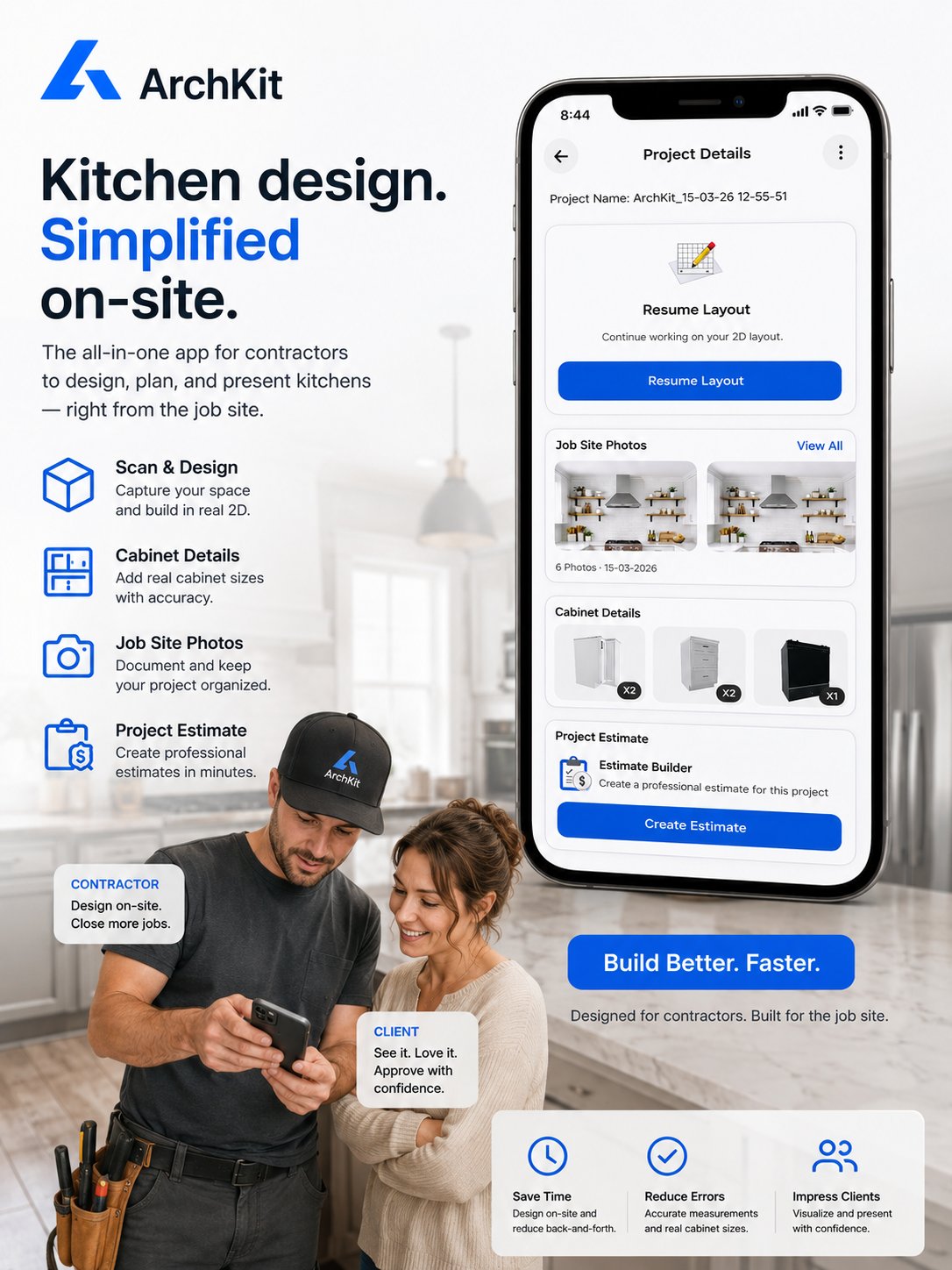
What if the reason you're losing high-end kitchen contracts isn't your price, but the fact that your clients can't actually see what they're buying? In 2026, the process of presenting a kitchen remodel bid to clients requires more than a static PDF and a tape measure. You've likely spent too many nights at your desk fixing manual measurement errors or redrawing 2D blueprints because a client couldn't visualize the cabinet layout. It's a cycle of administrative fatigue that eats your margins and kills your momentum.
This guide teaches you how to transform static estimates into immersive on-site presentations that close more contracts and eliminate revision cycles. We'll show you how to use mobile workflows and LiDAR scanning to create a digital twin of a kitchen in seconds. By using tools like ArchKit Design, you can provide real-time AR visualizations that give you professional authority on-site. Learn the exact steps to streamline your design phase and secure faster approvals before you even leave the driveway.
Key Takeaways
- Eliminate "Office Fatigue" by moving your design process from the desk to the jobsite for immediate project momentum.
- Leverage LiDAR technology to capture precise measurements and structural obstacles, creating an accurate "digital twin" in minutes.
- Win more contracts by presenting a kitchen remodel bid to clients using immersive AR visualizations that prove your professional authority.
- Build transparent, itemized estimates using standard cabinet specifications to reduce client confusion and revision cycles.
- Streamline the final agreement by converting mobile 3D layouts into signed contracts directly on-site with tools like ArchKit.
The Evolution of the Kitchen Remodel Bid: From Paper to AR
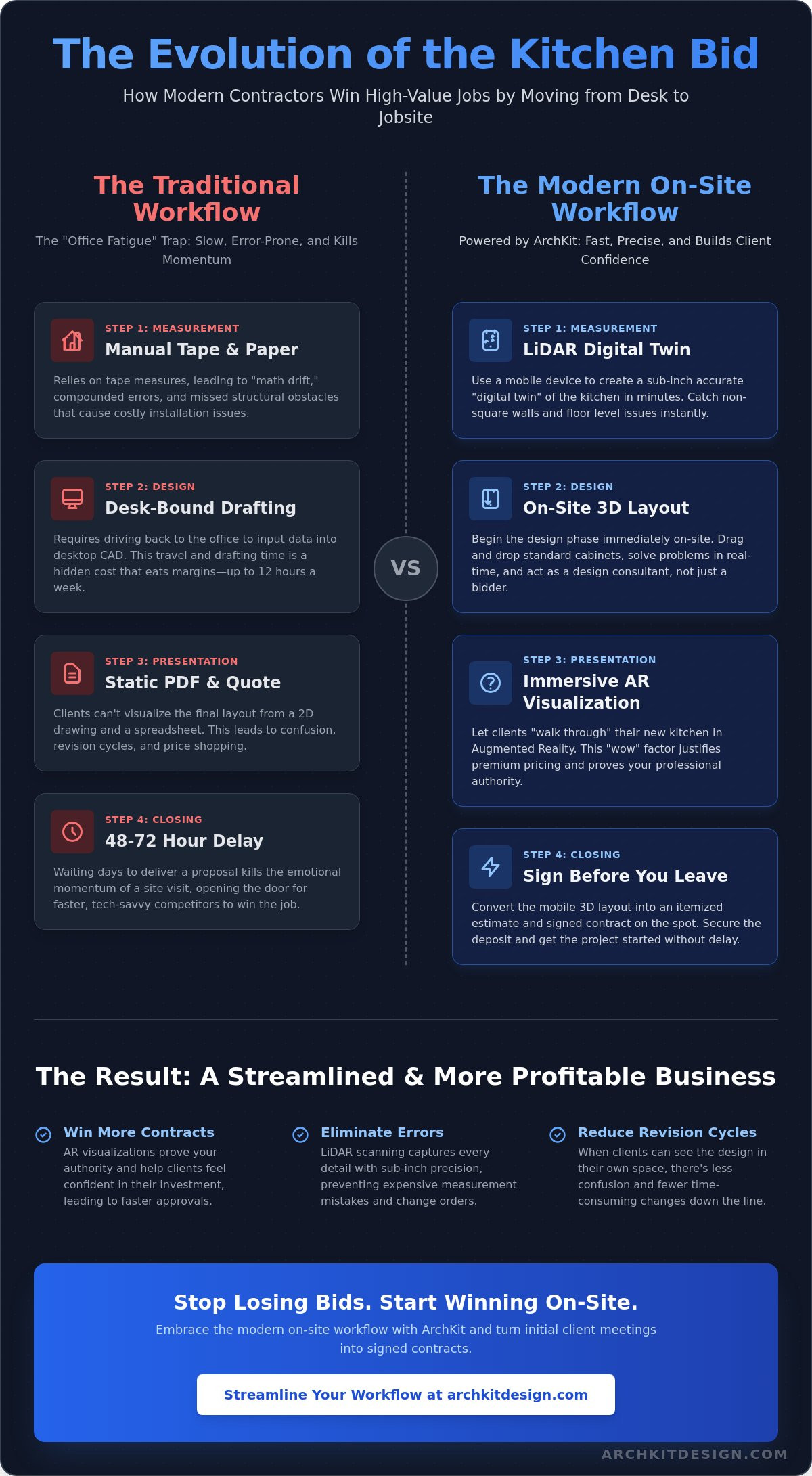
The construction bidding process has historically been a slow, back-and-forth grind that drains a contractor's energy. In 2026, static paper bids and simple spreadsheets are failing to close high-value projects because they lack the "wow" factor required to justify premium pricing. Homeowners are no longer satisfied with a ballpark number emailed three days after the walkthrough. They want to see the vision immediately. When you're presenting a kitchen remodel bid to clients today, you aren't just selling cabinets and labor; you're selling certainty. If you leave the jobsite without providing a visual proof of concept, you leave the door open for a faster, tech-savvy competitor to step in and win the job before you even open your laptop at home.
The "Office Fatigue" trap is real. It's the cycle of spending your evenings at a drafting desk instead of closing deals or resting for the next day's install. Waiting 48 to 72 hours to deliver a proposal kills the emotional momentum of a successful site visit. Modern kitchen bidding is no longer about being the cheapest guy in town. It's about being the most prepared. Homeowners in 2026 are accustomed to instant gratification and high-fidelity visuals in every other part of their lives. If your bid looks like a grocery store receipt, you're competing on price alone. When you leverage on-site design, you're competing on value and professionalism. This evolution from paper to AR isn't just a tech upgrade; it's a fundamental change in how you build client relationships from the first handshake.
The Problem with Office-Dependent Workflows
Manual tape measures lead to "math drift," where small errors compound across a long wall. A quarter-inch error at the start becomes a major cabinet alignment issue during installation. Relying on hand-drawn sketches means you have to drive back to the office to input data into a desktop CAD program. This travel time is a hidden cost that eats your margins. If you visit three potential clients a week and spend four hours drafting each bid, you're losing twelve hours of production time every week. That's more than a full workday wasted on administrative tasks that could be handled on-site. Delays in bid delivery also create a vacuum where clients start second-guessing the budget or looking for other options. Slow turnarounds signal a lack of modern efficiency that homeowners find concerning.
Embracing the On-Site Experience
Establish authority the moment you walk through the door. Use high-performance technical tools to map the room in real-time. When you use mobile software like ArchKit Design, you move from a "price quote" to a "design consultation" mindset. This shift is powerful because you're solving problems in front of the client. Showing progress before you even leave the driveway has a deep psychological impact. It proves you have the tools and the expertise to handle their home with precision. Presenting a kitchen remodel bid to clients while they are still excited about the project is the fastest way to secure a signature and move to the construction phase without the usual friction of multiple revision cycles.
Preparation: Leveraging LiDAR for Instant Accuracy
Accuracy isn't just about the numbers; it's about the confidence you project during the initial site visit. While traditional contractors are still fumbling with metal tapes and scribbled notes, you're using LiDAR to create a "digital twin" of the existing kitchen in seconds. This phase is critical when presenting a kitchen remodel bid to clients because it captures the invisible obstacles that lead to expensive change orders later. Map out every plumbing stack, electrical outlet, and structural soffit before you even open a cabinet catalog. This "one-and-done" visit ensures you have every data point needed to finalize the contract without returning for missed measurements.
Scanning the Space with Precision
LiDAR scanning for kitchen contractors is a tool for sub-inch precision that fundamentally changes how you document a room. Unlike a manual tape measure that only records distance between two points, a job site measurement app captures the entire volume of the space. You'll catch non-square walls and floor level issues that would otherwise derail a cabinet installation. Identifying these structural quirks early allows you to adjust the bid for necessary leveling or shimming, protecting your profit margins from the start. It turns "eyeballing it" into a data-driven science.
On-Site Layout Planning
Once the scan is complete, the design phase begins immediately. Apply kitchen layout principles to the digital model while standing in the actual room. Test different island configurations or adjust the work triangle while the client is right there to provide feedback. ArchKit Design automates the floor plan generation, turning raw point clouds into a professional 2D and 3D layout. This on-site planning reduces administrative fatigue because the heavy lifting of drafting is handled by the software. If you're ready to stop guessing and start scanning, get early access to our professional tools and modernize your next walkthrough.
Structuring Your Professional Kitchen Remodel Bid
A bid isn't just a list of numbers; it's a roadmap for the entire project. When you're presenting a kitchen remodel bid to clients, you need to strike a balance between professional transparency and overwhelming detail. Use the precise data from your on-site LiDAR scan to build a line-item estimate that reflects the physical reality of the space. This isn't about giving them a "best guess." It's about showing them a structured plan that accounts for every cabinet, every hour of labor, and every potential obstacle. Clear structure builds trust and sets the stage for a successful contract.
Automated Estimating with Cabinet Catalogs
Automate your estimating process to save time and increase accuracy. Use a cabinetry layout tool to generate accurate parts lists instantly. Don't waste time manually calculating linear footage or cabinet counts back at the office. Match your design concepts to real-world U.S. standard cabinet dimensions. Whether you're spec'ing 30 inch uppers or 36 inch bases, your bid should reflect products that are readily available. ArchKit allows you to drop these standard sizes into your 3D model on-site. This ensures that every cabinet fits the scanned space perfectly. It reduces waste and eliminates the need for expensive fillers or custom modifications during the install phase.
Profit Margins and Overhead Protection
Protect your margins by accounting for every expense. Don't ignore the "hidden" hours of project management, sub-contractor coordination, and material procurement. Labor costs are more than just the time spent on demo and installation. Factor in your overhead, including the cost of your mobile workflow tools and hardware. These are business expenses that increase your speed and accuracy. Build in a contingency for 2026 material price fluctuations to safeguard your profit. When presenting a kitchen remodel bid to clients, use the term "Total Investment" instead of "Price." This subtle shift in vocabulary focuses the client on the long-term value added to their home rather than the immediate cost.
Define the scope of work with absolute clarity. List exactly what's included, from the number of recessed lights to the specific backsplash square footage. It's equally important to list what isn't included. If the subfloor needs unexpected repair or the electrical panel requires an upgrade, your bid should state how those changes are handled. This prevents "scope creep" from eating your profit during the construction phase. Transparency builds trust, but avoid over-sharing every minor hardware cost. Give them enough detail to feel confident, but keep the focus on the high-level professional delivery of their new kitchen.
The Closing Meeting: Presenting with AR and 3D Visuals
The closing meeting is where your preparation pays off. You've mapped the room and structured the costs; now you must bridge the gap between a proposal and a reality. A 3D kitchen visualizer for professionals is your most powerful sales tool in this moment. It stops the client from having to "imagine" their new space. Instead, you show it to them. When presenting a kitchen remodel bid to clients, visual certainty is the ultimate objection killer. It eliminates the fear of the unknown that often stalls high-ticket renovations. You aren't just selling a service. You're providing a finished result before the demo even begins.
The AR Walkthrough Experience
Hand the iPad to the client. Let them stand in their current, dated kitchen and look through the screen to see the finished product. This is the power of Augmented Reality (AR). They can walk around the new island and check the clearance near the pantry. This experience creates an immediate emotional connection that a 2D blueprint simply can't match. It removes visual ambiguity. When a client sees exactly how the light hits the new countertops in their own home, project approval time drops significantly. You aren't just a contractor; you're the professional who brought their vision to life while standing in their house.
Handling Revisions on the Fly
Objections are often just requests for more information. If a client hesitates on a cabinet color or a layout choice, don't tell them you'll "get back to them next week." That delay kills the deal. When you're presenting a kitchen remodel bid to clients, your ability to adapt in real-time sets you apart. Use ArchKit to make rapid-fire layout adjustments during the presentation. Swap cabinet styles or move the dishwasher location in seconds. Since your bid is tied to the digital model, the pricing can update instantly. This turns a "let me think about it" into an "I love this" through immediate visualization. You solve the problem right there at the kitchen table.
Secure the deposit before you leave. Use "Visual Confirmation" as your closing strategy. Once the client sees the perfect design in AR and agrees to the transparent bid, the next logical step is to sign. Don't give them a reason to call a competitor for a second opinion. You've already proven your accuracy and authority. If you want to stop losing bids to slower processes, start using AR visualization on-site today and watch your closing rates climb.
Finalizing the Agreement and Starting the Project
The final stage of presenting a kitchen remodel bid to clients is the transition from visualization to execution. You've already done the hard work of building trust through AR and precise LiDAR mapping. Now, you must lock in the agreement. Convert the approved 3D model and itemized bid into a formal contract immediately. This isn't just about paperwork; it's about maintaining the professional momentum you built during the walkthrough. Providing the client with a digital copy of the layout for their records gives them a sense of ownership and clarity. It ensures everyone is looking at the same "digital twin" before the first cabinet is removed.
Setting clear expectations is your best defense against project delays. Outline the construction timeline and milestones while the design is fresh in the client's mind. In 2026, material lead times and labor schedules require tight coordination. Moving from approval to material ordering should happen within 24 hours to secure current pricing and availability. This high-velocity approach proves you're a reliable partner who values their time. It also prevents the "math drift" that happens when projects sit in limbo for too long. Clear communication now saves hours of administrative fatigue later.
Digital Sign-Off and Deposits
Streamline the approval process with mobile-friendly document signing. Don't wait to send a PDF from your office computer three days later. Immediate follow-up after the AR presentation is critical for closing high-ticket remodels. It closes the gap between the "yes" and the actual deposit. When the client signs on your tablet, the project becomes real. This efficiency signals that your business is modern and organized. Check out the ArchKit pricing for tools that facilitate this seamless on-site workflow and help you secure more contracts faster.
Transitioning to the Job Site
The 3D scan you created isn't just a sales tool; it's the master blueprint for your entire crew. Use the digital twin to share localized specifications and accurate measurements with your subcontractors. Plumbers and electricians can see exactly where gas lines or outlets need to be positioned without needing a second site visit. This level of detail eliminates site errors and keeps your profit margins protected. It can even reduce the overall project duration by up to 30 percent. Ready to modernize your workflow and stop wasting time on manual drafting? Get early access to ArchKit now and start closing more contracts with professional authority.
Modernize Your Bidding Process Today
The days of manual measurements and three-day wait times are over. Success in 2026 requires speed, accuracy, and visual proof. By presenting a kitchen remodel bid to clients directly on-site, you eliminate the friction that causes homeowners to hesitate. You've seen how LiDAR-powered accuracy and instant 3D visualization transform a simple walkthrough into a high-authority consultation. Integrating standard U.S. cabinet catalogs ensures your estimates are grounded in reality, not guesswork. This isn't just about convenience; it's about securing more contracts and protecting your profit margins.
Stop letting administrative fatigue eat your evenings. Move your workflow to the jobsite and give your clients the immersive experience they expect. It's time to replace stationary office equipment with mobile efficiency. You have the tools to reduce project duration and eliminate costly revision cycles before they start. Take the lead in your market and build the business you've always wanted. Ready to see the difference for yourself?
Start closing more bids with the ArchKit Free Kitchen Design App and win your next project today.
Frequently Asked Questions
What should be included in a professional kitchen remodel bid?
Include a detailed scope of work, itemized material lists, labor costs, and project milestones. Don't forget to list exclusions like unforeseen electrical or plumbing repairs to protect your profit. A professional bid should also feature 2D and 3D layout visualizations to ensure the client understands exactly what they are purchasing. Clear terms regarding deposits and final payment schedules are essential for a smooth construction phase.
How do I handle a client who says my bid is too high?
Shift the conversation from price to value by using your on-site visualizations to show the quality of the proposed work. Explain that your estimate is based on precise LiDAR data and real-world cabinet catalogs, which reduces the risk of expensive change orders later. If the budget is strict, use your layout tool to swap expensive materials or complex island configurations for more cost-effective options in real-time. This keeps the project moving without sacrificing your margins.
Can I really create a kitchen layout and bid on-site?
Yes, modern mobile tools like ArchKit allow you to scan a room and generate a 3D layout during your initial walkthrough. You can drop in standard U.S. cabinet sizes and calculate material costs instantly while standing in the kitchen. This high-velocity workflow eliminates the days of waiting for office CAD work. By presenting a kitchen remodel bid to clients before you leave the driveway, you capture their excitement and secure faster approvals.
What is the best way to present a design concept to a client?
Use Augmented Reality (AR) to let the client "walk through" their future kitchen in their actual home. This immersive experience is far more effective than showing 2D blueprints or static renderings on a laptop. It removes visual ambiguity and allows the client to feel the scale of the new island or cabinet placement. When you provide an interactive, on-site presentation, you establish immediate professional authority and reduce the client's fear of the unknown.
How does AR visualization help in closing more kitchen remodel contracts?
AR visualization closes the "imagination gap" that often causes clients to hesitate on high-ticket projects. It provides visual proof of the finished result, which builds emotional connection and trust. When presenting a kitchen remodel bid to clients with AR, you can address objections instantly by making layout changes on your iPad. This immediate feedback loop turns a complex decision into a simple "yes," significantly increasing your closing rates on the spot.
Is LiDAR scanning accurate enough for ordering custom kitchen cabinets?
LiDAR technology provides sub-inch precision, making it a reliable tool for capturing existing conditions and room dimensions. It identifies non-square walls and floor level issues that manual tape measures often miss. While you should always perform a final check for custom millwork, LiDAR allows you to create a high-fidelity "digital twin" for accurate estimating and layout planning. This precision ensures that your cabinet lists are based on physical reality, reducing installation errors.
How much detail should I include in my material list for the client?
Provide enough detail to show transparency without overwhelming the client with every minor hardware SKU. Focus on high-impact items like cabinet series, countertop materials, and specific appliance models. Use your mobile layout software to generate itemized lists that match standard U.S. dimensions. This level of detail proves you've done the work to ensure everything fits, which justifies your "Total Investment" price and prevents confusion during the material ordering phase.
How can I reduce the number of revisions in the kitchen design process?
Reduce revisions by involving the client in the design process on-site using interactive 3D tools. When they can see and adjust the layout in real-time, they are less likely to change their mind once the project begins. ArchKit's mobile workflow allows you to finalize the cabinet configuration and work triangle during the first meeting. This "Visual Confirmation" ensures the client is fully aligned with the design, eliminating the need for multiple back-and-forth email cycles.


