
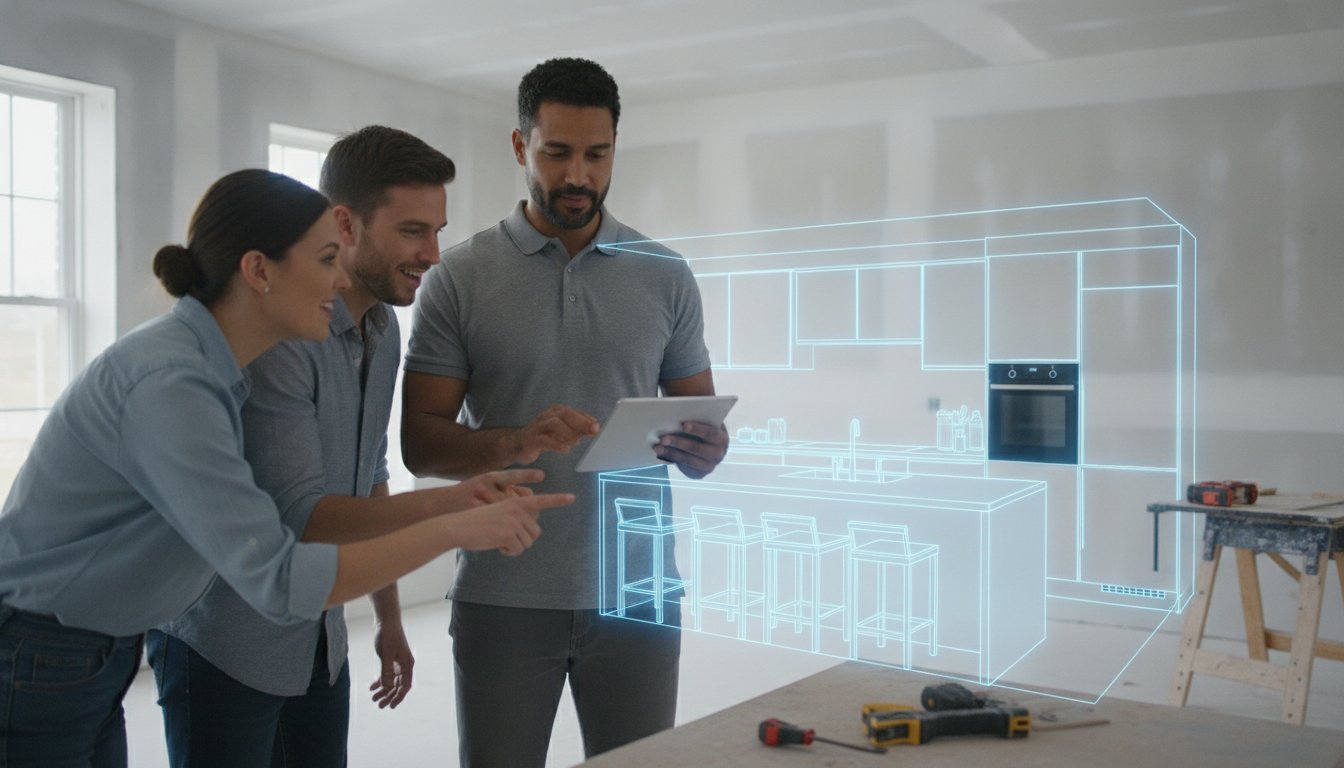
Stop wasting hours on office-bound drafts that your clients can't even visualize. You know the frustration of the traditional cycle. You measure the space, drive back to the office, and spend a week emailing static PDFs while the lead slowly goes cold. It's an administrative burden that kills your momentum and leads to costly re-orders when a 2D plan is misinterpreted.
Sharing 3D kitchen models with clients right on the jobsite changes the game. You've likely realized that homeowners need to see the vision in their own space to feel confident. We'll show you how to move from a site measurement to a signed approval in minutes by using modern mobile workflows that prioritize speed and accuracy.
This guide covers how to leverage LiDAR scanning and AR visualization to create instant layouts. You'll learn how tools like ArchKit allow for one-click sharing that works on any phone. Capture the space, design the layout, and secure the win. We're moving beyond the revision trap toward a professional, high-velocity approach that closes sales before you leave the driveway.
Key Takeaways
- Replace manual tape measures with LiDAR scanning to build accurate 3D models in real-time during your first site visit.
- Shift from static email attachments to interactive AR experiences that allow clients to walk through their new kitchen before you leave the driveway.
- Streamline your sales process by sharing 3D kitchen models with clients through secure, one-click mobile links that work on any device.
- Eliminate the "revision trap" by making live design adjustments during the consultation instead of heading back to the office for drafting.
- Leverage ArchKit to integrate measurement, layout, and visualization into a single on-site workflow that accelerates client approvals and boosts closing rates.
Beyond the Tape Measure: Generating 3D Models for Instant Sharing
The tape measure is a relic. It's slow, manual, and leaves too much room for human error. For years, the workflow remained static: measure the walls, sketch on a pad, and head back to the office to draft. This creates a dangerous "office gap" where client excitement fades while you're stuck behind a desk. Modern contractors are ditching the paper and moving toward LiDAR kitchen mapping. This technology turns a physical space into a digital asset in seconds. It ensures 100% measurement accuracy; it eliminates those nightmare scenarios where cabinets arrive three inches too wide for the wall. You get the data right the first time.
Mastering the art of sharing 3D kitchen models with clients starts with how you capture the data. Scan-to-model technology is now the industry standard for speed. You don't just provide a number; you provide a foundation for visualization. By using a kitchen design app for iPhone, you can generate a complete room shell before the client finishes their cup of coffee. This isn't just about being tech-savvy. It's about being the most professional person in the room. You show up, you scan, and you present. The client sees results, not promises of a future email.
The LiDAR Advantage for Field Pros
LiDAR sensors on your mobile device capture complex room geometry with surgical precision. Unlike traditional laser measures that only give you a single point-to-point distance, LiDAR maps the entire environment. It records the exact placement of windows, door swings, and existing plumbing. This data flows directly into your layout software. It removes the guesswork from cabinetry planning. You see the obstacles immediately. You solve the problems on-site. No more "I'll have to check that back at the office" excuses. You have the truth in your pocket.
Automating the 3D Foundation
Once the scan is complete, the software converts raw points into a functional 3D floor plan. This isn't a generic box. Tools like ArchKit integrate standard U.S. cabinet sizes directly into the model. You can snap base units and wall cabinets into place with a tap. This creates a realistic representation of the finished project instantly. It sets the stage for a professional presentation. When you're sharing 3D kitchen models with clients, you aren't just showing them a drawing. You are showing them their future home. High-quality models build trust. Trust closes contracts.
Static Renders vs. Interactive AR: Which Sharing Method Wins?
A picture is a flat promise. An experience is a signed contract. When you're sharing 3D kitchen models with clients, the format you choose determines how fast they say yes. Static renders are the industry standard of the past. They require you to retreat to the office, spend hours processing high-resolution images, and wait for an email reply. This delay kills momentum. By the time the client opens your attachment, the initial excitement of the consultation has faded. You're no longer a solution; you're just another item in their inbox.
Interactive Augmented Reality (AR) moves the presentation from the screen to the kitchen floor. It bridges the gap between imagination and reality. Research into 3D and 4D modeling shows that spatial visualization significantly improves client understanding and project coordination. When a homeowner can stand in their current, outdated kitchen and see new Shaker cabinets overlaid on their actual walls, the psychological barrier to approval vanishes. They aren't looking at a design; they're looking at their future home.
The Limitations of Static 3D Renders
Static images are often deceptive. A 2D render can hide design flaws like tight clearances, poor lighting, or awkward cabinet swings. Clients often struggle to translate a flat picture into a physical space. This leads to "I didn't realize it would look like that" conversations during the punch list phase. Beyond that, the time cost is massive. Generating multiple angles for every lead is an administrative drain. You're working for the software instead of the software working for you. It's a legacy workflow that slows your closing rate.
Why AR Walkthroughs Close More Sales
AR provides the "wow factor" that static images can't touch. It allows clients to "walk through" the layout. They can see how the new island affects traffic flow. They can check the height of the wall cabinets relative to their own reach. This transparency builds immediate confidence. It's the difference between showing a map and giving a tour. Using 3D kitchen visualizers for professionals ensures that your presentation is as accurate as your measurements.
Consider the formats available for your next consultation:
- PDF Attachments: Static, easily buried in inboxes, and often confusing for non-professionals.
- Web Links: Better for accessibility, but still stuck behind a small glass screen.
- AR Experiences: Immersive, on-site, and emotionally resonant.
Stop sending files and start delivering results. If you want to modernize your sales process and see these tools in action, get early access to our latest mobile workflow features today.
The 3-Step Workflow for Sharing 3D Kitchen Models
Efficiency in the field isn't about working harder; it's about working smarter. You've already seen the limitations of static renders. Now, it's time to implement a workflow that turns a consultation into a closing. This process removes the friction of office drafting. It replaces the "I'll get back to you" with immediate action. By the time you pack your tools, the client should have a clear vision of their project on their own phone. Don't leave the driveway without a "Yes."
Step 1: Scan and Map on Site
The workflow begins the moment you enter the room. Pull out your phone and open a LiDAR kitchen scanner app. Walk the perimeter. Capture the walls, windows, and existing utility points. Once the shell is ready, populate the space with standard cabinets. This provides immediate scale. It helps the client understand the volume of their new storage. Tools like ArchKit allow you to build a functional layout in real-time, right in front of them. This transparency is a core part of how digital platforms changing interior design are empowering contractors to act as both designers and builders.
Step 2: Generate the Client-Facing Link
Once the layout is set, you need a way to deliver it. Traditional file sharing is dead. Use a mobile kitchen design app for iPhone to generate a secure, shareable link. The software optimizes the model to be lightweight. It ensures the design opens instantly on any smartphone without requiring the client to download bulky software. Sharing 3D kitchen models with clients should be as easy as sending a text message. If the project is sensitive, apply password protection to keep the data private. You provide professional-grade security with consumer-grade ease of use.
Step 3: The AR Presentation
This is where the sale happens. Hand your device to the client. Let them use the AR mode to see the cabinets overlaid on their current walls. They can walk around the island and open virtual drawers. After the on-site "wow" moment, send them the link. This allows them to share the design with partners or other decision-makers later that evening. You aren't just sharing 3D kitchen models with clients; you're giving them a tool to sell the project to themselves. Establish a clear path for approval. Ask for the deposit while the vision is still fresh. Speed is your greatest competitive advantage.
Breaking the Revision Trap: Real-Time Edits vs. Email Loops
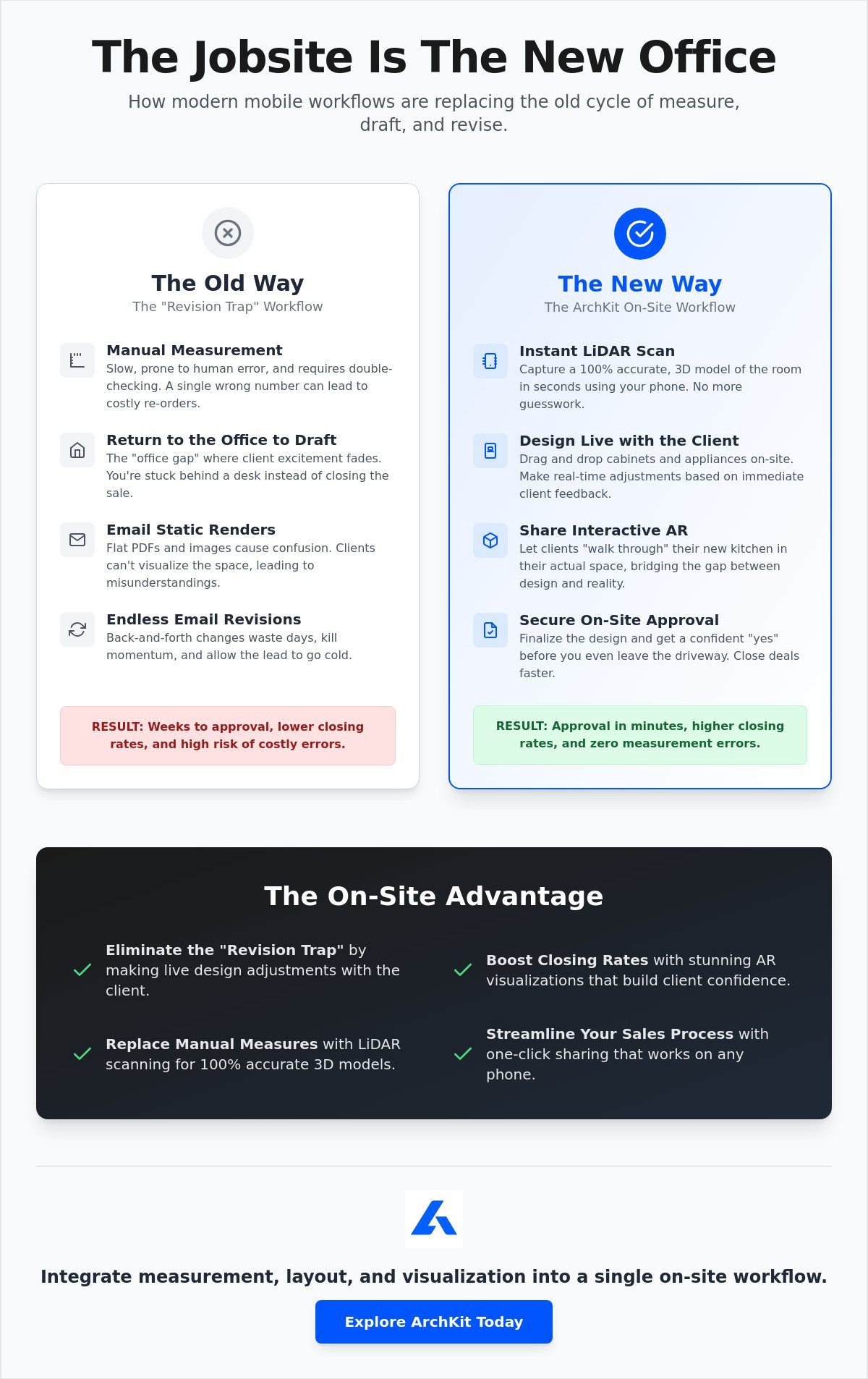
The phrase "I'll go back to the office and change that" is a profit killer. It triggers a cycle of administrative fatigue and unnecessary delay. You leave the job site. You open your desktop software. You draft, you export, and you email. Then, you wait. This is the revision trap. It turns a simple kitchen project into a weeks-long ordeal of back-and-forth communication. It drains your time and tests your client's patience. Every day spent in this loop is a day the lead cools and your momentum vanishes.
The stakes are high in a kitchen remodeling market projected to account for $112 billion in 2026. Homeowners expect professional-grade results and rapid responses. With pro-led spending expected to increase by 4.4% this year, the competition is fierce. If you take three days to send a simple revision, you're already behind. Sharing 3D kitchen models with clients through a mobile-first workflow allows you to capture this growth by being the fastest, most responsive pro in your region.
The Danger of Office-Dependent Workflows
Office-dependent workflows create friction. Every hour spent behind a desk is an hour you aren't selling or building. When a lead cools, the likelihood of a signed contract drops significantly. Delays give homeowners time to second-guess their budget or invite another contractor for a quote. You need a sharing 3D kitchen models with clients strategy that happens in the moment. Using a contractor-focused kitchen design app keeps you in the field. It eliminates the gap between the idea and the approval. You stay productive. You stay profitable. You stop working for your software and make your software work for you.
Live Revisions: A Competitive Edge
Imagine a different scenario. The client wants to see a different cabinet finish. They want to know if a double-oven cabinet will fit next to the pantry. Instead of taking notes for later, you make the change now. Swap styles in seconds. Adjust the layout with a tap. When you're sharing 3D kitchen models with clients on-site, you provide immediate answers. This transparency builds massive trust. You aren't a middleman for a drafting department; you're an expert with a solution. Securing a signature on a finalized 3D model before you leave the driveway isn't just a goal. It's a reality for modern pros who value their time.
This level of on-site agility allows you to focus on high-end project details, such as the professional cabinetry finishes provided by skrspecialists.co.uk, ensuring the final product matches the digital vision.
Stop the endless email loops and take control of your project timeline. If you want to see how real-time design can transform your closing rate, get early access to our latest on-site workflow tools today.
ArchKit: Modernizing the Design-Build Sharing Experience
Traditional design software belongs in a climate-controlled office. ArchKit belongs in the dust and noise of the job site. It is built for the professional who needs results now, not next Tuesday. By combining LiDAR precision with AR visualization, you eliminate the need for stationary equipment. You move faster. You close harder. Sharing 3D kitchen models with clients becomes a standard part of your on-site consultation rather than a separate administrative task. It turns your iPhone into your most valuable sales tool. Scan the room. Place the cabinets. Share the link. This simple rhythm replaces hours of office-dependent drafting and keeps you where you belong: in the field.
Built for Contractors, Not Just Designers
Get Started with High-Velocity Design
Adopting a digital-first workflow isn't just about the "wow factor" of AR. It's about the long-term ROI of your time. Think about the hours lost to manual drafting and the thousands of dollars wasted on measurement errors. You can reclaim that time today. Get early access to ArchKit and start integrating mobile CAD into your existing business model. It's a low-friction way to modernize your trade. You will reduce administrative fatigue and impress every lead you visit. Sharing 3D kitchen models with clients in real-time sets a new benchmark for your brand's professionalism. It signals to the client that you value their time as much as your own.
The path to instant approvals is clear. Stop waiting for the office to catch up with your field work. Reject the stationary hardware of the past. Move from site measurement to client approval in minutes. ArchKit provides the Satisfaction of immediate results and the empowerment of modern technology. Sign more contracts. Reduce your revisions. Build your business on a foundation of speed and accuracy. The future of the design-build industry is mobile. Don't get left behind in the office.
Master the On-Site Approval Workflow
The era of losing leads to office-dependent drafting is over. You've learned how LiDAR scanning provides surgical measurement accuracy in seconds. You've seen how interactive AR visualization creates an emotional connection that static renders can't touch. By mastering the 3-step workflow for sharing 3D kitchen models with clients, you eliminate the administrative fatigue that kills project momentum. You aren't just presenting a design; you're delivering a professional experience that builds trust and secures signatures before you leave the driveway.
ArchKit is built specifically for professional kitchen contractors who value their time above all else. It combines high-velocity design with the precision you need to avoid costly re-orders. Stop working for your software and start letting your software work for you. It's time to reject the stationary office equipment of the past and embrace the freedom of a mobile-first business. Start closing more bids: get early access to ArchKit today. Your next consultation could be your fastest approval yet.
Frequently Asked Questions
Do my clients need to download an app to view the 3D model?
Clients don't need to download any special software or apps to view the design. You simply send a secure link via text or email that opens directly in their mobile browser. This frictionless approach ensures they can view the model instantly on any device without technical hurdles. It keeps the focus on the design rather than troubleshooting software installations during your consultation.
How accurate are 3D models generated via LiDAR scanning?
LiDAR technology is highly precise; it captures room dimensions with an accuracy rate typically within 1%. This level of precision eliminates the manual errors common with tape measures and paper sketches. It ensures your base model is a reliable foundation for cabinetry layouts and material orders. You can trust the data for on-site decision making and professional presentations.
Can I share 3D models with clients who use Android devices?
You can easily share designs with Android users through a universal web link. While the initial scan happens on an iOS device with LiDAR, the resulting model is optimized for cross-platform viewing. This makes sharing 3D kitchen models with clients seamless regardless of their phone's operating system. It ensures every decision-maker can participate in the walkthrough regardless of their hardware choice.
Is it possible to include specific cabinet brands in the 3D model?
Most contractor-focused apps like ArchKit use a catalog of standard U.S. cabinet sizes to ensure buildability. While you might not find every boutique brand, you can match the dimensions and styles of major manufacturers. This allows you to create a realistic representation that aligns with your preferred suppliers. It provides the scale and function needed for a professional on-site presentation.
How long does it take to create a shareable 3D model on-site?
You can generate a complete room scan and basic layout in under 10 minutes. The software automates the conversion from raw scan data to a functional 3D environment. This speed allows you to present a polished vision before the initial consultation ends. It replaces hours of office-dependent drafting with a high-velocity workflow that happens entirely on the job site.
Can I use these 3D models for actual project estimating?
These 3D models are excellent tools for preliminary estimating because they provide exact counts of cabinets and linear footage of countertops. Some pro versions even include estimate creators as a coming feature. This reduces the time spent on manual takeoffs and improves quote accuracy. You get a clear picture of the project scope while you're still standing in the room.
What is the best way to present a 3D model to a non-technical client?
Use Augmented Reality (AR) mode to overlay the new design onto their existing space. This removes the need for them to interpret floor plans or static images. Handing them the device and letting them walk through the virtual kitchen is the most effective way to secure emotional buy-in. It turns a complex technical drawing into an intuitive, real-world experience.
Can I export these models to other CAD software later?
Most professional apps allow you to export your data into standard formats like PDF for further drafting or project documentation. This ensures your on-site work integrates with your existing office software. sharing 3D kitchen models with clients is just the first step in a larger, digital-first project workflow. It bridges the gap between field measurements and final construction documents.


