
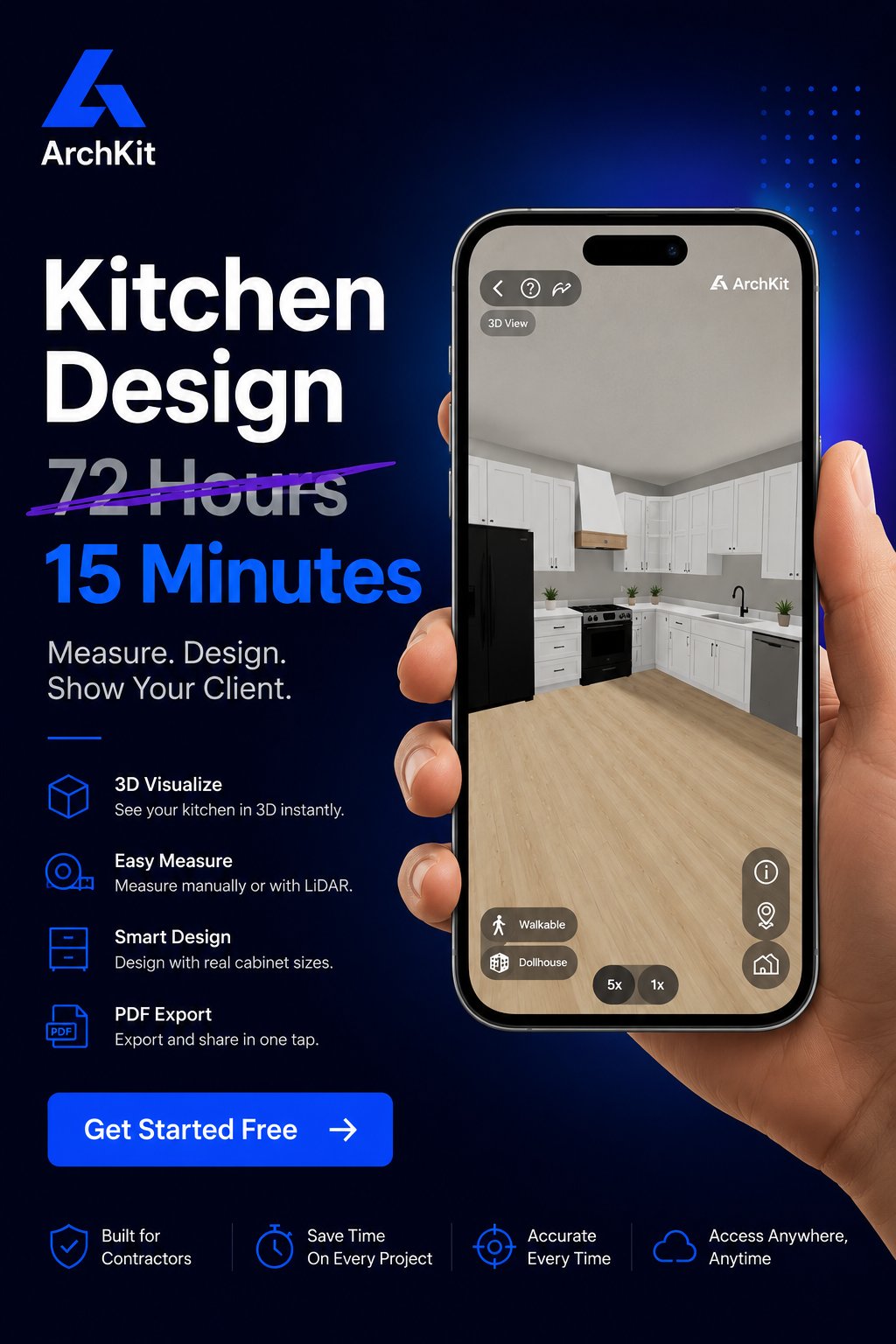
Did you know that businesses using augmented reality report a 40% increase in conversion rates? For a kitchen remodeler, that isn't just a tech stat. It is the difference between a signed contract and another "we need to think about it" email. You know the frustration of presenting a 2D floor plan only to see a blank stare from a client who just can't visualize the result. You spend too much time in the office on free designs and lose projects to competitors who offer better visuals. It is a cycle of administrative fatigue that kills your profit margins.
Stop the cycle. This guide shows you how using AR to close kitchen remodel sales can eliminate client indecision and secure project approvals instantly. You'll learn to integrate augmented reality into your sales workflow to move from measurement to visualization while you're still standing in the client's kitchen. We will explore how tools like ArchKit use LiDAR scanning and mobile workflows to cut down non-billable hours. You'll see how to provide immediate results, impress homeowners, and make your pitch impossible to ignore. It's time to modernize your trade and win more contracts.
Key Takeaways
- Bridge the "imagination gap" by replacing confusing 2D blueprints with immersive 3D visualizations that clients can actually understand.
- Shift from an office-dependent workflow to a jobsite-first model, using the mobile device already in your pocket to design in real-time.
- Master the strategy of using AR to close kitchen remodel sales by building cabinet layouts live with homeowners for instant emotional buy-in.
- Leverage built-in LiDAR sensors to generate accurate room models in minutes, establishing professional authority the moment you walk through the door.
- Use ArchKit to eliminate non-billable design hours and secure project approvals during the very first consultation.
Why Kitchen Remodel Sales Stall: Solving the Imagination Gap
Every contractor knows the look. You explain the cabinet layout. You point to a 2D floor plan. The client nods, but their eyes are blank. This is the "Imagination Gap." It is the massive disconnect between your professional vision and the client's limited spatial understanding. You see a finished, high-end kitchen; they see lines on a flat piece of paper. Static mood boards and blueprints fail because they don't create emotional buy-in. They require the client to do the heavy lifting of visualization.
To bridge this gap, you need more than better drawings. You need to understand What is Augmented Reality? and how it brings designs to life. When a homeowner can't "see" the result, they stall. They say, "I need to think about it." In the construction world, that phrase is a contract killer. Every hour spent away from the job site is an opportunity for doubt to creep in. Using AR to close kitchen remodel sales stops this friction. It replaces hesitation with immediate visual certainty.
The Psychology of Visual Certainty
High-ticket remodels carry high perceived risk. Clients fear making an expensive mistake they will have to live with for a decade. Visual proof reduces this anxiety. AR triggers the "Endowment Effect," a psychological bias where people value things more highly simply because they feel they own them. When a homeowner sees a virtual island sitting on their real floor through a screen, they begin to own the project mentally. Moving from "telling" to "showing" builds authentic professional trust. It proves you have the modern tools to deliver exactly what you promise.
Why Traditional Design Workflows Kill Momentum
The "Office Trap" is a common sales mistake. You leave the job site to "work on a design." You head back to your desktop CAD software and spend hours on a quote that might never get signed. By the time you return 48 hours later, the lead has cooled. This delay creates friction. Every small revision requires another meeting and another wait. You can use a free kitchen design app like ArchKit to make these changes live. Adjust cabinet placement. Swap finishes. Get the approval before you even leave the driveway.
The Mechanics of AR: Transforming Consultations into Immersive Experiences
Using AR to close kitchen remodel sales starts with the hardware already in your pocket. Modern mobile devices use LiDAR (Light Detection and Ranging) sensors to bounce lasers off walls, floors, and existing cabinets. This technology creates an instant, millimetre-accurate 3D mesh of the room. You don't need a heavy tripod or expensive surveying equipment. Just scan the space with your phone. In less than 15 minutes, you have a digital twin of the kitchen ready for layout planning. This speed gives you a massive competitive edge by moving from measurement to visualization while the client's excitement is at its peak.
Once the scan is complete, the software overlays virtual cabinets onto the real-world environment. These aren't just generic boxes. The digital assets in ArchKit are built using standard U.S. cabinet sizes, following 3-inch increments. This detail is critical for realistic project estimating. If a 36-inch base cabinet doesn't fit in the AR view, it won't fit during the final installation. This precision eliminates the guesswork that often plagues early-stage consultations. You are no longer just describing a layout; you are verifying the physical build on-site. Homeowners see exactly how much clearance they have between the island and the fridge, which removes the "imagination gap" instantly.
LiDAR vs. Manual Measurements
Digital scanning is faster and more impressive than a tape measure. It signals to the homeowner that you are a high-performance professional who values accuracy. Manual measurements are prone to human error, especially in older homes with non-square walls or complex plumbing stacks. One missed half-inch can lead to costly on-site cabinet adjustments or delayed installs. Check out our LiDAR Kitchen Scanner App Guide to see how to maximize speed for pros. You save time and protect your profit margins by getting the numbers right the first time.
Instant 3D Visualization and Walkthroughs
Let your clients "walk" through their new kitchen before a single demo hammer swings. AR allows them to see the scale of a new island or the height of wall cabinets in their actual space. You can verify kitchen layout principles like the work triangle or traffic flow live. Toggle between different cabinet styles, hardware finishes, and wood grains in real-time. This immersive experience removes the fear of the unknown and the risk of "client's remorse" after the order is placed. If you want to start impressing clients with this technology today, join the waitlist for the ArchKit mobile workflow and change how you sell.
AR vs. Traditional Design Software: Speed as a Competitive Edge
Traditional desktop CAD software represents the "Office-First" model. It requires a high-end PC, a dedicated desk, and weeks of specialized training to master. For a small business owner, this creates a major bottleneck. You visit a site, take manual notes, and then disappear for days to produce a rendering. This delay is where sales die. The "Jobsite-First" model uses mobile AR to flip the script. By using AR to close kitchen remodel sales, you move the entire design process to the kitchen floor. You don't need a $3,000 laptop. You only need the iPhone already in your pocket.
The learning curve is the biggest differentiator. Legacy tools are powerful but complex. They weren't built for the field. Mobile apps are intuitive. They rely on touch and visual feedback. This shift slashes your "Time-to-Quote" metric. Instead of a 72-hour turnaround, you provide a layout and an estimate in 20 minutes. Speed isn't just about being fast. It's about being the first to provide a solution while the lead is still hot. You stop being a salesperson and start being a problem solver in real-time.
Eliminating the Office-Dependent Workflow
Spending nights and weekends on CAD is a recipe for contractor burnout. When you work all day and design all night, your productivity drops. Mistakes happen. Mobile tools allow for on-site kitchen design while the client's excitement is at its peak. You eliminate the overhead of expensive, stationary software licenses. You gain back your personal time. Most importantly, you stop the back-and-forth email chains that slow down project starts. Everything happens where the work happens.
Closing the Deal on the First Visit
Speed creates a perception of superior professionalism and technical skill. When you scan a room and project a 3D model instantly, you look like the authority in the room. Most competitors are still fumbling with graph paper. Being the only contractor who provides a 3D visual instantly gives you a massive edge. Use a 3D kitchen visualizer for professionals to show, not tell. You secure the deposit before you leave the driveway. You move from "let me get back to you" to "when can we start?"
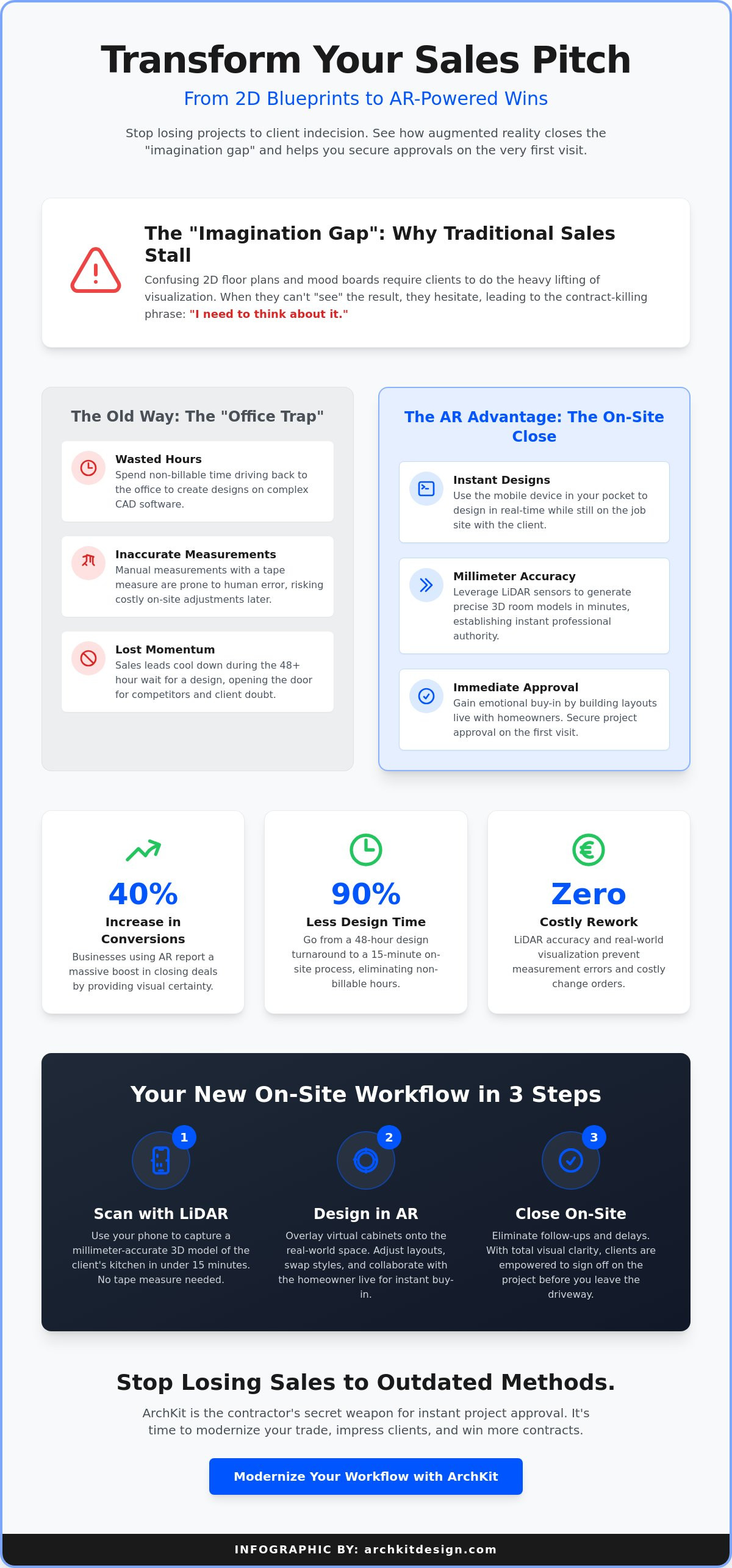
The On-Site Close: A Step-by-Step Strategy for Closing with AR
Using AR to close kitchen remodel sales isn't just about the technology; it's about the timing of your pitch. Most sales fail because the gap between the initial meeting and the design presentation is too long. You can close that gap by following a structured, on-site workflow. This moves the homeowner from "interested" to "invested" before you even leave their home. Use this five-step strategy to secure the project on the first visit.
- Step 1: Perform the LiDAR scan immediately. Start the scan as soon as you finish the initial walkthrough. It establishes your technical authority and proves you value precision.
- Step 2: Build the layout live. Ask for input on cabinet placement. Should the sink move six inches? Show them the result instantly.
- Step 3: Launch the AR walkthrough. Hand the device to the client. Let them "walk" through the virtual kitchen to feel the scale of the new design.
- Step 4: Handle objections visually. If they worry the island is too big, place a virtual one and show them the exact clearance for walkways.
- Step 5: Transition to the estimate. Use the app’s auto-generated lists to provide a rough project cost based on the layout they just approved.
Collaborative Design as a Sales Tool
Involving the client in the layout process creates a powerful sense of co-ownership. When they help decide where the pantry goes, it becomes "their" kitchen, not just your proposal. Use a cabinetry layout tool to test ideas in seconds. This collaborative approach turns the design phase into an active sales phase. You aren't just guessing what they want. You are getting verbal "yeses" on specific features in real-time. This builds the momentum needed for a final signature.
Handling Objections Visually
Most sales trainers focus on verbal persuasion, but visual evidence is more effective for high-ticket remodels. If a client says, "I'm not sure if this layout will block the natural light," don't just tell them it won't. Show them. Use the AR model to verify sightlines and traffic flow. You can address storage concerns by showing the actual volume of standard cabinet sizes in their space. This removes the "I need to think about it" barrier by providing immediate, visible proof. If you want to stop losing bids to slower competitors, get early access to the ArchKit workflow and start closing on-site.
ArchKit: The Contractor’s Secret Weapon for Instant Project Approval
ArchKit is the first platform engineered specifically for the physical reality of a kitchen remodel. While legacy software forces you into an office, ArchKit keeps you where the money is made: on-site. The LiDAR-to-3D pipeline turns a complex measurement task into a professional presentation in minutes. You scan. You design. You win. This pipeline eliminates the administrative fatigue of translating hand-drawn sketches into digital files later that night. It is the ultimate tool for using AR to close kitchen remodel sales because it respects your time and your client’s need for certainty. It integrates U.S. standard cabinet catalogs directly into the workflow, ensuring your visual model isn't just a pretty picture; it's a bill of materials that drives accurate estimating.
Designed for the Field, Not the Office
Clunky desktop CAD is a liability in the field. ArchKit’s mobile-first interface is built for speed and simplicity. You don't need a mouse and keyboard to move a cabinet; you just use your thumb. This efficiency supports the "One-Call Close" philosophy by removing every technical barrier between you and a signed contract. You establish a rapid-fire rhythm of problem and solution. The client asks for a double oven; you drop it in. They want a waterfall island; you show it. If you aren't sure where to start, you can download a free kitchen design app version to test the LiDAR scanner in your own home. Experience the difference between "working on a design" and "delivering a solution."
Scaling Your Business with Modern Tech
Success in remodeling isn't just about craftsmanship; it's about lead management. ArchKit allows you to handle more leads with fewer non-billable hours. You stop wasting nights on designs for clients who might never call back. By using AR to close kitchen remodel sales, you build a reputation as the most tech-forward remodeler in your local market. Homeowners want the latest technology, and they want it now. Word spreads when a contractor provides instant 3D walkthroughs while others are still sharpening their pencils. You move from being a commodity to a specialized expert who uses the best tools available. This isn't just a software upgrade. It is a business transformation that puts you ahead of the competition and secures your profit margins. Get Early Access to ArchKit and start closing more sales today.
Modernize Your Sales Workflow and Win More Bids
The days of fumbling with tape measures and losing your weekends to desktop CAD are over. You now have the blueprint for a faster, more professional sales process. By moving the design phase from the office to the jobsite, you eliminate the friction that causes leads to cool. You've seen how LiDAR-powered accuracy and real-time visualization bridge the imagination gap. These tools don't just make you look better; they make your business more efficient. Scan. Design. Close.
Mastering the art of using AR to close kitchen remodel sales is about more than just tech. It's about providing the visual certainty homeowners need to say "yes" right now. ArchKit is built specifically for on-site contractor workflows. It features U.S. standard cabinet sizes and a streamlined mobile interface. Stop the administrative fatigue and start securing project approvals in minutes. Start your digital transformation. Get Early Access to ArchKit and take control of your consultation process.
The future of remodeling is mobile, visual, and immediate. You have the tools to lead the way. Your next project is just one scan away.
Frequently Asked Questions
Do I need an expensive iPad Pro to use AR for kitchen design?
No. You only need a modern iPhone or iPad equipped with a LiDAR sensor. This includes any iPhone 12 Pro or newer models. You don't need to spend thousands on new hardware to modernize your workflow. Use the device you already carry to scan rooms and present designs directly to your clients on-site.
How accurate is LiDAR scanning for actual cabinet installation?
LiDAR technology is incredibly precise for layout planning and sales presentations. It typically captures dimensions within a very tight margin of error. While a final manual check is always smart before ordering custom cabinetry, LiDAR removes the guesswork from the initial design phase. It provides a reliable digital model for accurate spatial planning.
Can I use AR to show different cabinet colors and materials?
Yes. You can toggle between various finishes, wood grains, and hardware styles in real-time. This immediate feedback is essential when using AR to close kitchen remodel sales. It allows you to address style preferences on the spot. Clients can see exactly how a specific color interacts with their home's natural lighting.
How long does it take to learn an AR design app like ArchKit?
You can start scanning and designing in under an hour. ArchKit is built for contractors, not software engineers. The interface is intuitive and relies on simple touch gestures. Unlike legacy CAD systems that require extensive training, you can master this mobile tool during a single afternoon of practice in your own home.
Will using AR make my kitchen remodel estimates more accurate?
It will. AR tools use standard U.S. cabinet catalogs to build your virtual layout. The app automatically tracks every cabinet, filler, and end panel you place in the 3D model. This generates an accurate material list for your estimate. You avoid the common errors of manual counting or forgetting small but expensive components during the quote.
Does AR help in getting homeowners to sign a contract faster?
Definitely. AR creates instant emotional buy-in by showing the client their new kitchen in their actual home. This removes the uncertainty that leads to hesitation. By providing a 3D walkthrough during the first visit, you can often secure a signature and a deposit before leaving the driveway. It turns a consultation into a close.
Can I export my AR designs to other CAD software later?
Yes. Professional tools like ArchKit allow for easy file sharing and export. You can send your on-site designs as PDFs or 3D files to share with your office or subcontractors. This ensures that the vision you sold on-site translates perfectly to the final construction and permitting documents. It keeps the entire team on the same page.
Is AR kitchen design better than traditional 3D rendering?
It is better for the sales phase. Traditional renderings are stationary and take days to produce in an office. AR is mobile and happens in real-time on the jobsite. While high-end renderings look great, AR provides an immersive experience that builds trust and excitement much faster than a flat image ever could.


