
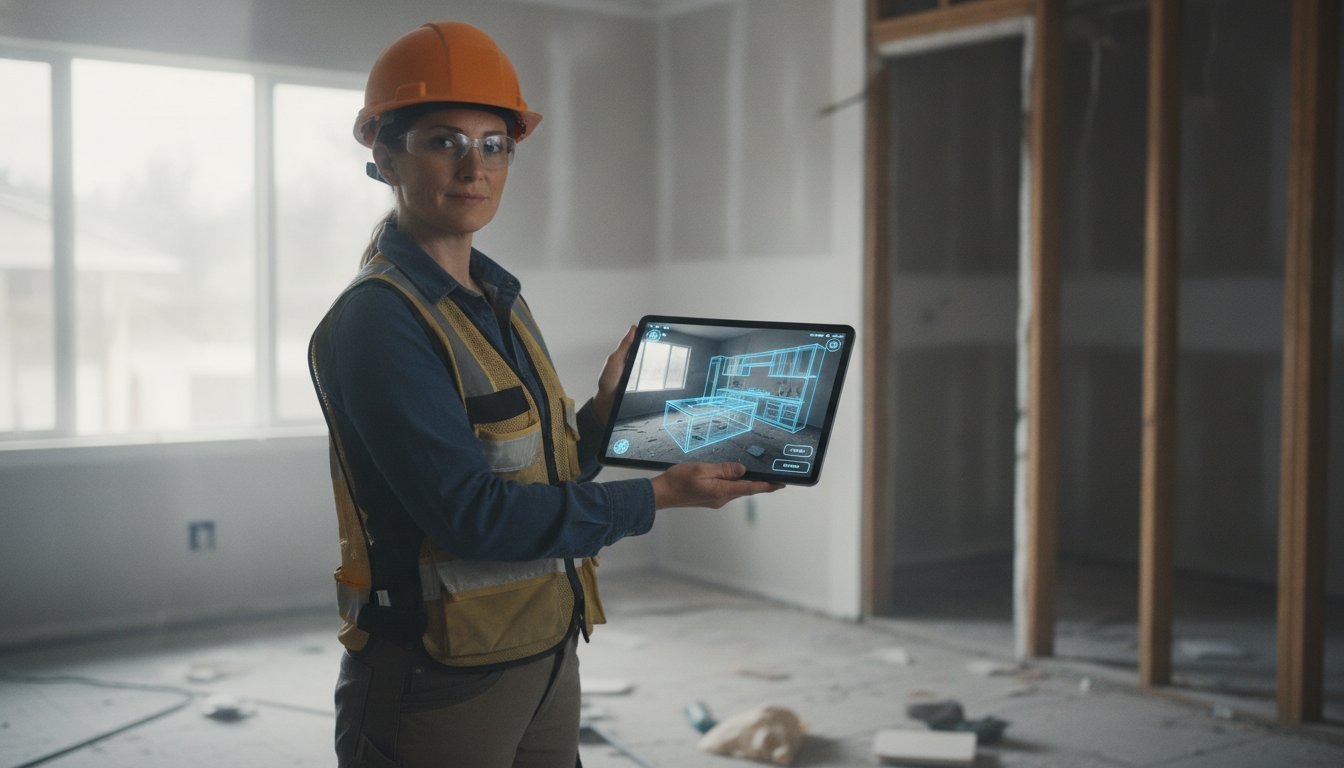
Did you know that 78% of homeowners hire the first contractor who responds to their inquiry? In a 2026 market where mid-range kitchen remodels often exceed $75,000, losing a bid because of a three-day delay on CAD drawings is a mistake your profit margins can't afford. Implementing workflow automation for kitchen contractors is no longer a luxury; it's a survival tactic for the modern jobsite. You're likely tired of the tedious tape measurements, the manual entry errors, and the constant back-and-forth between the field and the office. It's frustrating to watch your time disappear into administrative tasks that don't pay the bills.
We understand that you want to spend more time building and less time drafting. This guide will show you how to eliminate manual bottlenecks and accelerate project approvals using modern on-site automation tools. We'll explore how to use LiDAR scanning to generate accurate layouts in minutes and how platforms like ArchKit enable you to present instant 3D visualizations to close more bids. You'll learn to bridge the "imagination gap" for your clients, reduce administrative fatigue, and secure more contracts before you even leave the driveway.
Key Takeaways
- Replace manual tape measures with LiDAR scanning to eliminate measurement errors and generate accurate floor plans instantly on-site.
- Discover how workflow automation for kitchen contractors bridges the "imagination gap" by providing clients with immediate AR walkthroughs during the first visit.
- Use automated catalogs of standard cabinet sizes to build custom layouts in minutes, drastically reducing time spent on manual drafting and revisions.
- Accelerate your project approval cycle by closing bids and signing contracts on the spot instead of waiting days for back-office CAD drawings.
What is Workflow Automation for Kitchen Contractors?
In the high-stakes world of remodeling, workflow automation for kitchen contractors is the strategic integration of digital tools to handle repetitive measurement, design, and estimating tasks. It marks a decisive shift away from stationary office CAD workstations. Instead, it prioritizes mobile-first, on-site execution. The goal is simple. You want to reduce the time between that first door knock and a signed contract. In 2026, "Field-to-Finish" isn't a buzzword; it's the standard for professionals who value their time and their margins.
To understand the technology, it helps to look at the broader context of What is a Workflow Application? and how it applies to construction. For a kitchen pro, this means moving beyond manual data entry. It’s about letting software manage the logical sequence of a project. You capture the room. The system generates the layout. The client approves the design. This automation removes the administrative fatigue that usually follows a site visit. You stop being a data entry clerk and start being a builder again.
The Difference Between Digitalization and True Automation
Don't confuse digitalization with true automation. Digitalization is taking a photo of a kitchen with your phone. It's a digital record, but it doesn't actually perform a task. Automation is different. It uses LiDAR technology to map the room's geometry instantly. It processes spatial data to understand exactly where a window ends and a cabinet begins. This intelligence reduces human error in high-stakes cabinetry measurements. Tools like ArchKit allow you to skip the manual sketching phase entirely. You aren't just storing data; you're putting it to work.
Why Kitchen Remodeling Specifically Needs Automation
Kitchen projects are uniquely complex. You’re dealing with tight margins, strict cabinetry standards, and demanding clients. Manual layouts lead to rework. If a measurement is off by a quarter-inch, the whole run of cabinets is at risk. Automation provides the accuracy required for modern installs without the manual labor. It handles the math so you can handle the craft.
Client expectations have also evolved. Homeowners want to see 3D visualizations on their mobile devices immediately. They don't want to wait three days for a PDF. By using workflow automation for kitchen contractors, you provide that instant gratification. You bridge the imagination gap. You show them the future of their home while you're still standing in their current kitchen. This speed is what closes bids in 2026. Fast responses win jobs. Instant designs win contracts.
Eliminating the Measurement Bottleneck: LiDAR and AR Scanning
The manual tape measure is the primary source of project delays and rework in the kitchen industry. One misread digit or a slight tilt of the tape creates a ripple effect of errors that doesn't surface until the cabinets arrive on-site. When a $15,000 cabinetry run doesn't fit because of a quarter-inch discrepancy, your profit margin disappears. This is why workflow automation for kitchen contractors must start with the initial site visit. You can't build a modern business on analog measurements.
LiDAR technology has transformed the iPhone and iPad into professional-grade mapping tools. By using laser pulses to measure distances, these devices create a dimensionally accurate "digital twin" of any kitchen in minutes. This process achieves 99% accuracy in seconds, providing a level of precision that manual methods simply cannot match. According to the Construction Technology Report, field teams that adopt automated data collection see a significant reduction in administrative overhead and drafting errors. You're no longer just taking notes; you're capturing reality.
The 5-Step Automated Scanning Workflow
To maximize efficiency, follow a standardized scanning protocol. It ensures you capture every critical detail without needing a second trip to the jobsite.
- Step 1: Clear the workspace of clutter and calibrate your LiDAR-enabled device to ensure the sensors are ready for high-precision capture.
- Step 2: Scan the walls, windows, and existing plumbing points in one continuous pass. Move steadily to allow the software to stitch the room together.
- Step 3: Review the automatically generated 3D mesh. Look for structural accuracy and ensure all corners are clearly defined in the digital model.
- Step 4: Tag existing utilities within the model. Mark gas lines, water shut-offs, and electrical outlets so they appear in your final layout.
- Step 5: Export the layout directly to your design platform. This eliminates manual data entry and allows for immediate cabinetry placement.
LiDAR vs. Manual Measurement: A Speed Comparison
The traditional manual approach typically requires 45 minutes of measuring, sketching, and double-checking. You still face the risk of transcription errors and the inevitable hours of office drafting time. In contrast, an automated workflow takes about 5 minutes. You walk away with an instant 3D model and the ability to start your layout while still standing in the client's kitchen. LiDAR kitchen measurement is the bridge between the physical job site and digital design. If you're ready to stop fighting with tape measures, you can get early access to our mobile workflow tools and start scanning today.
By integrating spatial data directly into your design software, you remove the "imagination gap" for your clients. They see their new kitchen overlayed on their current space through Augmented Reality. This level of workflow automation for kitchen contractors doesn't just save time. It builds trust. It proves your professionalism before you've even picked up a hammer.
Standardizing Cabinetry Layouts with Automated Catalogs
Custom design often feels synonymous with manual labor. For years, contractors spent hours at a desk drawing individual cabinet boxes to scale. Workflow automation for kitchen contractors changes this dynamic by moving the design process directly to the jobsite. By using automated catalogs of U.S. standard cabinet sizes, you can build a full layout in minutes. This shift ensures that every cabinet you place is a real, orderable product. You aren't just drawing; you're specifying. This precision reduces material waste by ensuring the layout fits the exact dimensions captured during your digital scan.
The transition from a "rough sketch" to a professional presentation used to take days. Now, it happens before you leave the driveway. Automated tools bridge the gap between a client's vague idea and a technical reality. You provide a level of detail that traditional methods can't match. This isn't just about speed. It's about accuracy. When you use 3D models based on actual manufacturer specifications, you eliminate the guesswork that leads to expensive field modifications.
Manual Drafting vs. Automated Catalog Design
Stop drawing boxes. Start dragging and dropping. Traditional drafting requires meticulous attention to every line. It's slow and prone to human error. Automated catalogs use intelligent snapping to align cabinets with your measured wall constraints. This ensures you follow kitchen layout principles without needing to double-check every clearance. Software like ArchKit enforces these rules automatically. You save time. You avoid the "office fatigue" of late-night CAD sessions. The result is a professional 3D layout that builds client confidence immediately.
Generating Accurate Estimates Automatically
The biggest threat to your profit margin is estimation creep. When you guess on-site and calculate later, you miss the small details that add up. Workflow automation for kitchen contractors links your cabinetry layout to a real-time parts and pricing list. Every filler, toe kick, and cabinet box is accounted for within the 3D model. This transparency prevents under-quoting and protects your bottom line. It also slashes the revision cycle. Instead of waiting weeks for a design change, you adjust the layout on-site. The estimate updates in seconds. You move from a site visit to a signed contract without the typical back-and-forth delays.
From Site Visit to Signed Contract: Automating the Approval Loop
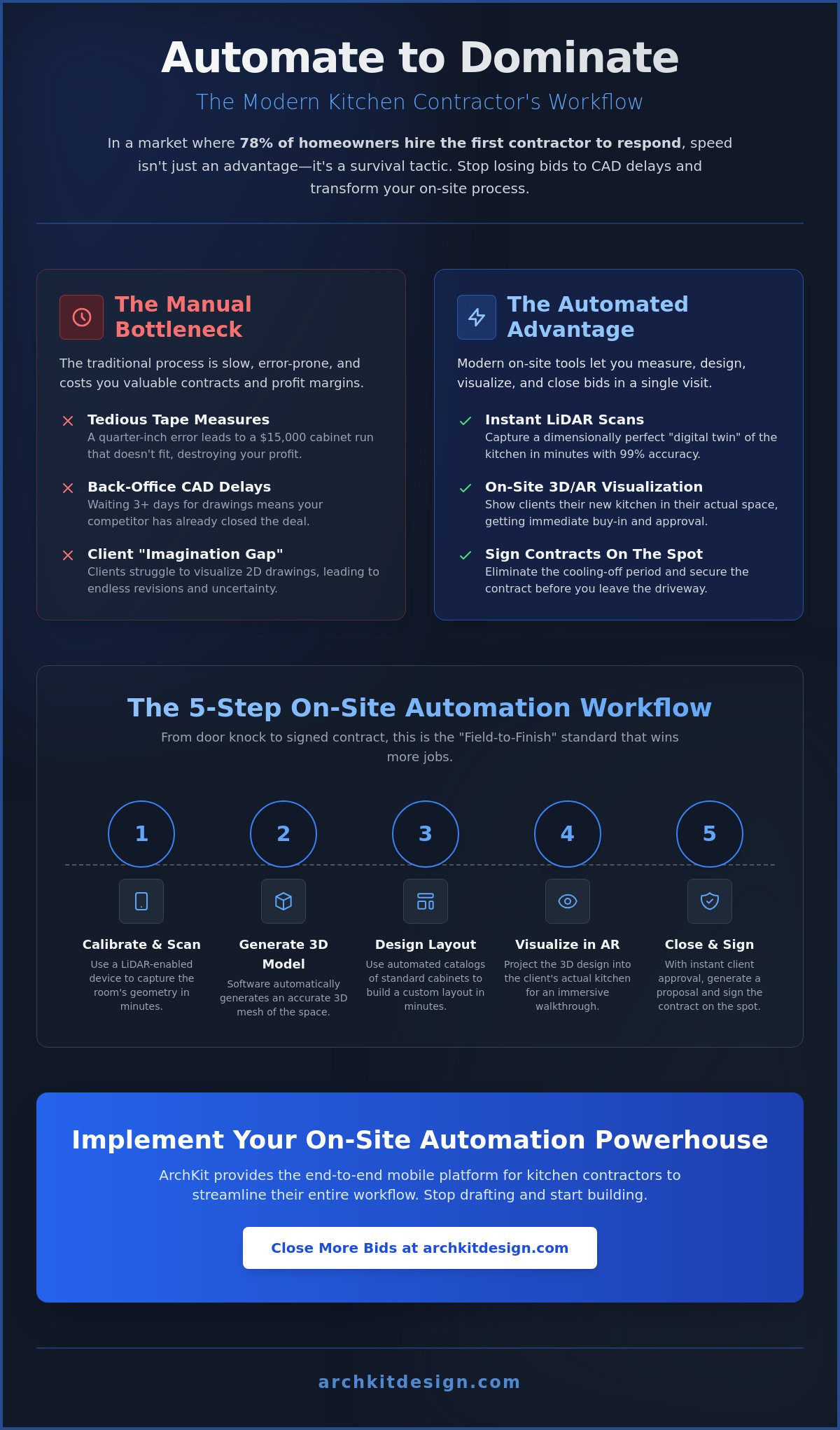
The "Approval Loop" is where projects often go to die. It's the period between your initial site visit and the moment the client finally signs the contract. Traditionally, you leave the site, spend three days at a desk drafting CAD drawings, and then email a PDF. By the time the homeowner opens it, their initial excitement has cooled. They have questions. They want changes. Every day spent in this loop is a day you aren't building. Implementing workflow automation for kitchen contractors solves this by moving the entire approval process into the first consultation.
Technology now allows you to bridge the "imagination gap" immediately. When a client can't visualize a 2D drawing, they hesitate. That hesitation leads to delays. By using 3D rendering for kitchen design, you provide instant visual clarity. You aren't just selling a renovation; you're selling a finished result they can see. This transparency reduces client anxiety and decision fatigue. It makes it much easier for them to say "yes" while you're still in the room. This is how you reclaim your time and protect your margins.
AR for Client Communication: Visualizing the Future
Augmented Reality is your most powerful sales tool. It allows you to place virtual cabinets directly into the physical room. Clients see exactly how a new pantry or a larger island affects their floor space. This "seeing is believing" experience significantly increases closing rates for a kitchen design app for contractors. It removes the need for multiple revision meetings. You finalize design choices while you're still standing in the kitchen. This ensures everyone is on the same page before the first demolition hammer swings. It effectively kills buyer's remorse before it ever starts. The "Aha!" moment happens when the client looks through your tablet and sees their new kitchen overlaying the old one. It's the point where doubt turns into a deposit.
Streamlining the Digital Signature and Deposit Process
Closing the deal shouldn't require another trip or a long email chain. The goal of a modern workflow is the "on-site close." You move from a digital scan to a signed contract and a deposit in a single visit. This is possible when your design tool integrates with automated contracting and payment platforms. 3D kitchen visualizers for professionals act as a sales closer by providing the undeniable visual proof clients need to commit. If you're ready to stop chasing signatures and start booking more jobs, it's time to modernize. You can get early access to our automated on-site tools and start closing deals faster today. Stop letting the approval loop drain your time. Automate the process and secure your next project before you leave the driveway.
Implementing ArchKit: Your On-Site Automation Powerhouse
ArchKit is the all-in-one mobile toolkit built specifically for the physical reality of a kitchen remodel. It isn't a bloated enterprise platform designed for commercial skyscrapers. It's a specialized solution for the residential contractor who needs to be fast, accurate, and professional. By integrating workflow automation for kitchen contractors directly into a mobile device, ArchKit removes the friction between measurement and design. You no longer need to bridge the gap between the field and the office. The office is wherever you are standing.
Stop carrying a laptop to the jobsite. Legacy software forces you to wait until you're back at a desk to start real work. ArchKit leverages the LiDAR sensors in your iPhone Pro or iPad Pro to automate the measurement phase. You walk through the room. The app builds the model. You access a comprehensive catalog of standard U.S. cabinet sizes to populate that model instantly. This is the "Field-to-Finish" reality. It follows a simple, high-velocity sequence: Scan. Design. Close. This triad ensures that your expertise is backed by the best technology available in 2026.
Why ArchKit Outperforms Legacy Desktop Software
ArchKit is built for speed, not complexity. Desktop CAD programs are often cluttered with complex jargon and tools you'll never use. Our mobile-first design features an intuitive UI tailored for the jobsite environment. You don't need a degree in architecture to generate a professional layout. Real-world data shows that LiDAR technology can reduce the overall project duration for a kitchen remodel by up to 30%. You aren't just saving time on the first day; you're accelerating the entire construction schedule. You work smarter. You finish sooner. You get paid faster.
Get Started with On-Site Automation Today
Modernizing your business doesn't require a massive upfront investment. You can start seeing the benefits of workflow automation for kitchen contractors on your very next lead. Follow these steps to upgrade your workflow:
- Download the free kitchen design app to test our LiDAR scanning features in your next consultation.
- Review our pricing for professional SaaS access and advanced project management features.
- Sign up for early access to the latest AR cabinetry tools and localized industry specifications.
The contractors who win in 2026 are those who value their clients' time as much as their own. Don't let legacy methods hold you back. Switch to a mobile-first workflow. Impress your clients with immediate results. Secure your profit margins with automated accuracy. It's time to leave the stationary office behind and embrace the freedom of on-site design.
Master the On-Site Close with Modern Automation
The transition from legacy methods to workflow automation for kitchen contractors is the single most important upgrade for your business in 2026. You’ve seen how stationary office equipment and manual tape measures create bottlenecks that stall project approvals. By adopting a mobile-first approach, you reclaim your time and protect your profit margins. You move from the first site visit to a signed contract with unprecedented speed. The future of remodeling happens at the point of measurement. Not at a desk.
Success in this competitive market requires three things: speed, accuracy, and professional presentation. ArchKit delivers all three through LiDAR-powered accuracy, a comprehensive U.S. Standard Cabinet Catalog, and Instant 3D & AR Visualization. You bridge the imagination gap for your clients while ensuring every cabinet fits perfectly. Stop losing bids to faster competitors. Start securing deposits before you leave the driveway. It's time to build more and draft less.
Start Automating Your Kitchen Workflow with ArchKit Today. Join the modern era of contracting and experience the satisfaction of immediate results on every jobsite.
Frequently Asked Questions
What is construction workflow automation for small remodeling businesses?
Construction workflow automation is the use of digital systems to handle repetitive tasks like measuring, estimating, and client approvals. For a small remodeler, this means moving away from manual spreadsheets and paper sketches. It replaces administrative heavy-lifting with software that processes data instantly. This allows a lean team to manage more projects without increasing overhead or hiring additional office staff.
How does LiDAR scanning improve kitchen measurement accuracy?
LiDAR improves accuracy by using laser pulses to map millions of data points in a physical space. This technology eliminates the human error inherent in manual tape measurements. It captures precise dimensions of walls, windows, and utility placements within seconds. You get a dimensionally perfect digital twin that serves as the foundation for your cabinetry layout, ensuring a perfect fit every time.
Can I use workflow automation apps on my iPhone or iPad?
Yes, modern workflow automation for kitchen contractors is designed specifically for mobile devices. Professional tools like ArchKit require an iPhone Pro or iPad Pro with an A14 Bionic chip or newer to utilize the LiDAR sensor. This mobile-first approach allows you to perform scans and design layouts while you're still on the jobsite. It removes the need for bulky laptop hardware.
Do I need professional CAD experience to use kitchen automation tools?
No, you don't need extensive CAD training to use these modern tools. Most on-site automation platforms use intuitive drag and drop interfaces tailored for contractors. They replace complex architectural commands with functional actions like "place cabinet" or "scan wall." This accessibility ensures that any field professional can generate a professional 3D model without spending weeks in a classroom or hiring a designer.
How does 3D visualization help in closing more kitchen remodeling bids?
It helps by bridging the "imagination gap" for clients who struggle to read 2D floor plans. When homeowners see their new kitchen through Augmented Reality, their confidence in the project increases. This immediate visual proof reduces hesitation and decision fatigue. Since 78% of homeowners choose the first contractor who responds, providing an instant 3D walkthrough gives you a massive competitive advantage on the spot.
What is the best kitchen design software for contractors in 2026?
The best software is a mobile-first solution that combines measurement, design, and visualization in one app. ArchKit is specifically built for this purpose, focusing on on-site efficiency rather than back-office drafting. It integrates LiDAR scanning with a U.S. standard cabinet catalog. This allows you to go from a site visit to a signed contract in a single meeting, which is the gold standard for workflow automation for kitchen contractors.
How does automated cabinetry layout reduce project material waste?
It reduces waste by basing every layout on precise digital measurements rather than rounded manual estimates. Automation ensures that cabinet boxes and fillers fit exactly within the structural constraints of the room. This precision prevents the need for expensive field modifications or reordering materials due to measurement errors. You order exactly what you need because your 3D model reflects the physical reality of the space.
Can on-site automation tools integrate with my existing office software?
Yes, most on-site tools are designed to work within a larger software ecosystem. They can export spatial data and layout designs to project management platforms like Projul or accounting software for invoicing. This connectivity ensures that the data you capture in the field flows seamlessly into your back-office systems. It eliminates the need for manual data reentry and keeps your project records accurate across the company.


