
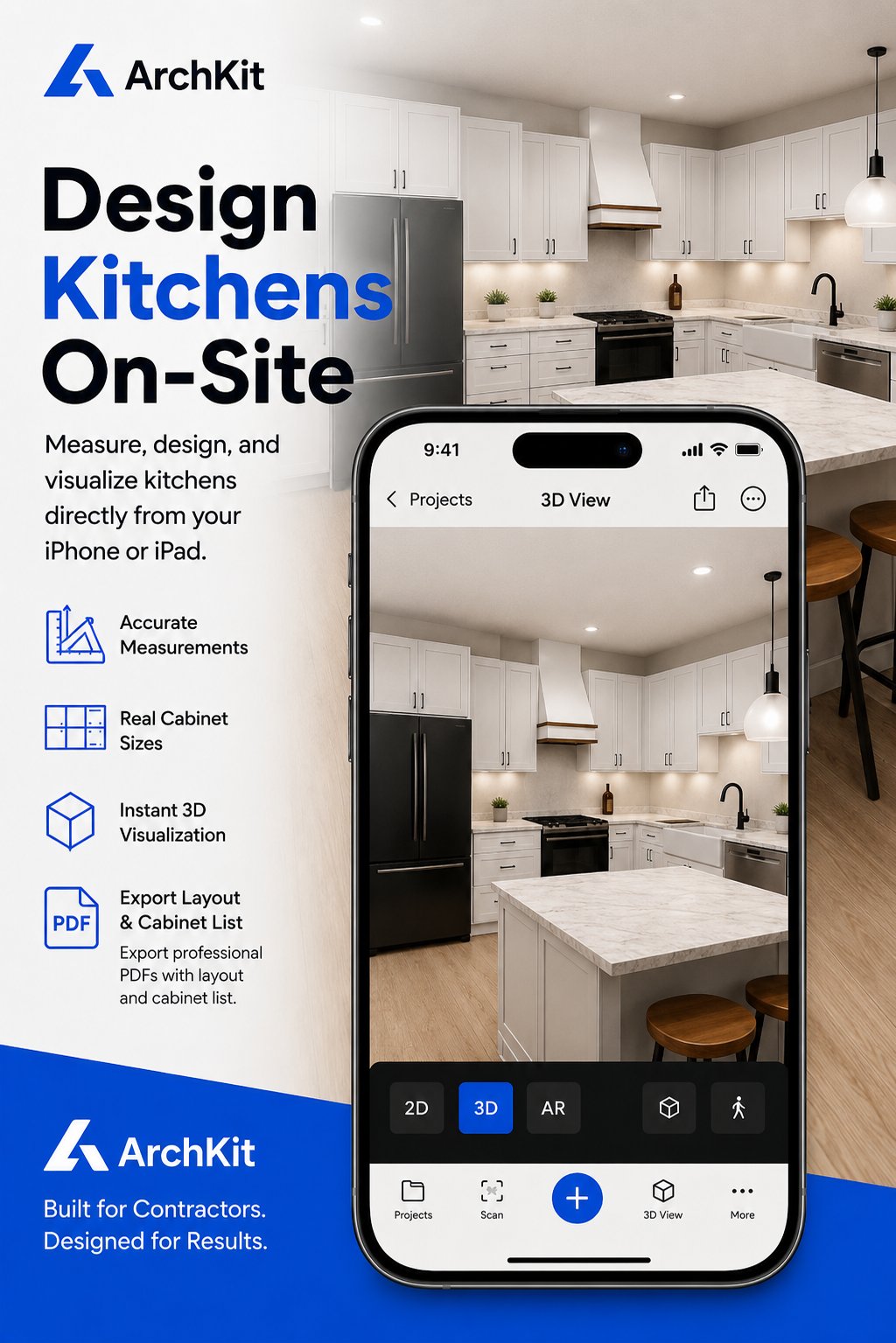
What if your next kitchen bid ended with a signed contract before you even left the client's driveway? In 2026, the competitive gap between tech-forward contractors and the rest of the market is widening. Most remodelers still waste hours at the office translating tape-measure notes into complex CAD software. Instead, you can leverage a mobile AR presentation tool for contractors to build a precise 3D layout in minutes while standing in the kitchen.
We all know the frustration of a client struggling to "see" the vision in a flat 2D floor plan. It leads to hesitation, endless revisions, and those dreaded cabinet re-orders. You need a way to make the design real, right now. This guide reveals how to use LiDAR scanning and augmented reality to win more bids and eliminate measurement errors. We'll look at how tools like ArchKit Design streamline your workflow, moving you from a rough scan to a finished presentation on-site. It's time to cut the office time and start closing deals where the work actually happens.
Key Takeaways
- Stop losing bids to visualization hurdles. Learn to overlay 3D designs directly onto the physical job site for immediate client impact.
- Master LiDAR scanning to create a digital twin in seconds. This ensures cabinet layouts fit perfectly and eliminates costly manual measurement errors.
- Leverage a mobile AR presentation tool for contractors to replace the slow "measure-then-office" cycle with a single, high-converting site visit.
- Reduce administrative fatigue and office hours by moving complex design tasks from stationary desktop CAD to a fast, integrated mobile workflow.
- Use ArchKit Design to provide instant 3D visualizations and layouts that secure immediate client sign-off and drastically reduce project revisions.
Beyond 2D Drawings: Why Contractors are Switching to AR Presentations
Stop fighting the visualization gap. Most homeowners can't translate blue lines into a finished kitchen. They see a flat floor plan; they feel confusion. Confusion leads to hesitation, and hesitation kills deals. Switching to a mobile AR presentation tool for contractors changes the game. Augmented Reality (AR) is mobile software that overlays digital 3D cabinet designs directly onto the physical job site. You aren't just showing a picture. You're showing their future home in real time.
This technology shifts the entire dynamic of a sales call. You move from a "service provider" trying to explain a quote to a "design partner" building a vision together. Instead of asking a client to trust your sketches, you hand them a tablet and let them see the results. It builds immediate authority. It creates trust. It turns a standard bid into a professional experience that justifies a premium price point.
The Problem with Traditional Kitchen Sales Cycles
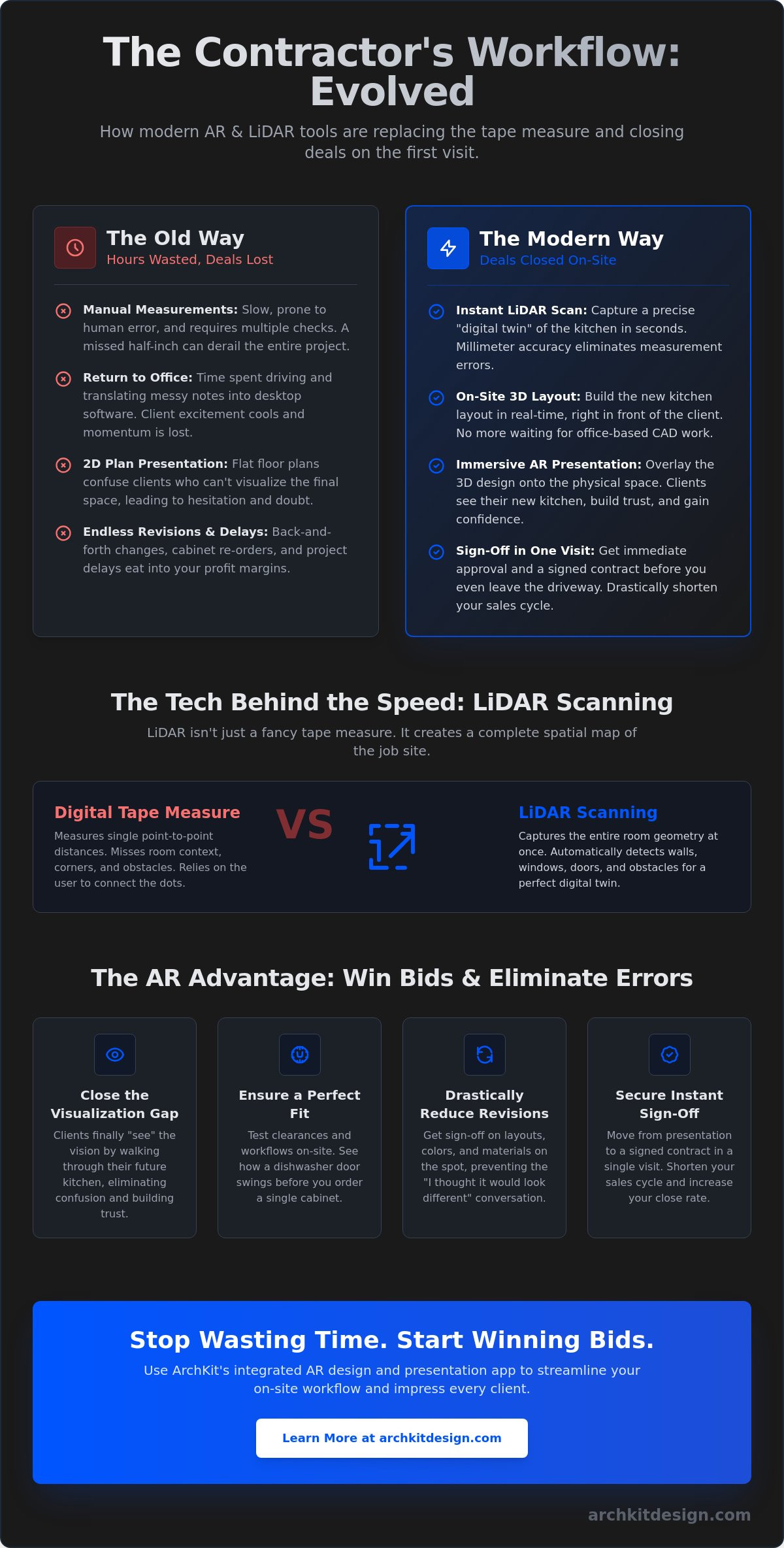
Legacy workflows rely on perfection that doesn't exist. Manual measurements are slow and prone to human error. A missed half-inch on a wall run results in cabinet re-orders and expensive delays. Beyond the math, there's the time suck. Waiting days for office-based CAD renderings gives competitors a window to swoop in. Client excitement cools. You lose momentum. Static images or laptop screens don't let clients feel the space. They can't tell if an island is too close to a range until the demo is already done.
The AR Advantage: Real-Time Spatial Context
Modern tools like ArchKit Design place cabinets at actual scale in the room. Clients don't have to imagine the height of a pantry or the depth of a fridge cabinet. They can see it. This on-site clarity eliminates the "I thought it would look different" conversation that happens mid-construction.
- Test the kitchen triangle: Let the client walk from the sink to the stove in the virtual layout to feel the workflow.
- Identify clearance issues: See exactly how far a dishwasher door swings into a walkway before ordering.
- Address lighting: View how shadows from new upper cabinets might affect the workspace in the existing room.
Using an AR presentation tool for contractors provides immediate validation. You get sign-off on the spot because the client finally understands the value. Scan. Design. Close. It's the most efficient way to run a remodeling business in 2026.
The Tech Behind the Tool: LiDAR Scanning and Real-Time 3D Layouts
The tech behind an AR presentation tool for contractors isn't just about pretty pictures. It's about data integrity. Modern mobile devices in 2026 use LiDAR (Light Detection and Ranging) to pulse light and measure distances with extreme precision. This process creates a high-density point cloud, essentially a "digital twin" of the existing kitchen, in seconds. It captures every bump in the drywall and every slightly out-of-plumb corner that a tape measure might miss.
Raw scans are impressive, but they aren't useful until they're structured. The software takes that messy cloud of data and converts it into a clean, 3D room model. This technology unites design and construction by ensuring the digital environment perfectly matches the physical job site. Thanks to the massive leap in mobile processing power, these 3D layouts render without lag. You can move through the virtual space in real time, making the presentation feel professional and fluid rather than a clunky tech demo.
LiDAR vs. Traditional Digital Tape Measures
Standard laser tape measures only give you point-to-point distances. They don't understand context. LiDAR captures the entire geometry of the room at once. It automatically detects the location of windows, doors, and even existing plumbing or electrical stubs. You don't just get a wall length; you get a complete spatial map. This level of automation prevents the "forgotten measurement" that usually requires a second trip to the house. For a deeper look at the technical specs, check out our LiDAR kitchen scanner app guide for professionals.
Standard U.S. Cabinet Sizes and Layout Logic
A generic AR presentation tool for contractors often fails because it uses "holograms" that don't reflect real-world products. Professional tools solve this with integrated cabinetry catalogs. You aren't just dropping in boxes; you're placing 30-inch base cabinets and 42-inch uppers with standard depths.
- Automatic Fillers: The software identifies gaps and suggests filler strips to ensure a perfect fit.
- Corner Logic: It handles blind corners and lazy Susans with real dimensions, not guesswork.
- Buildable Estimates: Because the AR view uses real cabinet sizes, the layout translates directly into a material list.
This moves the conversation from "what it might look like" to "what we are going to build." It's a faster way to get sign-off and move toward demo day. If you want to see how this logic speeds up your bids, consider how you can get early access to these mobile tools to stay ahead of the competition.
Mobile AR vs. Desktop CAD: Choosing the Right Presentation Strategy
Choosing between mobile AR and desktop CAD isn't just about software; it's about where you do your best work. Traditional CAD suites are office-bound. They require high-performance laptops, expensive annual licenses, and weeks of specialized training. An AR presentation tool for contractors flips the script. It moves the design process to the job site. You eliminate the lag between measuring a room and showing a client their new kitchen. This speed is your competitive edge in 2026.
Hardware requirements are a major differentiator. To run legacy design software smoothly, you need a workstation-grade laptop that often costs thousands of dollars. Mobile AR runs on the iPad Pro or iPhone Pro you already carry in your truck. These devices use LiDAR to understand the Architectural Anatomy of a home, seeing through the clutter of an old kitchen to map the bones of the space. You get professional-grade results without the heavy equipment or the desk-bound workflow.
When to Use Mobile AR for Client Meetings
Mobile AR is built for the "Design-Build" sales pitch. It's your most powerful tool during the initial consultation. When a client asks if they can move an island or add a pantry, don't take notes for a follow-up email. Drag the virtual cabinet on your screen. Let them see the change instantly. This live interaction reduces revisions and builds massive momentum. Review the ArchKit pricing to see how mobile solutions compare to the high overhead of desktop suites.
The Limitations of Legacy Desktop Software
Legacy software creates an "Office Bottleneck." Every design tweak requires a trip back to your desk. This disconnect slows down the sales cycle and gives the client time to second-guess their investment. High licensing fees and steep learning curves make these tools a burden for growing teams. If you're tired of the office-bound grind, explore these alternatives to legacy design software.
Speed wins contracts. A mobile AR presentation tool for contractors allows you to present while the client's excitement is at its peak. You save hours of manual CAD work and days of back-and-forth communication. Stop spending your evenings behind a monitor. Start closing deals in the kitchen. It's a simpler, faster, and more profitable way to manage your remodel business.
On-Site Workflow: Using AR to Reduce Revisions and Secure Approvals
The traditional kitchen sales cycle is broken. It relies on a "measure-then-wait" model that kills momentum. Using a modern AR presentation tool for contractors allows you to compress the entire design phase into a single on-site visit. You move from initial measurements to a signed contract without leaving the property. This workflow isn't just about speed; it's about accuracy and client confidence. Follow these five steps to transform your next consultation.
- Step 1: Perform a LiDAR scan. Open the app and walk the room. Capture the footprint, ceiling heights, and existing utility locations. This establishes a precise "digital twin" of the space.
- Step 2: Build the layout. Drag standard cabinet units from the catalog. Snap them to the walls in the 3D view. Build a functional preliminary layout in minutes.
- Step 3: Enter Walkthrough mode. Hand the device to the client. Let them experience the scale. They can see exactly how the new island affects the room's flow.
- Step 4: Refine live. Adjust materials and cabinet placements based on immediate feedback. Change a door style or move a pantry with a tap.
- Step 5: Export and sign. Save the approved layout. Generate a cabinet list and estimate. Get the client's signature while their excitement is at its peak.
Reducing Measurement Errors and Material Waste
Visualizing a kitchen in AR catches mistakes that a 2D drawing misses. You can see immediately if a dishwasher door will hit a handle or if a wall cabinet interferes with window trim. This on-site clarity prevents the "I didn't realize it would be this tight" conversation later. Because the software generates a cabinet list directly from the 3D model, you eliminate manual counting errors. You order exactly what you designed. Learn more about on-site efficiency for contractors to see how this saves thousands in material waste.
The "Wow Factor": Closing the Sale on the First Visit
An AR presentation tool for contractors builds instant professional authority. You aren't the guy with a notepad and a "we'll see" attitude. You're the professional who brought their dream kitchen to life on a tablet. It handles objections visually. When a client asks if an island will fit, don't argue over inches. Show them the island in their room. Let them walk around it. This transparency builds trust and eliminates the "I'll get back to you" delay that allows competitors to undercut your bid.
Stop wasting your evenings in the office. Get early access to mobile AR tools and start closing your kitchen remodels on the first visit.
ArchKit: The Integrated AR Design and Presentation App for Kitchen Pros
ArchKit isn't just another software package. It's a purpose-built AR presentation tool for contractors who need to move fast. We designed it to replace the clunky, office-bound workflows that slow down your business and frustrate your clients. By integrating LiDAR scanning and AR visualization into a single mobile interface, ArchKit gives you the power to design and present where it matters most: right in the client's kitchen. Scan. Layout. Approve. It’s the fastest way to turn a lead into a job without the usual administrative fatigue.
The focus remains entirely on jobsite utility. We stripped away the unnecessary complexity of traditional architectural software to prioritize speed and accuracy. You get the professional tools you need to capture a room, drop in cabinets, and secure a signature in one visit. It’s about empowering you to lead the design conversation rather than following up days later with a static PDF. This is how you win more bids and stay ahead of the competition in 2026. You don't need to be a CAD expert to deliver high-end results.
Designed for the iPad Pro and iPhone LiDAR Experience
ArchKit is optimized for the latest Apple hardware to ensure maximum scanning precision. You don't need extra goggles, specialized cameras, or cumbersome tripods. Use the device already in your pocket to generate a perfect digital twin of any kitchen. This mobile-first approach means you’re always ready for a surprise consultation or a last-minute design change. It removes the burden of stationary equipment and gives you the freedom to work anywhere. Start scanning today with the free kitchen design app version and experience the difference of a tool built for the field.
Streamlining Your Business from Scan to Bid
Efficiency doesn't stop once the client says "yes." ArchKit bridges the gap between the field and the office seamlessly. Export accurate 2D floor plans and high-fidelity 3D models directly from the app to share with your subs or cabinet suppliers. Manage every project in the cloud to keep your team coordinated without the data silos of legacy systems. Stop letting office hours eat into your profit margins and your personal life. Join the future of the trade and get early access to ArchKit to modernize your workflow now.
Modernize Your Workflow for a More Profitable 2026
The days of measuring with a tape and retreating to the office for days of CAD work are over. By adopting an AR presentation tool for contractors, you replace administrative fatigue with immediate results. You've seen how LiDAR-powered accuracy ensures every cabinet fits perfectly and how a standard U.S. cabinet catalog turns a rough scan into a buildable layout in minutes. These tools don't just save time; they protect your profit margins by eliminating the measurement errors that lead to costly re-orders.
On-site 3D visualization closes the gap between your professional vision and the client's understanding. It builds the trust needed to secure a signature during that very first visit. Stop wasting your evenings on revisions and start leading the market with a mobile-first approach that keeps you out of the office and on the job site. It's time to reclaim your time and impress your clients with a presentation that speaks for itself.
Ready to streamline your bids and close more deals? Get Early Access to the ArchKit AR Presentation Tool and see the difference on your next consultation. The future of kitchen remodeling is already in your pocket. Go build it.
Frequently Asked Questions
What is the best AR presentation tool for kitchen contractors in 2026?
ArchKit is the leading AR presentation tool for contractors because it specifically targets the on-site workflow. It combines LiDAR scanning with a professional U.S. cabinet catalog to generate buildable 3D layouts in minutes. Unlike generic design apps, it focuses on speed and accuracy, allowing you to close deals while standing in the client's kitchen.
Do I need special glasses or goggles to use AR for client presentations?
No. You don't need any specialized headwear or bulky hardware. These tools run directly on the iPad Pro or iPhone Pro you already carry in your truck. You simply hand the tablet to your client. They view the new kitchen through the screen, making the experience low-friction and professional without the need for cumbersome equipment.
How accurate is LiDAR for measuring kitchen cabinets?
LiDAR provides millimeter-level precision by pulsing light to map the entire room geometry. It captures out-of-plumb walls and exact window placements that manual tape measurements often miss. This digital twin ensures your cabinet orders fit perfectly the first time, virtually eliminating the need for unexpected fillers or site-side modifications during installation.
Can I use AR presentation tools on an Android device?
Most high-performance AR tools are optimized for iOS because of the integrated LiDAR sensors found in Pro-level Apple devices. While some Android hardware supports basic AR, the most accurate scanning and lag-free rendering workflows currently live on the iPad Pro and iPhone Pro. Always check your specific hardware compatibility to ensure professional results on the job site.
How does AR help in reducing kitchen design revisions?
AR reduces revisions by letting clients "walk" through their new kitchen before you order materials. They can see exactly how an island affects traffic flow or how a pantry looks in their specific lighting. Catching these spatial issues during the first consultation prevents the "I thought it would look different" change orders that typically happen mid-project.
Is AR kitchen design software expensive for small remodeling businesses?
Mobile AR presentation tool for contractors options are significantly more affordable than legacy desktop CAD suites. You save on high annual licensing fees and the hardware costs of workstation-grade laptops. Most small businesses find the increase in closing rates and the reduction in measurement errors quickly offset the modest monthly subscription costs.
Do I need an internet connection to use AR tools on a job site?
You can perform room scans and create 3D layouts without an active internet connection. The heavy processing happens locally on your device's hardware to ensure speed. You only need a connection when you're ready to sync your projects to the cloud or export final floor plans and cabinet lists for your suppliers.
How long does it take to learn how to use an AR kitchen design app?
Most contractors master the basics in under an hour. The touch-and-drag interface is much more intuitive than the complex keyboard commands required by desktop software. You don't need to be a tech expert to generate professional 3D visualizations. The software handles the complex geometry so you can focus on the design and the sale.


