
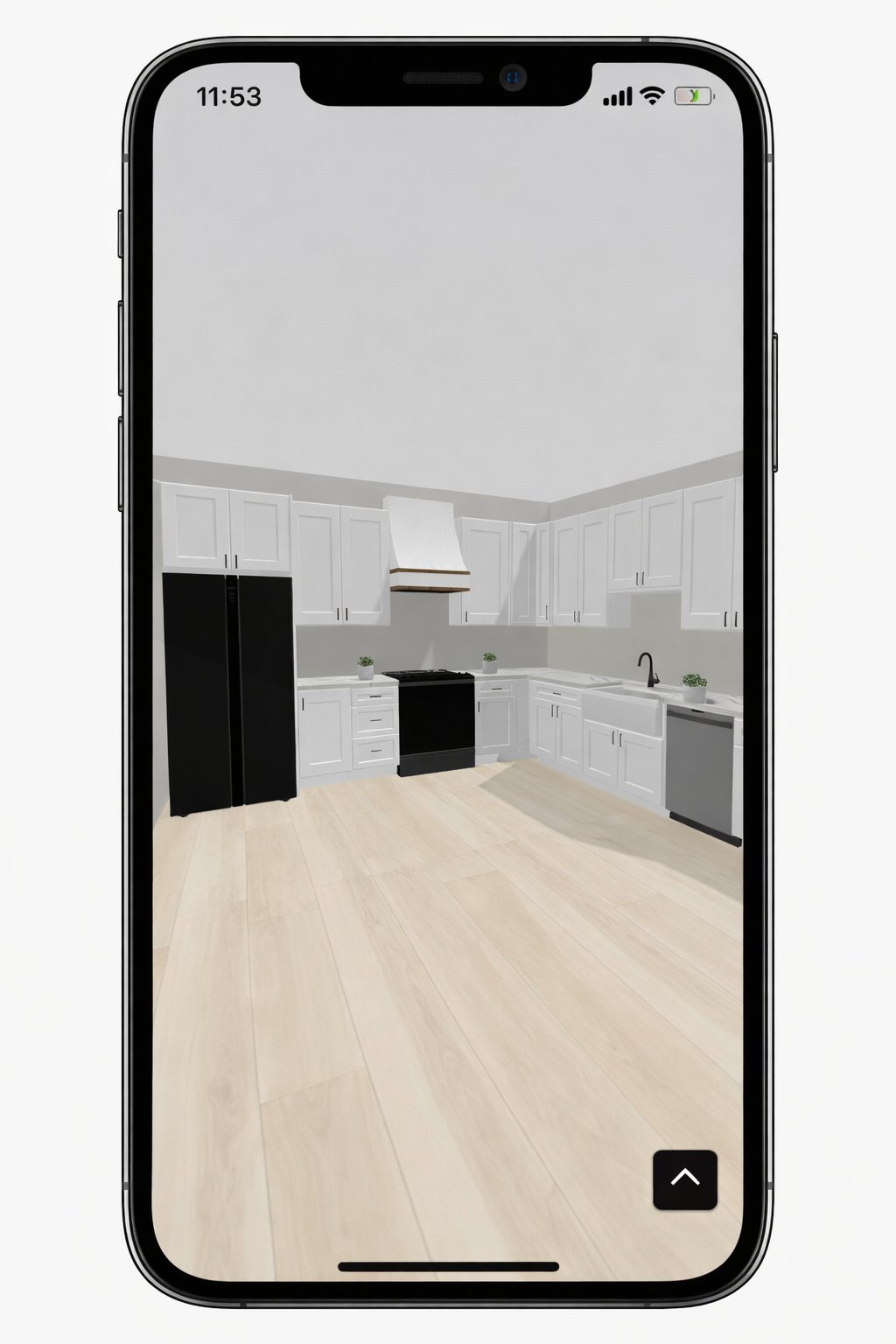
What if the biggest risk to your profit margin isn't the cost of materials, but your client's inability to see the future? You've likely dealt with the frustration of a homeowner stalling a project because they can't translate flat drawings into a physical reality. When a mid-range remodel averages over $26,000 according to June 2026 data, clients demand certainty before the demo begins. Mastering the art of visualizing kitchen remodel before and after is no longer a luxury; it's a critical sales strategy to protect your professional reputation and your bottom line.
You need to bridge the gap between your expert vision and their nervous expectations. This guide will teach you how to use modern AR and 3D tools to provide that immediate visual validation. We'll explore how mobile-first workflows like ArchKit Design allow you to generate buildable 3D models and precise cabinet layouts directly on the job site. By the end of this article, you'll have a proven framework for using tech to eliminate mid-project revisions, speed up approvals, and outpace competitors who are still stuck behind a desk.
Key Takeaways
- Learn how bridging the imagination gap with visual certainty speeds up project approvals and slashes client hesitation.
- Understand how 2026 LiDAR and AR technology allows you to overlay new cabinet layouts directly onto the existing jobsite.
- Master a professional 5-step workflow for visualizing kitchen remodel before and after to eliminate mid-project change orders.
- Compare traditional presentation methods against high-velocity 3D models to find the most efficient path to a signed contract.
- Discover how mobile-first tools like ArchKit Design enable you to generate professional designs and estimates without returning to the office.
The Psychology of Visualizing Kitchen Remodels: Why Before and After Matters
Most homeowners lack spatial reasoning. They see a cluttered, cramped "before" and can't fathom the open, modern "after" you've described. This imagination gap is where sales go to die. When a client feels uncertain, they stall. They ask for more time, more options, or more opinions. By effectively visualizing kitchen remodel before and after scenarios right in their own home, you remove the guesswork. You replace fear with excitement and move the project forward.
Visual certainty isn't just a luxury. It's a high-velocity sales strategy. In 2026, the transition from static blueprints to immersive 3D experiences is the new industry standard. High-performance contractors don't wait for the office team to draft a plan. They use mobile tools to show the future in real-time. This immediate validation speeds up the decision-making process, often turning a first consultation into a signed contract.
The financial stakes are high. Mid-project change orders are profit killers. They usually happen because the client didn't understand the scale or flow during the design phase. Showing them the final result before the first sledgehammer swing protects your bottom line. It ensures that what you build matches what they expected, eliminating the administrative fatigue of constant revisions.
The Problem with Traditional 2D Plans
Flat drawings are a recipe for misinterpretation. Lines on paper don't convey the reality of a narrow walkway or a tight cabinet clearance. Historically, Computer-aided design (CAD) required a desktop and hours of tedious drafting. On-site, this delay creates a disconnect. Clients struggle to translate 2D layouts into physical space, leading to "I thought it would be bigger" moments during the final walkthrough. These errors are expensive; they damage your reputation and your margins.
Building Trust Through Visual Transparency
Modern clients want to work with tech-forward professionals. Using an on-site kitchen design workflow tool like ArchKit Design positions you as an expert immediately. It justifies premium pricing for high-end cabinetry because the client can see the value in 3D. You aren't just selling boxes; you're selling a finished lifestyle. This emotional connection makes visualizing kitchen remodel before and after the most powerful tool in your sales kit. It builds a foundation of trust that carries through the entire build, ensuring a smoother project from start to finish.
Modern Tech for On-Site Visualization: LiDAR and AR in 2026
The days of returning to the office to spend hours in a stationary CAD suite are over. In 2026, the most powerful design tools live in your pocket. High-performance contractors now rely on LiDAR (Light Detection and Ranging) and Augmented Reality (AR) to close the gap between a consultation and a contract. LiDAR uses laser pulses to map a room with sub-centimeter accuracy, while AR overlays digital assets onto the physical world. This tech isn't a gimmick; it's a mobile workflow that replaces administrative fatigue with immediate, on-site results.
For pro-grade scanning in 2026, an iPhone Pro or iPad Pro with an A14 Bionic chip or newer is the baseline. This hardware allows you to generate a digital twin of a kitchen in minutes. You don't just show a picture; you provide a window into the future. By visualizing kitchen remodel before and after possibilities right in the client's current space, you eliminate the "let me get back to you" phase of the sales cycle. You can start using these mobile tools today to modernize your trade and secure more bids.
Scanning the "Before" with LiDAR
Traditional measurements are slow and prone to human error. LiDAR scanning captures the precise location of walls, windows, and existing plumbing in seconds. This creates an accurate 3D room model without the need for a physical tape measure. Because the scan is comprehensive, you won't miss a critical dimension that leads to cabinet installation delays later. It’s about accuracy and speed. You walk into a cramped, dated kitchen and, within sixty seconds, you have a perfect digital foundation for your new layout.
Projecting the "After" with Augmented Reality
Once you have the scan, AR allows you to project the "after" state directly onto the client's walls. This is where the psychology of interior design becomes your strongest sales ally. When a homeowner sees a new island or a pantry cabinet through their screen, it triggers an emotional response that a 2D drawing cannot match. Using AR kitchen layout tools lets you swap cabinet colors or move appliances in real-time. This interactive experience builds massive client confidence. They aren't just visualizing kitchen remodel before and after changes; they're experiencing them. This immediate validation reduces anxiety and slashes the number of revisions needed after work starts.
Comparing Visualization Methods: From Mood Boards to 3D Models
Efficiency is your primary metric. Every hour spent drafting in a stationary office is an hour you aren't closing new deals. Choosing the right method for visualizing kitchen remodel before and after scenarios depends on your project's scale and your need for speed. While high-end designers might spend days on a single photorealistic render, a field professional needs results in minutes to maintain sales momentum. You need to find the "sweet spot" where high impact meets low administrative effort.
Consider the time-to-value for each presentation format. A mood board might take an hour to compile, but it doesn't solve layout anxiety. A full CAD render might take ten hours but requires the client to wait days for a follow-up meeting. In contrast, 3D kitchen visualizers for professionals designed for mobile devices bridge this gap. They provide the "wow" factor of a 3D model with the immediacy of a hand sketch. This speed is what closes bids in 2026.
Static Mood Boards and Photo Galleries
Mood boards are inspiration, not execution tools. They help with material selection, like choosing between natural quartzite and wood cabinets, but they fail to show spatial flow. Ohio University research into psychological principles in interior design highlights how spatial perception affects user experience and mood. A photo gallery of a "similar" project doesn't help a client understand how an oversized island fits in their specific kitchen. It leaves too much to the imagination, which often leads to mid-project panic when the reality of the layout sets in.
Full CAD Renders vs. Mobile AR Apps
Legacy software like Chief Architect costs roughly $229 per month and requires a steep learning curve. These tools are powerful but office-bound. You measure, go back to the office, draft, and then schedule a follow-up. This delay kills the excitement of the initial consultation. Mobile apps like ArchKit Design change the dynamic. You scan the room and present the 3D layout immediately. These apps also provide access to standard U.S. cabinet catalogs, ensuring your model is buildable and accurate. You move from visualizing kitchen remodel before and after to generating a professional estimate on the spot. This interactive speed empowers the client to make decisions now, rather than "thinking about it" for two weeks while you're stuck behind a desk.
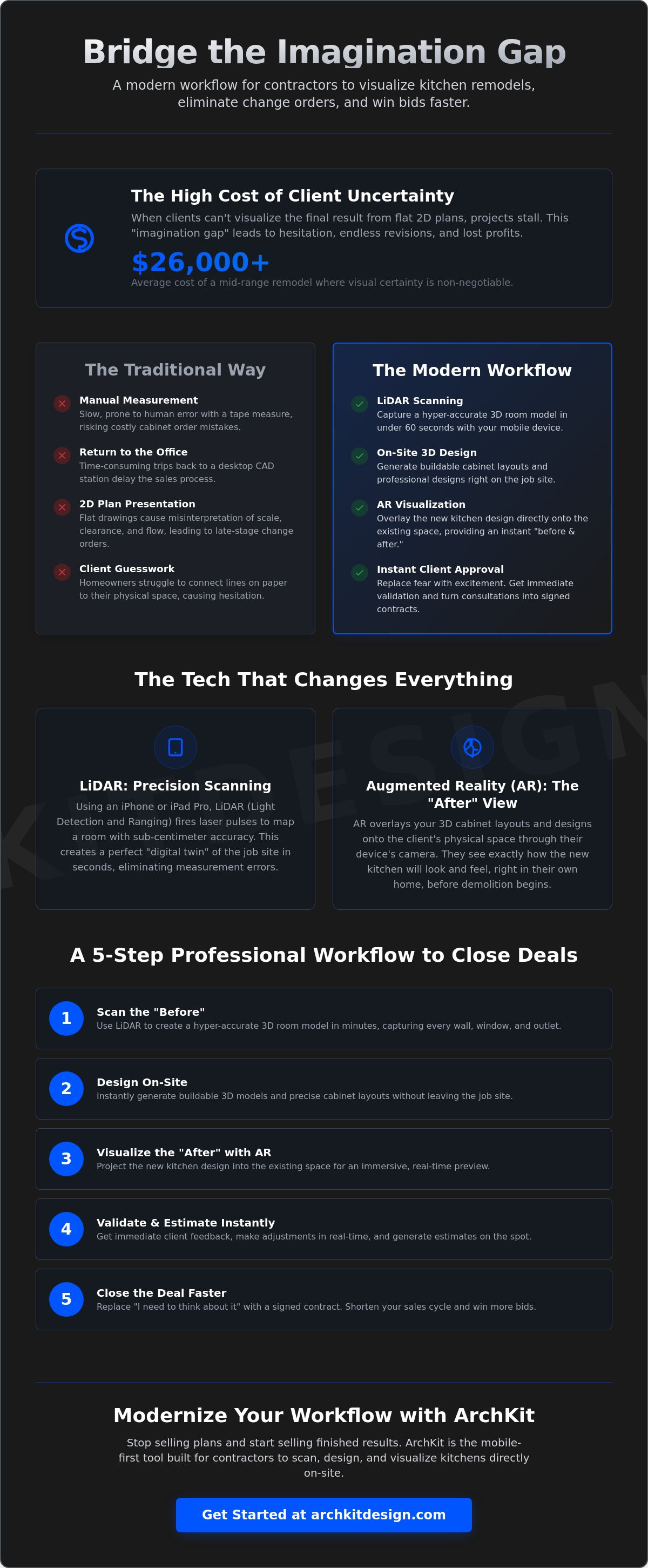
How to Present a Design Concept: A 5-Step Professional Workflow
A high-tech presentation turns a consultation into a closed contract. You don't need a laptop or a briefcase full of samples to impress a modern client. You need a streamlined, on-site process that delivers immediate results. This 5-step workflow moves you from the messy "before" to a profitable "after" without leaving the jobsite. It's about speed, accuracy, and professional confidence.
Step 1 & 2: Scanning and Discovery
Start the consultation by scanning the room. Use LiDAR to map the existing layout while the client discusses their daily frustrations. Focus on cramped walkways or poorly placed appliances. As you move the device, the app captures the precise location of windows and plumbing stacks on the fly. This real-time mapping acts as a powerful trust-building exercise that proves your technical authority. You aren't just taking notes; you're building a digital foundation for their future home.
Step 3 & 4: Designing and Immersing
Once the scan is complete, move into layout collaboration. Open your professional cabinetry layout tool and start placing units. Select from a standard library of base cabinets, uppers, and pantry towers. Hand the device to the client. Let them experience the scale through an AR walkthrough. If they worry about a corner cabinet being too tight, adjust the 3D model immediately. Visualizing kitchen remodel before and after options in real-time eliminates layout objections before they become expensive change orders. It makes the client part of the design team, which creates a deep emotional investment in the project.
Step 5: Closing the Bid with Confidence
The final step is the transition to the contract. Don't tell them you'll email a quote in three days. Generate an instant estimate based on the visual layout you just built together. This transparency removes the "sticker shock" often associated with high-end remodels. Share the 3D model directly to their phone so they can show friends and family. Link this visualization directly to your pricing and contract terms to secure the deposit on the spot. You can get early access to this mobile workflow and start closing more bids with professional certainty today.
Winning More Bids with ArchKit Design: Instant Visualization on Your Mobile Device
ArchKit Design isn't just a design app; it's a high-performance field tool built for the professional standing in a demolition zone. Most legacy software is designed for architects in climate-controlled offices, but this platform targets the fast-paced contractor workflow. By visualizing kitchen remodel before and after outcomes on your iPhone or iPad, you eliminate the gap between the initial estimate and the final execution. You move from guessing to showing in a single site visit, ensuring the client remains engaged throughout the process.
Digital precision replaces manual guesswork. ArchKit Design uses LiDAR to create a digital twin of the room, which you then populate using a comprehensive catalog of standard U.S. cabinet sizes. This isn't just a conceptual sketch; it's a buildable, technical layout. When you show a client exactly how a 36-inch pantry tower fits next to their existing plumbing, you remove the ambiguity that leads to installation delays. This level of accuracy slashes project revisions and protects your profit margins from the hidden costs of spatial errors.
Designed for the Job Site, Not the Office
Ditch the laptop and forget the bulky laser levels. ArchKit Design runs on the hardware you already own, featuring an interface that is intuitive and efficient. You don't need a CAD degree to get professional results that impress high-end clients. Go from a raw scan to a full 3D layout in under 10 minutes. This speed allows you to present a finished design concept before you even leave the driveway, ensuring you stay ahead of competitors who are still stuck with stationary office equipment and slow follow-up times.
Start Visualizing Today
Stop losing bids to competitors who can show the future more clearly than you. You can start by using a free kitchen design app to test the mobile workflow on your current job site. See the difference that digital precision makes in your client communication and your own layout planning. For those ready to lead the market and maximize their closing rates, get early access to the latest LiDAR features and AR cabinet design tools. The future of kitchen remodeling is visual, mobile, and immediate. Master the art of visualizing kitchen remodel before and after today and turn every consultation into a signed contract.
Modernize Your Sales Process for the 2026 Market
The shift toward field-first design isn't just about the "wow" factor. It's about protecting your margins and your time. You've seen how legacy methods create bottlenecks that stall projects and lead to administrative fatigue. By visualizing kitchen remodel before and after outcomes directly on the job site, you take control of the sales cycle. You remove the ambiguity that leads to costly installation errors and misaligned expectations. It's about giving the client total confidence before the first hammer swings.
Leverage the power of LiDAR-powered precision and a standard U.S. cabinet catalog to provide instant AR walkthroughs that close bids. Start your next kitchen project with ArchKit Design’s free design tools today. Stop returning to the office to draft plans that your clients struggle to understand. Start closing more contracts where the work actually happens. It's time to lead the trade with immediate, professional results that set your business apart.
Frequently Asked Questions
What is the best way to show a client a kitchen remodel before it starts?
The most effective method is using mobile Augmented Reality (AR) to project a 3D model directly onto the existing room. This interactive approach is the gold standard for visualizing kitchen remodel before and after results. It allows homeowners to walk through their future layout while standing in their current kitchen. You replace abstract drawings with a physical experience that triggers an immediate emotional response and faster bid approval.
Can I use an iPad to visualize a kitchen remodel on-site?
Yes, an iPad Pro equipped with LiDAR is the ideal hardware for on-site design presentations. For pro-grade results in 2026, ensure your device has an A14 Bionic chip or newer to handle complex 3D room mapping. This mobile workflow frees you from stationary office equipment. You can scan walls, place cabinets, and present a finished concept without ever leaving the job site or opening a laptop.
How long does it take to create a 3D kitchen model with LiDAR?
You can generate a comprehensive 3D room model in under 10 minutes using LiDAR scanning. Unlike manual measuring with a tape and paper, laser pulses capture every dimension of the room in seconds. This speed allows you to move from a raw scan to a buildable cabinetry layout during the initial consultation. It eliminates the administrative fatigue of returning to the office to draft plans, keeping the sales momentum high.
Do I need special training to use AR kitchen design apps?
No, modern contractor-focused apps like ArchKit are designed with intuitive interfaces that require no formal CAD training. You don't need a design degree to produce professional, high-impact visualizations. The software handles the complex math and spatial mapping in the background. This accessibility allows lead contractors and project managers to create accurate 3D models and estimates directly in the field, saving hours of back-office drafting time.
How does visualizing a kitchen remodel help reduce project costs?
Visualizing kitchen remodel before and after options helps eliminate expensive mid-project change orders by aligning client expectations early. When a homeowner can see the scale of an island or the clearance of a pantry, they are less likely to request layout changes after installation starts. This digital precision prevents measurement errors and ensures that the materials you order fit perfectly the first time, protecting your profit margins.
Can I show different cabinet styles in an AR walkthrough?
Yes, you can swap cabinet styles, finishes, and colors in real-time during an AR walkthrough. This interactive feature allows you to address aesthetic objections on the spot. If a client is torn between natural wood and painted cabinets, you can show them both options in their actual space. This immediate visual validation speeds up the selection process and helps justify premium pricing for high-end materials.
Is LiDAR scanning accurate enough for ordering kitchen cabinets?
LiDAR provides sub-centimeter accuracy, making it a reliable foundation for cabinet layout planning and ordering. It captures the precise location of windows, doors, and plumbing constraints that manual measurements often miss. While you should always perform a final check on critical tolerances, LiDAR eliminates the broad measurement errors that cause installation delays. It creates a technical digital twin of the kitchen that ensures your cabinetry fits the physical space.
What apps do professional contractors use for kitchen visualization in 2026?
Professional contractors in 2026 have shifted toward mobile-first tools like ArchKit for their on-site design and estimating needs. These apps replace legacy, office-bound CAD software with high-velocity mobile workflows. By integrating LiDAR scanning and AR visualization into a single platform, these tools allow pros to handle the entire design process on their iPhone or iPad. This transition from stationary to mobile tech is the primary differentiator for successful remodeling businesses.


