
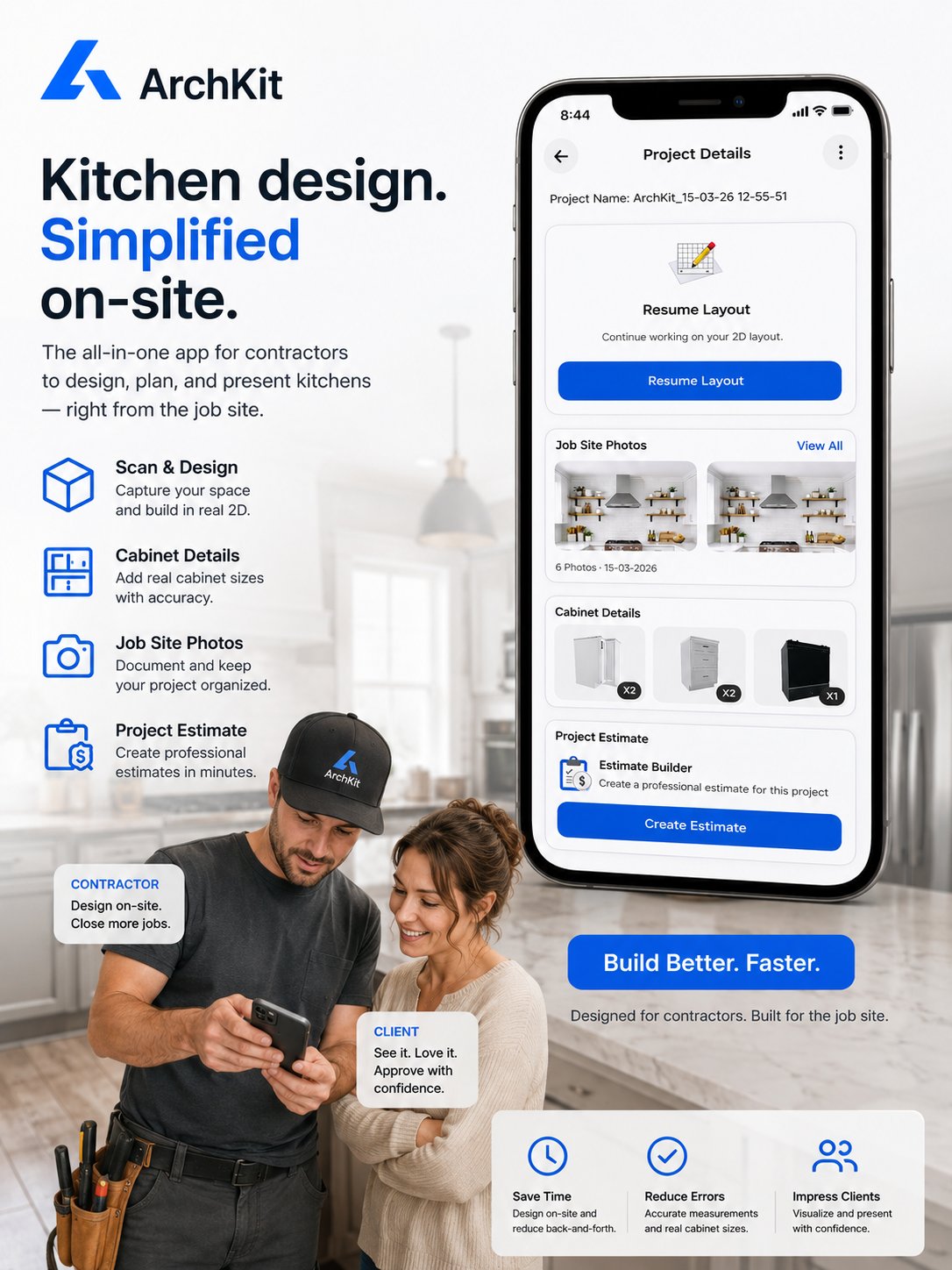
Stop waiting for clients to "visualize" their new kitchen. If they can't see the finished product, they won't sign the contract. You've likely felt the frustration of a project stalling because a homeowner can't bridge the imagination gap from a 2D sketch. Relying on expensive, office-based CAD software keeps you away from the field and slows down your sales cycle. By adopting a professional AR cabinet design platform, you can overlay high-definition 3D models directly onto the existing space using your mobile device.
It's time to trade manual measurement errors for immediate results. We'll show you how to leverage the ArchKit Design AR Kitchen Design App to create accurate layouts on-site. You'll learn how to use LiDAR scanning on your iPhone or iPad Pro to capture room dimensions instantly and present immersive walkthroughs that secure project sign-offs on the first visit. We'll explore how modernizing your workflow reduces revisions, ensures compliance with current industry standards, and helps you outpace the competition by looking more professional than the guy with the tape measure and a notepad.
Key Takeaways
- Bridge the imagination gap by replacing static 2D plans with interactive 3D overlays that homeowners can actually visualize.
- Use LiDAR scanning on your mobile device to capture precise room dimensions and create an accurate digital twin in minutes.
- Leverage an AR cabinet design platform to build immersive walkthroughs that let clients "walk" through their new kitchen before construction starts.
- Streamline your field workflow with ArchKit to generate estimates and visual layouts directly on the jobsite without returning to the office.
- Reduce costly revisions and manual measurement errors by securing client sign-off during the initial consultation.
What is an AR Cabinet Design Platform for Professionals?
An Augmented Reality (AR) cabinet design platform is a mobile-first tool that overlays high-fidelity 3D cabinetry onto a physical room. It's more than a visual aid. It's a professional system that eliminates the "imagination gap" that often stalls high-ticket kitchen projects. Most homeowners can't look at a 2D floor plan and understand how a new island will impact their morning routine. They see lines and measurements; you see a finished project. This disconnect creates decision fatigue and delays in the sales process.
By using an AR cabinet design platform, you bring spatial awareness directly to the consultation. You can show your client exactly how much room remains between the sink and the fridge. They see volume. They feel the depth. This immediate clarity transforms a stressful sales pitch into a collaborative design session. You move the design desk from your home office directly to the job site. This shift saves time and builds immediate trust. It proves you understand the physical reality of their home better than a competitor with a paper sketch.
Bridging the Gap Between Blueprints and Reality
Blueprints serve a purpose. They guide the framing and the plumbing. But for a client, a blueprint is a cold, technical document that fuels anxiety. Kitchen remodeling is a significant investment. When clients feel uncertain, they wait. AR walkthroughs solve this by providing a "try before you buy" experience. You aren't just selling cabinets; you're selling the confidence that the layout works. This eliminates the "wait and see" period that kills momentum. You provide answers in the moment, not in an email three days later.
Why AR Beats Traditional 3D Renders for Remodelers
Traditional 3D renders are often detached from reality. They exist in a digital void, lit by artificial light sources that don't match the home's actual windows. They also take time. You have to go back to the office, spend hours in CAD software, and send a PDF the next day. By then, the client's excitement has cooled. Modern tools like ArchKit change the math. You can get early access to these field-ready features and stop losing hours to office-based CAD. Using an iPad Pro or a LiDAR-enabled iPhone, you can adjust a layout in seconds.
- Portability: Leave the workstation at home. Use a tablet in the field.
- Context: AR models are anchored to the existing walls. They account for actual light and space.
- Speed: Change a cabinet style or finish instantly. No re-rendering required.
This level of responsiveness makes you look like the most professional contractor in the room. You aren't just a builder; you're a tech-forward partner who respects the client's time and vision. You deliver results while the competition is still looking for a pencil.
The Tech Stack: LiDAR, Mobile CAD, and US Cabinet Standards
Precision in the field is non-negotiable. A professional AR cabinet design platform isn't just a visualization tool; it's a mobile engineering suite. It combines specialized hardware and software to turn a chaotic jobsite into a controlled digital environment. By using the sensors already in your pocket, you can replace the old-school notepad and pencil with a high-fidelity digital twin that ensures your cabinetry fits the first time.
This tech stack relies on three specific pillars: LiDAR scanning, mobile CAD integration, and standardized cabinetry data. When these work together, you eliminate the guesswork that leads to "filler" cabinets and awkward gaps. You provide a level of accuracy that builds immediate confidence with the homeowner. Modern AR for interior design and kitchen remodeling has evolved into a high-velocity project management asset.
LiDAR: The Foundation of Professional Measurement
LiDAR (Light Detection and Ranging) is the secret to field speed. If you're using an iPhone 12 Pro through the latest 17 Pro models, or a recent iPad Pro, you have a professional-grade scanner in your hand. This sensor fires thousands of laser pulses to map every corner, window casing, and plumbing stub. You can scan a 15x15 kitchen in under 60 seconds. A traditional tape measure takes 20 minutes for the same task and leaves room for human error. The resulting 3D mesh prevents "floating" cabinets in your walkthrough by anchoring every object to the physical floor and walls.
Using a Professional Cabinetry Layout Tool On-Site
Once you have the scan, you need to populate it with buildable products. Integrate real-world specs into your design with a cabinetry layout tool. This is where the magic happens. You aren't just placing generic boxes. You're using a catalog that respects standard U.S. cabinet sizes and ANSI/KCMA A161.1-2022 performance standards. ArchKit allows you to snap these cabinets to your LiDAR-verified walls instantly. You can get early access to these features to ensure every island and pantry you show has the correct clearance for appliances and walkways.
This layout accuracy is what separates a professional contractor from a hobbyist. When the client sees the cabinets "snap" into place with perfect alignment, they know you've done your homework. You aren't guessing if the fridge will open; you're proving it. This mobile CAD workflow keeps you on the jobsite and out of the office, closing deals while the design is still fresh in the client's mind.
AR Walkthroughs vs. Static Renders: Winning the Sales Race
Static renders are a bottleneck in your sales process. You spend hours at a desk, the client waits two days for a PDF, and the momentum dies. An AR cabinet design platform flips this script entirely. You generate a visual proposal in 10 minutes. The client doesn't just look at a screen; they walk through their future kitchen while standing in their current one. It's the difference between a technical pitch and an immersive experience. You aren't asking them to imagine the result. You're showing it to them.
Positioning is everything in a competitive market. Being the "tech-forward" contractor isn't just about cool gadgets; it's about professional efficiency. When you show up with an iPad and build a kitchen in real-time, you signal that your firm is more organized and capable than the competition. This visual certainty leads to faster contract signatures. It cuts out the "let me think about it" phase because you've already answered their biggest questions. You win the race by providing clarity before you even leave the driveway.
The ROI of Immediate Client Approval
Every extra meeting eats your profit margin. Fuel, travel time, and administrative fatigue add up quickly. By finishing the design while still on-site, you eliminate the need for follow-up "discovery" sessions that drag out the timeline. Learn how to help clients visualize a kitchen remodel to reduce project friction. You walk out with a signed deal and a clear plan, not a "to-do" list for your weekend. This speed keeps your pipeline moving and your overhead low.
Reducing Project Revisions and Change Orders
Change orders are project killers. They frustrate homeowners and stall your crew. AR allows you to identify flow issues, like tight island clearances or awkward cabinet heights, before you order a single box. This real-world context is why AR in architecture and construction has become a standard for high-performance firms. You capture instant feedback during the walkthrough. You adjust the layout on the fly. The client approves a visual "source of truth" they've physically navigated. This drastically lowers the chance of a "this isn't what I thought" conversation during the installation phase.
- Instant Feedback: Catch layout errors while the client is standing in the room.
- Clearance Check: Physically walk between the island and the wall to feel the space.
- Finality: Secure a visual sign-off that matches the final physical build.
Stop losing time to the "render-and-wait" cycle. Use a mobile workflow to close bids faster and keep your projects on track from day one.
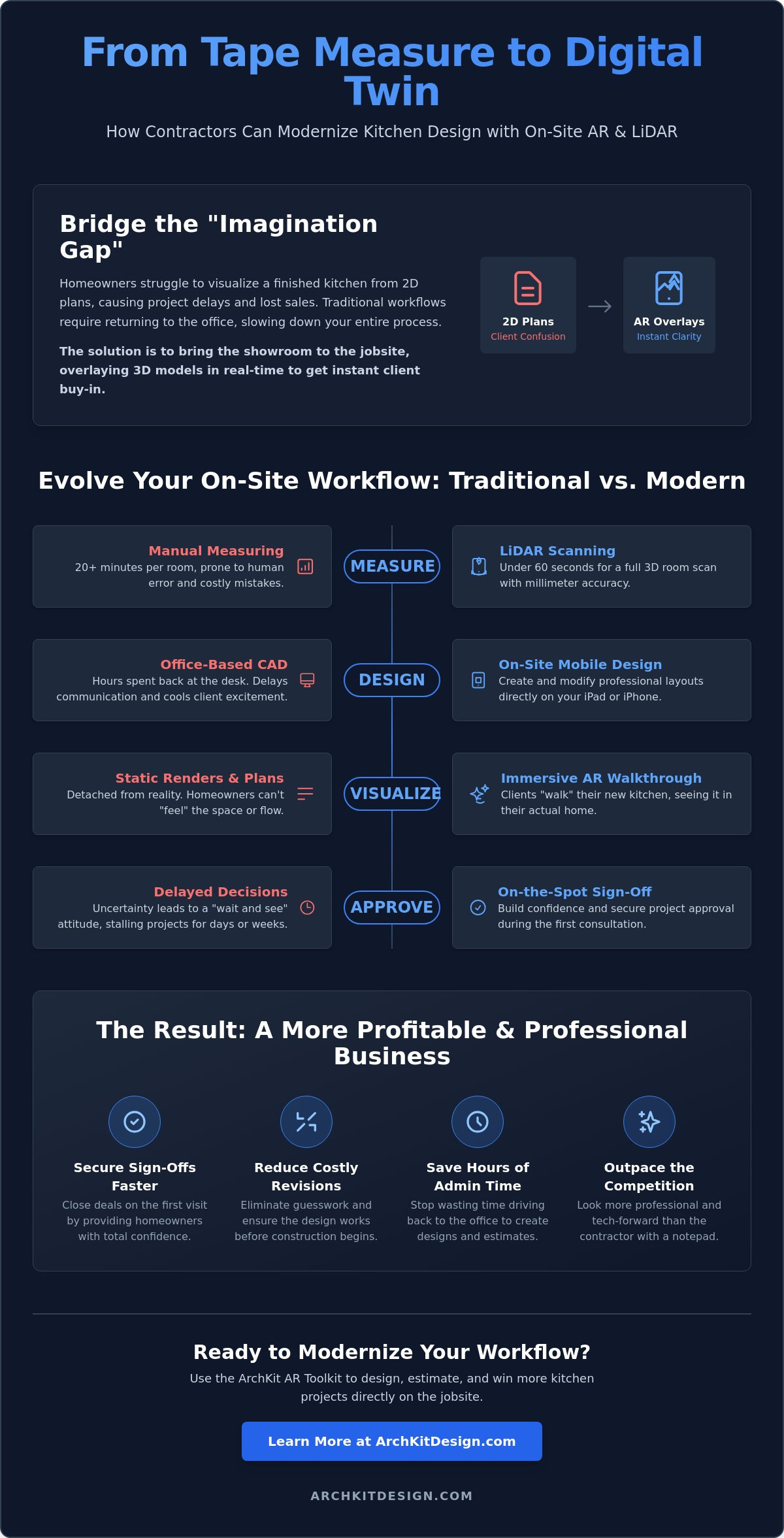
5 Steps to a Professional AR Client Consultation
Winning a bid on the first visit requires more than just a good personality. You need a repeatable, high-velocity workflow. Using an AR cabinet design platform allows you to move from measurement to visualization in a single session. This process removes the friction of multiple site visits and keeps the momentum of the sales conversation alive. Follow these five steps to run a professional on-site consultation that converts leads into signed contracts.
- Step 1: Clear the space. Remove loose clutter and boxes. A clean floor-to-wall transition ensures your LiDAR scan captures floor-to-ceiling accuracy without interference.
- Step 2: Perform the "As-Built" scan. Move slowly around the room to create a digital twin. Capture existing plumbing, electrical stubs, and windows to ground your design in reality.
- Step 3: Overlay the new layout. Drop 3D models into the space. Use standard U.S. cabinet sizes to maintain realistic proportions and avoid ordering errors later.
- Step 4: Conduct the interactive walkthrough. Lead the client through the space. Focus on utility points like the work triangle and appliance clearances to prove the layout's functionality.
- Step 5: Finalize and sign. Generate the estimate on the spot. Capture a digital sign-off while the client is excited and the vision is clear.
Scanning and Verification Techniques
Accuracy builds authority. During your initial LiDAR capture, pay close attention to structural columns and plumbing stacks. These are the "fixed points" that dictate your cabinet layout. While the technology is precise, verify the digital scan against a laser measure for one or two key walls. This double-check gives you absolute contractor confidence and shows the client you value precision. Ensure the room has adequate lighting. AR overlays remain stable and realistic when the sensors can clearly see the room's textures and boundaries.
The "Over-the-Shoulder" Presentation Method
Presentation is a performance. Hold the iPad at chest height and lead the client through the room. This "over-the-shoulder" method allows you to point out specific features while the client sees the digital cabinets anchored to their actual walls. If they hesitate on a color, swap cabinet finishes or hardware in real-time. Use a 3D kitchen visualizer for professionals to demonstrate functional storage solutions, like pull-out pantries or corner lazy susans. This responsiveness eliminates indecision and positions you as a solution-oriented partner.
Stop leaving the jobsite with just a handful of notes and a "we'll get back to you" promise. Deliver a complete visual experience that secures the project immediately. You can get early access to these professional tools to start closing more bids this week.
Modernizing Your Workflow with ArchKit’s AR Toolkit
Traditional CAD software belongs in the office. It's bulky, slow, and requires a desk you don't have time to sit at. ArchKit is built specifically for the field environment. It understands that your real office is a kitchen with uneven floors, plumbing challenges, and tight deadlines. By adopting a professional AR cabinet design platform, you eliminate the administrative fatigue that usually follows a site visit. You no longer need to transcribe messy notes or re-enter measurements into a desktop workstation. You capture the data once and use it to close the deal before you leave the driveway.
The transition is seamless. You start with a LiDAR scan to lock in the dimensions. You move immediately to an AR walkthrough to secure the client's vision. Finally, you generate a project estimate based on the actual layout you just built. This linear flow ensures accuracy and saves hours of back-office work every week. If you're ready to modernize your sales process, get early access to ArchKit’s professional toolkit today. It's time to stop drawing and start closing.
The Integrated Contractor Workflow
Efficiency comes from consolidation. ArchKit combines measurement, design, and estimating into one powerful kitchen design app for contractors. You don't need three different tools to manage one consultation. The app uses your AR session data to generate both 2D floor plans and 3D layouts automatically. This data is grounded in localized U.S. cabinetry catalogs. This ensures every cabinet you place is a product you can actually order and install. You get professional-grade results without the corporate software learning curve.
Start Winning More Bids Today
The remodeling market is crowded. Homeowners look for the contractor who makes the process easy and transparent. Offering an immersive AR walkthrough gives you a massive competitive advantage. It proves you're a modern professional who values precision and client communication. ArchKit offers simple, transparent pricing that scales with your business. Whether you're a solo remodeler or managing multiple crews, the toolkit adapts to your volume. Join the future of the trade and sign up for early access here to start winning more bids this week.
- Eliminate Errors: Use digital twins to ensure a perfect fit.
- Save Time: Complete the design and estimate on-site.
- Look Professional: Impress clients with high-velocity technology.
Win the Kitchen Before You Leave the Site
The days of waiting for renders and losing project momentum are over. By integrating a professional AR cabinet design platform into your field workflow, you replace client guesswork with visual certainty. You've already seen how precise LiDAR scanning and a catalog of standard U.S. cabinet sizes can eliminate measurement errors and costly change orders. This technology isn't just about showing a cool model. It's about providing an authoritative, on-site experience that respects your client's time and protects your own bottom line.
Stop letting administrative fatigue and office-bound CAD software slow down your business growth. ArchKit is built specifically for on-site contractor workflows to help you move from measurement to a signed contract in a single visit. It's time to outpace the competition by delivering immersive results while they're still sketching at a desk. Take control of your sales cycle and your jobsite accuracy with a tool built for the modern trade.
Get early access to ArchKit and start closing more bids with AR. The future of remodeling is mobile, accurate, and immediate. You're ready to lead the way.
Frequently Asked Questions
Do I need special hardware to use an AR cabinet design platform?
You need a mobile device equipped with LiDAR sensors to get the most professional results. As of 2026, this includes the iPhone 12 Pro through the 17 Pro models and specific iPad Pro versions. While standard cameras can run basic apps, LiDAR hardware allows ArchKit to map physical surfaces with sub-inch precision. This ensures your digital cabinets anchor correctly to the floor and walls without drifting.
How accurate are AR cabinet measurements for real-world ordering?
LiDAR-driven scans provide high-fidelity dimensions, but you should always verify critical "tight-fit" measurements with a laser measure. The platform creates a precise digital twin that captures window casings, plumbing stubs, and electrical outlets. This level of detail helps you identify potential layout conflicts early. It reduces the risk of ordering errors and ensures your cabinetry fits the actual room geometry perfectly.
Can I show different cabinet styles and finishes during a walkthrough?
Yes, you can swap door styles, hardware, and wood finishes instantly while standing in the room. This real-time customization helps resolve client indecision on the spot. Instead of losing days to the "render-and-email" cycle, you show the homeowner exactly how a navy shaker cabinet looks against their actual flooring. This immediate visual feedback is a powerful closer during a high-stakes consultation.
Does an AR walkthrough app work in small or cluttered kitchens?
It works in most environments, but clearing the floor-to-wall transitions will improve your scan quality. The software needs to see the room's boundaries to anchor the 3D models accurately. In tight spaces, an AR cabinet design platform is actually superior to 2D plans. It lets the client virtually experience the walkways and clearances, proving the layout functions well even in a compact footprint.
How does AR help with client approvals and reducing change orders?
AR eliminates the imagination gap by letting clients "test drive" their kitchen before you order materials. When a homeowner physically walks through the digital layout, they gain total certainty about the design. This visual sign-off leads to faster contract signatures on the first visit. Because they've seen the final result in their actual home, they are much less likely to request expensive changes during installation.
Can I export the AR layout into other CAD software for final production?
Professional platforms like ArchKit allow you to export your on-site sessions as PDF reports or digital layouts. This data bridges the gap between the initial sales meeting and the final shop drawings. You can share the approved 2D and 3D data with your production team or cabinet manufacturer. This ensures the final build matches the exact vision your client approved during the AR walkthrough.
Is it difficult to learn how to use an AR design tool on-site?
Modern tools are built for busy contractors, not tech experts. If you can use a smartphone camera, you can master a LiDAR scan in minutes. ArchKit follows a logical, step-by-step workflow that mirrors a standard jobsite visit. Most professionals can run a full consultation, from measurement to estimate, after just one or two practice sessions. It's designed to save time, not add complexity.
What is the difference between an AR walkthrough and a standard 3D render?
A standard render is a static image created in an office, while an AR walkthrough is an interactive experience anchored to the physical room. Renders often lack real-world context regarding light and space. AR uses the actual jobsite as the background, providing a "source of truth" that a detached digital image can't match. It also happens in minutes, giving you a massive speed advantage over competitors.


