
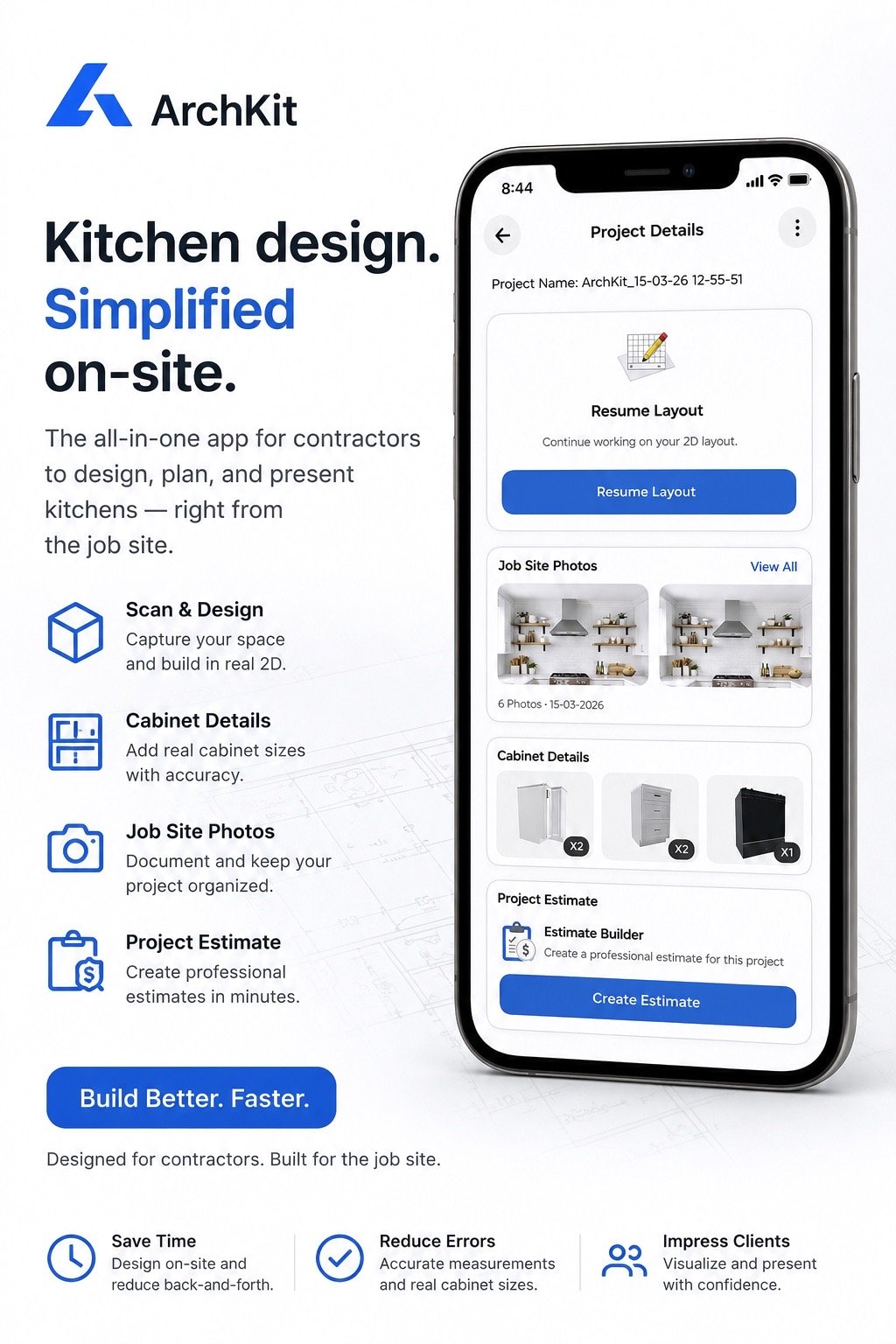
Your best design work shouldn't happen at 11 PM while you're hunched over a laptop. The era of the "office night" is over. You've likely felt the sting of a cabinet re-order caused by a single missed fraction on a tape measure. It's time to stop losing sleep over manual errors and slow client approval cycles. Adopting the right productivity tools for kitchen contractors isn't just about convenience; it's about reclaiming your time and dominating the market in 2026.
Discover the modern tech stack that moves the entire design and approval process directly to the jobsite. This guide explores how to use mobile-first workflows and LiDAR scanning to capture a room with millimeter precision in seconds. We’ll also show how specialized software like ArchKit Design lets you create 3D cabinet layouts and present them via augmented reality before you even leave the driveway. Learn to slash drafting time, eliminate revisions, and drive your closing rates higher than ever.
- Bridge the "productivity gap" by moving your entire design and approval workflow from the late-night office to the immediate jobsite.
- Deploy mobile LiDAR scanning to capture millimeter-accurate measurements and instant 3D floor plans, effectively eliminating costly cabinet re-orders.
- Evaluate the latest productivity tools for kitchen contractors to replace slow legacy software with high-velocity mobile CAD and standard cabinet catalogs.
- Use on-site AR walkthroughs to provide instant visualizations that reduce client anxiety and secure project approvals faster.
- Build a streamlined 2026 tech stack using ArchKit Design as your central hub for scanning, layout planning, and professional estimating.
The Productivity Gap: Why Traditional Kitchen Remodeling is Slow
The "Productivity Gap" is the hidden drain on your company's revenue. It represents the dead time between the initial site walk-through and the moment a design is ready for a client to sign off. Traditionally, this gap spans days of drafting at a desk. In 2026, leading firms are eliminating this delay. They are shifting the heavy lifting from the office directly to the jobsite. Legacy desktop software has become a bottleneck, forcing contractors to choose between accurate designs and fast turnaround times. You can't afford to wait.
Relying on manual sketches creates a high risk of material waste. A single transposed number on a notepad leads to cabinet re-orders that eat your profit margins. Integrating modern productivity tools for kitchen contractors into your field workflow stops these leaks. By moving the drafting phase to the client's home, you verify every dimension against the real walls. You don't just save time; you protect your reputation for precision and reliability. This on-site approach ensures that your initial estimates are grounded in the physical reality of the space, not a rough sketch made hours later.
The High Cost of Manual Measurements
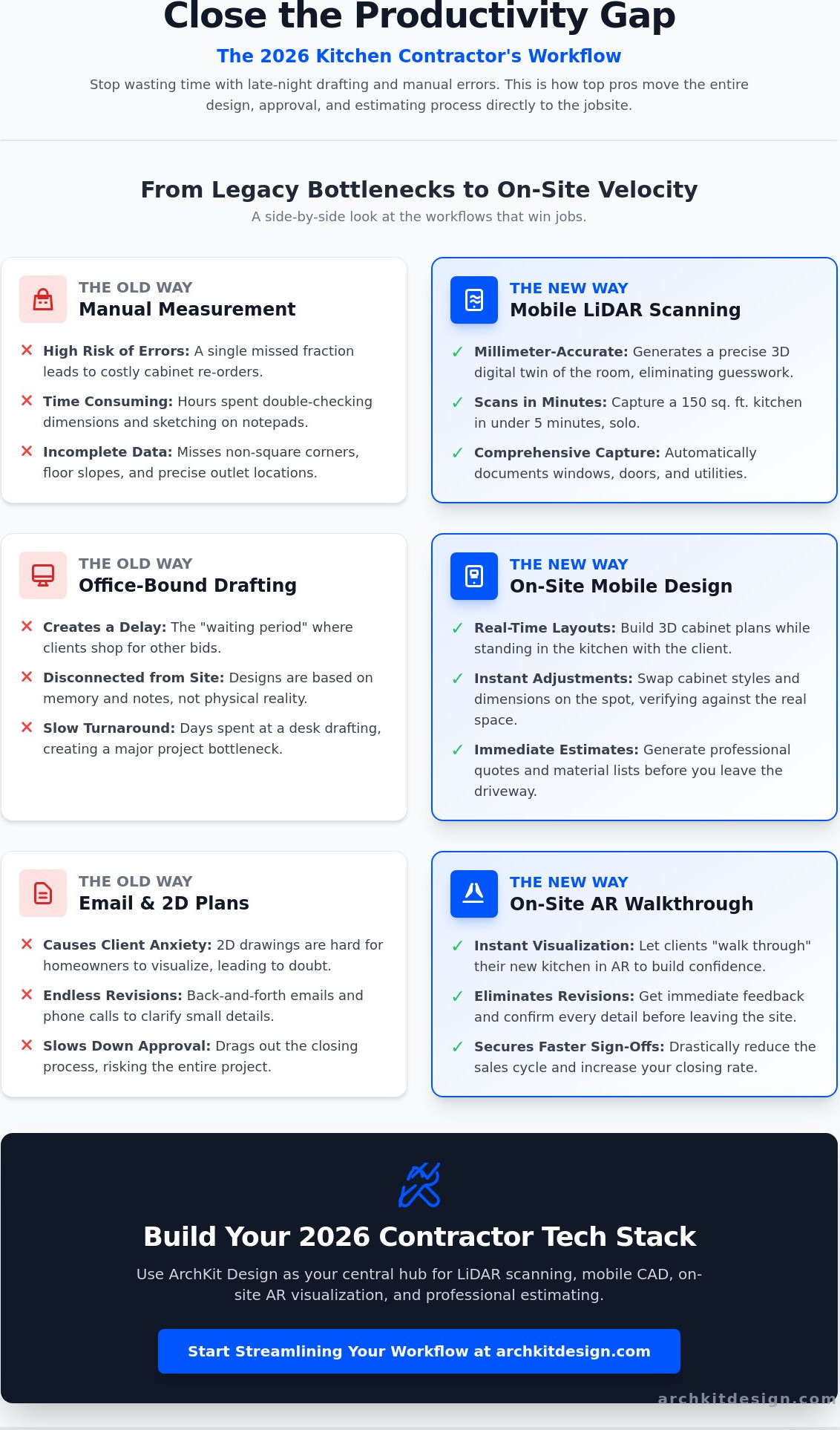
Tape measure errors derail timelines. When you're managing a complex kitchen layout, "measurement fatigue" leads to mistakes in corner clearances and appliance spacing. These small slips create massive delays during the installation phase. Using LiDAR technology captures every detail of the room with laser accuracy, removing the guesswork from your data. This technology detects non-square corners and subtle floor slopes that a tape measure misses entirely. This speed is essential for the kitchen design approval process, where momentum is your best closing tool. You get the data right the first time.
Office-Dependent Workflows vs. Field Efficiency
Traditional workflows force a dangerous "waiting period" where clients often shop around for other bids. Every hour you spend at a desk is an hour a competitor could be winning the job. "Real-Time Remodeling" is the 2026 industry standard. It replaces slow desktop drafting with agile mobile tools. Platforms like ArchKit Design allow you to build layouts while standing in the kitchen. You swap cabinet styles and adjust dimensions instantly. This removes the administrative friction that slows down your business. It keeps you focused on securing the next contract. Clients value the transparency of seeing their project take shape in front of them, which significantly reduces the cycle of back-and-forth emails and revisions.
Next-Gen Measurement: LiDAR and Digital Room Scanning
The tape measure is no longer the gold standard for accuracy on a professional jobsite. In 2026, the most effective productivity tools for kitchen contractors rely on LiDAR (Light Detection and Ranging). This technology uses rapid laser pulses to map physical environments in three dimensions, creating a high-fidelity "digital twin" of any room. While manual measuring requires a second set of hands and constant double-checking, a digital scan captures every dimension solo. You aren't just recording lengths; you're capturing the entire volume of the space, including the exact placement of plumbing stubs and electrical outlets.
Modern mobile devices have turned this once-expensive surveying technology into a pocket-sized asset. ArchKit Design utilizes these sensors to generate 3D floor plans that include windows, doors, and structural openings automatically. By using a specialized LiDAR kitchen scanner app, you can document a standard 150-square-foot kitchen in under five minutes. This speed allows you to move from data collection to design strategy while you're still standing in the space, ensuring no detail is overlooked before you leave the site.
Eliminating Human Error with Digital Scans
Digital scanning removes the subjective nature of manual sketches. LiDAR is a laser-based light detection system for 3D mapping that identifies structural irregularities that the human eye often misses. The "scan-to-CAD" pipeline translates this raw data into a clean, workable layout for cabinet planning. This direct transfer prevents the transposed numbers and illegible handwriting that lead to ordering disasters. You can test this precision yourself to see how digital data streamlines your entire estimation process.
The Best Hardware for On-Site Scanning in 2026
To maximize the benefits of digital room scanning, your hardware must be up to the task. The 2026 iPad Pro and iPhone Pro models feature high-resolution LiDAR sensors designed for professional-grade spatial capture. Because a kitchen remodel is a high-grit environment, your devices need protection. Use a ruggedized, dust-proof case to prevent sensor interference from drywall dust or debris. Additionally, continuous scanning is power-intensive. Equipping your work vehicle with a fast-charging station or carrying a dedicated power bank is essential for maintaining a full day of back-to-back site visits without interruption.
Professional Design Software: Mobile CAD vs. Legacy Desktop
Legacy desktop CAD software is a notorious time sink. It requires a high-end workstation, a steep learning curve, and hours of dedicated "office time" to produce a single layout. For a contractor in the field, this is a massive liability. Modern productivity tools for kitchen contractors have flipped the script by moving the entire design engine onto mobile devices. AR-driven apps are built for speed and intuition. You don't need a degree in architecture to build a professional layout; you just need a tablet and a few minutes on-site. This shift allows you to maintain momentum while you're still standing in the kitchen you're about to remodel.
The real power of mobile CAD lies in cloud synchronization. Start a scan on your phone, refine the cabinetry layout on your iPad, and have the final itemized list waiting on your office computer. Juggling three different software packages for notes, photos, and drafting is inefficient. Switching to an all-in-one solution like ArchKit eliminates the friction of data transfer. You get a single hub for the entire project lifecycle. It's a faster, cleaner way to work that keeps your projects moving toward the finish line without the administrative fatigue of legacy systems.
Why Modern Contractors are Moving to Mobile CAD
Mobile CAD isn't just a drafting tool; it's a high-performance sales engine. When you use a 3D kitchen visualizer for professionals, you're delivering a live demonstration. Clients don't have to wait three days for a PDF. You can swap cabinet styles instantly. Change a finish from matte black to white oak in one tap. This immediacy builds massive trust. It shows the client you're an expert who values their time. By resolving design questions on-site, you eliminate the back-and-forth emails that usually stall a project during the early phases.
Standardized Catalogs and Accurate Estimating
Accuracy must extend from the scan to the final order list. Using a professional cabinetry layout tool ensures your design respects real-world constraints. ArchKit integrates standard U.S. cabinet sizes directly into the interface. This means your 3D model isn't just a pretty picture; it's a buildable plan. The app automatically generates itemized lists based on your layout. You don't have to manually count boxes or guess at filler strips. This automation slashes the time spent on vendor ordering and ensures your project costing is accurate from day one. You design with confidence and order with precision.
Client Communication and Closing Tools: The Power of AR
Speed is your greatest competitive advantage. If you can show a client their finished kitchen while standing in their current, outdated space, you've already won the contract. In 2026, productivity tools for kitchen contractors are no longer just for internal organization; they are high-performance sales engines. Augmented Reality (AR) is the ultimate tool for bridging the gap between a contractor's vision and a homeowner's imagination. It transforms a static bid into an immersive experience, effectively killing the "I need to think about it" objection before it even leaves the client's mouth.
Immediate visualization directly impacts your bottom line. When clients see a digital model overlaid on their actual walls, their anxiety vanishes. They stop worrying about whether the island is too big or if the cabinet color is right because they can see the reality on your screen. This clarity leads to faster signatures and fewer "office nights" spent chasing leads that have gone cold. For more on the psychology of these high-tech sales, check out this guide on how to increase closing rate for contractors.
Visualizing the Future with AR Walkthroughs
The "I can't picture it" objection is the most common reason for project delays. AR solves this by providing a digital overlay on the physical world via a tablet or phone screen. A client can walk through their kitchen and see exactly where the new pantry sits. They can move around the space to check clearances and sightlines. This isn't a pre-rendered video; it's a live, interactive environment. ArchKit allows you to launch these walkthroughs in seconds, turning a standard site visit into a professional presentation that justifies your premium pricing.
Reducing Revisions through Immediate Feedback
Traditional design cycles are plagued by "email tag." You send a PDF, the client wants a change, and you head back to the office to draft a revision. This cycle can drag on for weeks. With on-site AR tools, you make those adjustments in real time. If the client wants to see a different door style or move a drawer bank, you do it instantly. This transparency builds massive trust. It shows you're a modern professional who values their time and their project's success. By resolving these details on-site, you prevent project disputes later and ensure the final build matches the client's expectations perfectly.
Ready to move your sales process to the jobsite? Get early access to ArchKit and start closing more contracts with on-site AR visualization.
Building Your 2026 Contractor Tech Stack
Efficiency in 2026 rests on three pillars: Measurement, Design, and Communication. Measurement must be digital. Design must be mobile. Communication must be visual. ArchKit unites these functions into a single, high-performance hub. It replaces the fragmented mess of notebooks, laser distance meters, and office-bound laptops. When you evaluate new productivity tools for kitchen contractors, focus on utility over hype. Every tool in your stack should earn its place by saving time or preventing a mistake. Use this checklist for every new acquisition:
- Ease of use: Can you master the interface in minutes on a jobsite?
- Site-readiness: Does it perform in dusty environments without a desk?
- ROI: Does it slash drafting time or eliminate a cabinet re-order?
Adopting new technology doesn't require a total business overhaul on day one. Start with a "pilot project" approach. Pick one upcoming remodel. Commit to the digital workflow from the first scan to the final contract signature. Compare the speed and client reaction to your traditional methods. You'll likely find that the "office nights" you once accepted as normal are now completely unnecessary. The transition is about working smarter, not harder.
Integrating ArchKit into Your Daily Workflow
The transition from a physical room to a digital layout is now a linear, five-minute process. Open the app. Perform your LiDAR scan. The walls, windows, and doors materialize instantly. Drop in your cabinet runs and adjust the layout while standing in the space. You can start testing this today with the free kitchen design app option. As you scale your operations and require more advanced features, explore ArchKit Pricing to find the professional plan that fits your business volume. This is about building a repeatable, error-free system for every lead.
The Future of Kitchen and Bath Contracting
The total digital transformation of the remodeling trade is accelerating. By late 2026, contractors who rely on stationary office equipment and manual sketches will find it impossible to compete with the speed of mobile-first professionals. Clients expect immediate results and high-tech visualizations. Don't get left behind as the industry moves to the jobsite. Get early access to ArchKit and secure your place as a leader in the modern market. The most productive contractors aren’t the hardest workers, but the best equipped.
Master the On-Site Design Workflow
Modernizing your business isn't about working more hours. It's about upgrading your equipment. By moving your measurement and design process to the field, you eliminate the administrative lag that kills profits. You've seen how LiDAR scanning and mobile CAD provide the speed and precision required to stay competitive in 2026. These are the essential productivity tools for kitchen contractors who want to reclaim their evenings and impress their clients with immediate results. Bridging the productivity gap means leaving the stationary office behind. Embrace a mobile-first approach that delivers value while you're still standing on the jobsite.
ArchKit is built specifically for this high-velocity environment. It combines sub-inch LiDAR accuracy with a standard U.S. cabinet catalog to ensure every layout is buildable and accurate. Stop losing time to manual drafting and slow approval cycles that cause leads to go cold. Start your free trial of the ArchKit kitchen design app today to experience the power of on-site visualization and instant estimating. You already have the trade skills to build great kitchens. Now, get the tools to sell them faster.
Frequently Asked Questions
What are the best productivity tools for kitchen remodelers in 2026?
The best tools for 2026 focus on mobile-first workflows that combine LiDAR scanning, 3D layout planning, and AR visualization. Solutions like ArchKit consolidate these functions into a single app. This replaces legacy desktop software. These productivity tools for kitchen contractors enable you to move from measurement to design while still on-site. You eliminate the office night drafting cycle. You keep project momentum high.
How does LiDAR technology improve kitchen measurement accuracy?
LiDAR improves accuracy by using laser pulses to map physical spaces with millimeter precision. Professional-grade scanners achieve accuracy down to ±1–2 mm; while consumer-grade mobile LiDAR typically offers around ±20 mm at 10 meters. This technology captures non-square walls and ceiling heights automatically. It removes the human error associated with manual tape measurements. You get a reliable digital twin of the room instantly.
Can I use a kitchen design app on-site without an internet connection?
Yes, professional mobile design tools support offline functionality for core tasks like scanning and layout adjustments. You can perform a full room scan and build a 3D cabinet layout without a live connection. The data then syncs to the cloud once you return to your vehicle or office. This ensures you never lose project data due to poor reception in a client's basement or remote location.
How do mobile design tools help contractors close more sales?
Mobile design tools close more sales by providing immediate visual proof of your expertise. Instead of asking a client to wait days for a proposal, you show them a 3D model in their actual space using augmented reality. This transparency builds instant trust. It reduces decision paralysis. When a client sees the finished product before you leave the driveway, they are significantly more likely to sign immediately.
What is the difference between DIY design apps and professional contractor tools?
Professional tools prioritize accuracy, speed, and industry-standard specifications. DIY apps often lack localized U.S. cabinet catalogs and the ability to export precise CAD files for manufacturing. Professional productivity tools for kitchen contractors, like ArchKit, are built for the grit of the jobsite. They focus on reducing re-orders and streamlining vendor communication. They don't just pick paint colors; they build buildable plans.
Do I need an iPad Pro to use LiDAR scanning for kitchen design?
You need a device equipped with a LiDAR sensor for the best scanning performance. This includes recent iPad Pro models and iPhone Pro models, starting from the 12 Pro. While the app may run on other devices, the LiDAR sensor allows for the instant, accurate mapping of a room. Investing in the right hardware ensures your digital twins are reliable for cabinetry planning and material estimating.
How much time can a contractor save by using AR visualization tools?
Contractors typically save several hours per project by using AR visualization to resolve design questions on-site. Instead of a week-long email revision cycle, you make adjustments in real time with the client. This immediate feedback loop eliminates the need for multiple follow-up meetings. You finalize the layout in one visit. This frees up your evenings for high-value tasks or personal time.
Is it difficult to learn professional kitchen design software like ArchKit?
ArchKit is designed for intuitive use by field professionals, not just CAD specialists. Most contractors can perform their first scan and create a basic layout within minutes of downloading the app. The interface uses familiar touch controls and automated wall detection to simplify the drafting process. It removes the technical barriers of legacy software. You focus on the project rather than the technology.


